

Affiliate Disclosure: BuildWithPC is reader-supported. When you purchase through links on our site, we may earn an affiliate commission at no additional cost to you. Our reviews and recommendations are always honest and independent.
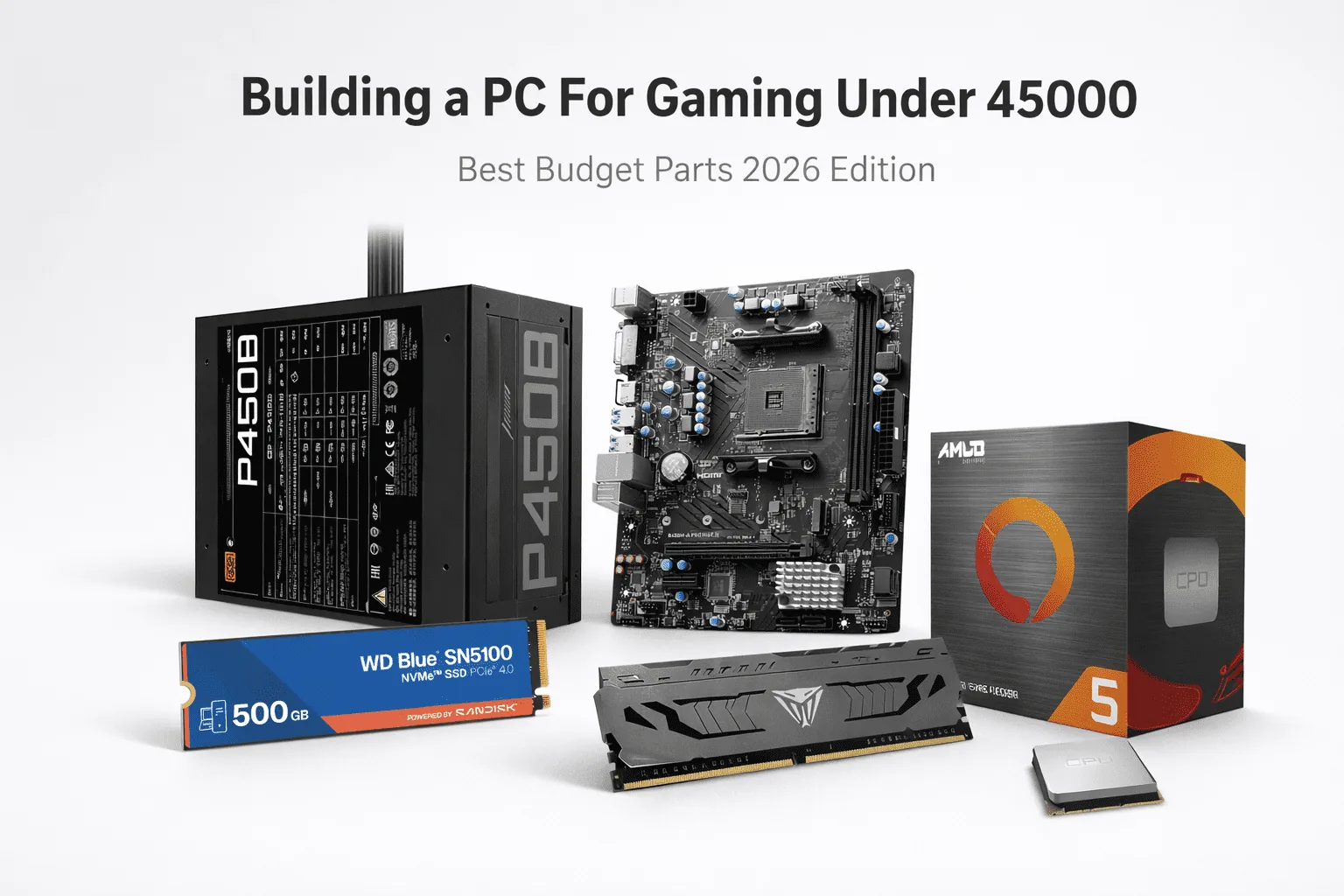
Building a PC For Gaming on a limited budget still remains possible in 2026 with proper component selection. This tutorial reveals strategies on building your own gaming PC on a budget of just 45000 using good quality parts to enable flawless performance in games, even without relying on a separate graphics processing unit.
Of course, this rig is perfect for those who are new to Building a PC For Gaming, whether they are a student or just a person who wants a good computer but doesn’t have a tremendous budget.
Table of Contents
1: Why should one prefer Building a PC For Gaming within the budget
It gives you the best bang for the buck. Play popular esport games without the need for a graphics card with the integrated graphics found in modern processors. It’s very budget-friendly and energy-efficient and is best for newbies and new gamers with plans to upgrade in the future.
This gaming computer setup is primarily designed for playing first-person shooter games and gaming with as much smoothness and stability as possible.
2: Best Building a PC For Gaming Under 45000
2.1: Recommended Parts List
| Component | Model / Example | Approx Price (₹) |
| Processor (CPU) | AMD Ryzen 5 5600G (Integrated Graphics) | 12900 |
| Motherboard | MSI B450M Motherboard | 6240 |
| RAM | 16GB (8GB × 2) DDR4 3200MHz | 9700 |
| Storage (SSD) | 512GB NVMe SSD WD Blue Gen4 | 7200 |
| Power Supply (PSU) | Gigabyte GP-P450B 80+ Bronze | 3220 |
| Cabinet | Ant Esports ICE-300 | 3650 |
| CPU Cooling | Ant Esports ICE-C612 | 1580 |
| Total Cost | 44490 |
2.2: Processor – Ryzen 5 5600G with Radeon Graphics

The AMD Ryzen 5 5600G is indeed a popular choice among budget-conscious computer enthusiasts, gamers, and content creators, as it delivers robust performance without investing money in a separate graphics card processor.
Powered by AMD’s Zen 3 microarchitecture, it comes equipped with robust CPU and integrated graphics performance, which makes it a phenomenal selection for budget gaming computers.
| Feature | Details |
| Processor Name | AMD Ryzen™ 5 5600G |
| CPU Cores / Threads | 6 Cores / 12 Threads |
| Base Clock | 3.9 GHz |
| Max Boost Clock | Up to 4.4 GHz |
| Cache | 19MB Total Cache (L2 + L3) |
| Architecture | Zen 3 (7nm FinFET) |
| Integrated Graphics | Radeon™ Graphics (7 Cores, up to 1900 MHz) |
| Memory Support | Dual-channel DDR4 up to 3200 MHz |
| Socket | AM4 |
| Power Consumption | 65W TDP |
| Overclocking Support | Yes (Unlocked) |
| Cooler Included | AMD Wraith Stealth |
| PCIe Support | PCIe 3.0 |
Best For:
The AMD Ryzen 5 5600G processor is ideal for budget gaming computers, students, first-time builders, or individuals who will eventually add a graphics card to their systems.
It is excellent for playing esport games, performing duties, and multitasking without increasing the price of the entire system, making it one of the greatest values among the Ryzen 5000 lineup.
2.3: MSI B450M-A PRO MAX II

The MSI B450M-A PRO MAX II is a very reliable and affordable Micro-ATX motherboard for the AM4 sockets of Ryzen processors. This motherboard supports a variety of Ryzen desktop processors, fast DDR4 RAM, and NVMe SSDs and hence can be the best option for budget gaming PCs, offices, and upgrades as well.
This motherboard boasts MSI’s trusted quality and performance-oriented technologies and hence a lot of value for its price
Key Features
| Feature | Details |
| Motherboard Model | MSI B450M-A PRO MAX II |
| Form Factor | Micro-ATX |
| CPU Socket | AM4 |
| Supported CPUs | AMD Ryzen 1000 to 5000 Series & G-Series, Athlon with Radeon Graphics |
| Memory Support | DDR4 up to 64GB |
| Memory Speed | Up to 4133 MHz (OC) |
| Storage Support | Turbo M.2 (PCIe Gen3 x4) for NVMe SSDs |
| Expansion Slot | PCIe x16 for GPU |
| Display Output | HDMI |
| Network | 2.5G LAN |
| USB Ports | USB 3.2 Gen 1 & USB 2.0 |
| Audio | MSI Audio Boost (Studio-grade sound) |
| Special Features | Core Boost, DDR4 Boost, X-Boost |
| Cooling Support | Multiple fan headers with full control |
Best for:
The MSI B450M-A PRO MAX II motherboard will prove most beneficial for the individuals wanting to assemble budget gaming PCs, Ryzen APU setups (such as Ryzen 5 5600G APU), office computers, and people building their first PCs if they are interested in having quality performance without necessarily breaking the bank.
The motherboard will work well for individuals who see the future and are likely to install a separate graphics card or faster storage solutions.
2.4: Patriot Memory Viper Steel DDR4

The Patriot Memory Viper Steel DDR4 Memory Kit with a capacity of 16GB (2 x 8GB) at an operating speed of 3200MHz has been regarded as one of the best-performing RAM kits in terms of achieving the perfect balance of speed, stability, and affordability.
This dual-channel memory kit supports XMP 2.0 profiles and comes with an all-aluminum heat spreader.
Key Features
| Feature | Details |
| Product Name | Patriot Viper Steel DDR4 |
| Capacity | 16GB (2 × 8GB) |
| Memory Type | DDR4 SDRAM |
| Speed | 3200 MHz |
| Base Frequency | 2133 MHz (Up to 3200 MHz with XMP 2.0) |
| Timings | CL16 (XMP Enabled) |
| Voltage | 1.35V |
| Form Factor | UDIMM (Desktop) |
| Heat Spreader | Aluminum heat shield (Gunmetal Grey) |
| Compatibility | Tested on latest Intel & AMD platforms |
| Overclocking Support | XMP 2.0 |
| Warranty | Limited Lifetime Warranty |
Best For:
This Patriot Viper Steel DDR4 16 GB 3200 MHz RAM kit is most suitable for budget gaming computers, average gaming computers, Ryzen APUs such as Ryzen 5 5600G, multitasking computers, as well as those individuals building gaming computers for the first time.
2.5: WD Blue SN5100 NVMe 500GB PCIe Gen 4 SSD

The Western Digital WD Blue SN5100 is an ultra-fast PCIe Gen 4 NVMe SSD with a large 500GB capacity, which is perfect for individuals who require faster boot, loading, and general performance for their gaming and day-to-day tasks.
The high-performance drive is built with cutting-edge SanDisk 3D CBA NAND and comes with a 5-year warranty
Key Features
| Feature | Details |
| Model | WD Blue SN5100 |
| Capacity | 500GB |
| Form Factor | M.2 2280 |
| Interface | PCIe Gen 4 NVMe (Backward Compatible) |
| Sequential Read Speed | Up to 6600 MB/s |
| Sequential Write Speed | Up to 5600 MB/s |
| Random Performance | Up to 660K IOPS Read / 1100K IOPS Write |
| NAND Technology | SanDisk 3D CBA NAND |
| Cache Technology | SanDisk nCache 4.0 |
| Endurance | 300 TBW |
| Warranty | 5-Year Limited Warranty |
| Software Support | Acronis True Image & SanDisk Dashboard |
Best For:
The WD Blue SN5100 500GB NVMe SSD is most appropriate to use on budget gaming PCs, mid-range gaming PCs, boot drives, content creators, and those who previously relied on SATA or Hard Disk Storage. The product is ideal for gamers who may want fast speeds offered by PCIe Gen 4, yet still want a product that is cheap and durable.
2.6: GIGABYTE Plus Bronze Power Supply

“GIGABYTE GP-P450B 80 Plus Bronze Power Supply” is an affordable, reliable entry-level power supply suitable for gaming computers. This unit has 80+ Bronze certification, an individual +12V rail, as well as various safety features.
This power supply is ideal for people who are searching for reliable performance at an affordable price. Buying such an item helps them enjoy reliable performance without having to spend much money on the brand.
Key Features
| Feature | Details |
| Model | GIGABYTE GP-P450B |
| Output Power | 450 Watts |
| Certification | 80 Plus Bronze (Up to 85% Efficiency) |
| Form Factor | ATX12V v2.31 |
| PFC | Active PFC (>0.9 typical) |
| Cooling Fan | 120mm Silent Hydraulic Bearing (HYB) Fan |
| Power Rail | Single +12V Rail |
| Cable Type | Flat, All-Black Cables |
| Protection Features | OVP / OPP / SCP / UVP / OCP / OTP |
| Input Voltage | 100–240V (Full Range) |
| MTBF | >100,000 Hours |
| Warranty | 3 Years (Region Dependent) |
Best For:
The GIGABYTE GP-P450B power supply unit is better used in budget gaming PCs, office machines, and entry-level GPU systems. It’s ideal for users who are on a tight budget but still want to build a PC with a stable power supply, essential protective features, and the ability to perform future upgrades on the GPU.
2.7: Ant Esports ICE-C612 V2 ARGB CPU
The Ant Esports ICE-C612 V2 ARGB CPU Cooler is a premium-quality air cooling solution aimed at gamers and PC enthusiasts looking to enhance their thermals, noise levels, and aesthetics without spending a fortune.
Equipped with a massive aluminum heat sink, six copper heat pipes, and support for all prevalent sockets like Intel LGA 1700 and AMD AM5, the Ant Esports ICE-C612 V2 ARGB CPU Cooler boasts to be a future-proof solution for a gaming PC.
Key Features
| Feature | Details |
| Cooler Type | Tower Air CPU Cooler |
| Heatsink Height | 153 mm Aluminum Heatsink |
| Heat Pipes | 6 × 6mm Copper Heat Pipes |
| Fan | 120mm ARGB PWM Fan |
| Fan Speed | Up to 2000 RPM |
| Airflow | Up to 73.6 CFM |
| Noise Level | Up to 37 dBA |
| Power Connector | 3-Pin |
| Supported Intel Sockets | LGA 115X, 1200, 1366, 1700, 2011, 2066 |
| Supported AMD Sockets | AM2, AM3, AM4, AM5, FM1, FM2 |
| Lighting | Fully Addressable RGB (ARGB) |
| Installation | Easy installation with mounting kit |
| Warranty | 1-Year Manufacturer Warranty |
Best For:
The Ant Esports ICE-C612 V2 ARGB is most suitable for budget gaming PCs, mid-range gaming PCs, and gaming PCs that use Ryzen and Intel processing.
It is also best suited for users who want to upgrade their current cooling systems to something far better, yet still want to save money and not purchase an ARGB liquid cooling system.
3: Conclusion
This budget build is an absolute steal – and we’re not just talking about the price. You’re getting excellent esports performance, fast storage, and the ability to easily upgrade your system in the future. It’s a perfect choice for anyone looking to get into PC gaming without breaking the bank.
4: Frequently Asked Questions (FAQs)
Q1: Can I build a PC for under 50000?
Honestly, yeah – you can definitely get a very capable PC under 50000. With the right components, you can get esports games running smoothly, handle everyday tasks with ease and even add a dedicated GPU later on for an even bigger boost.
Q2: What PC can hit 1000 FPS?
Getting to 1000 FPS is only really possible in the most lightweight or older games and even then you need a top of the line CPU, an incredibly powerful GPU, and to have the resolution and settings turned down to nothing. Don’t expect a budget PC to be able to handle that sort of thing.
Q3: Will a PC last 7 years?
Absolutely – a well built PC should easily last you for 7 years or more. Just make sure you’re taking care of it, getting the right components, and keeping an eye out for upgrades when you need them (like adding more RAM or swapping the GPU out for a newer model)
Also Read:
- Best Gaming Laptop Under 60000
- Best SSD for Gaming PC in 2026
- Best ASUS Gaming Laptop Under 1 Lakh
- Best Gaming Monitor Under 30000
- Best RAM for Laptop in 2026
- Top 5 Best SSD for Gaming PC in 2026
Affiliate Disclosure: BuildWithPC is reader-supported. When you purchase through links on our site, we may earn an affiliate commission at no additional cost to you. Our reviews and recommendations are always honest and independent.