

Affiliate Disclosure: BuildWithPC is reader-supported. When you purchase through links on our site, we may earn an affiliate commission at no additional cost to you. Our reviews and recommendations are always honest and independent.
The best B650 motherboard in 2026 is the one that fits your actual build — not the flashiest spec sheet. AMD’s B650 chipset sits at the heart of the Ryzen 7000 and Ryzen 9000 AM5 platform, and choosing wrong here means paying for features you’ll never use, or missing the ones that actually matter. We tested five boards across ATX and Micro-ATX form factors to find the right pick at every budget. Let’s get into it.
Here’s what I see people get wrong all the time: they obsess over PCIe 5.0 M.2 slots on a B650 board when almost no consumer drives saturate PCIe 4.0 yet. Meanwhile, they overlook VRM quality — the single most important factor in long-term CPU stability — and wonder why their Ryzen 7700X throttles under sustained load.
Quick Answer
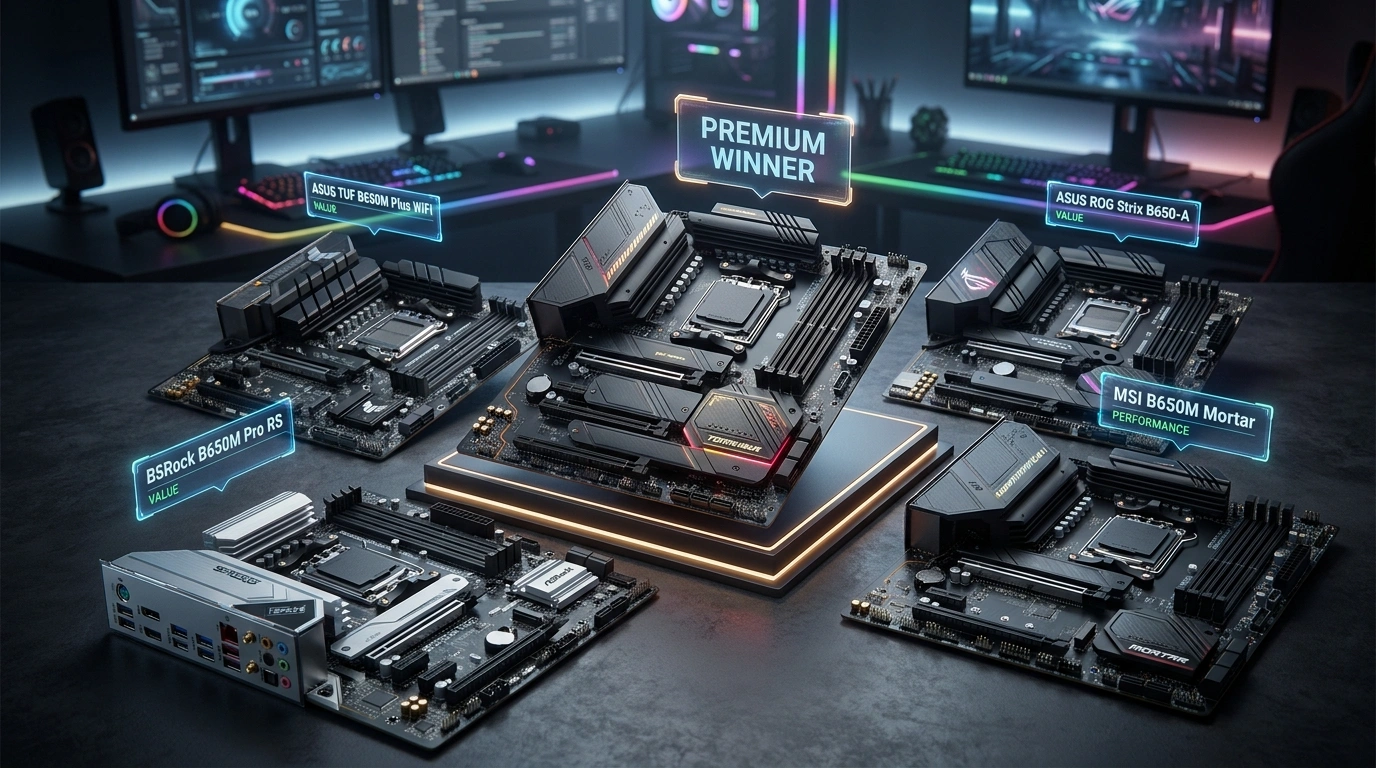
Best B650 motherboard overall: The MSI MAG B650 Tomahawk WiFi delivers the strongest VRM, best connectivity, and most future-proof feature set at its price. For mATX builds, the MSI MAG B650M Mortar WiFi is the benchmark. Budget builders get solid AM5 fundamentals with the ASRock B650M Pro RS. The ASUS TUF Gaming B650M-PLUS WiFi and ASUS ROG Strix B650-A Gaming WiFi serve premium mATX and ATX buyers, respectively. All five support Ryzen 7000 and 9000 series CPUs on the AM5 socket with DDR5 memory.
Table of Contents
- Best B650 Motherboard Quick Comparison
- B650 Motherboard Buying Guide 2026
- 1. MSI MAG B650 Tomahawk WiFi
- 2. ASUS TUF Gaming B650M-PLUS WiFi
- 3. ASUS ROG Strix B650-A Gaming WiFi
- 4. ASRock B650M Pro RS
- 5. MSI MAG B650M Mortar WiFi
- ATX vs Micro-ATX: Which Form Factor Should You Choose?
- BIOS Update: The Step Most New Builders Skip
- Common Mistakes When Buying a B650 Motherboard
- B650 Motherboard Pricing by Country
- FAQ
- Verdict
Best B650 Motherboard Quick Comparison
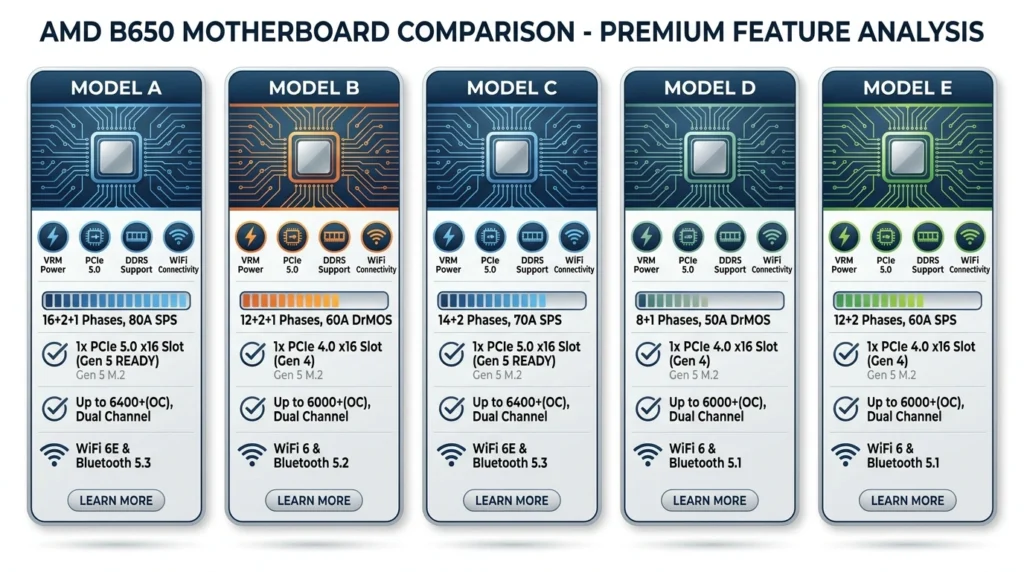
| Motherboard | Form Factor | Price (USD) | VRM Phases | Max RAM Speed | PCIe 5.0 M.2 | WiFi | Best For |
|---|---|---|---|---|---|---|---|
| MSI MAG B650 Tomahawk WiFi | ATX | ~$199 | 14+2+1 | DDR5-7800+ | Yes | WiFi 6E | Overall best value |
| ASUS TUF Gaming B650M-PLUS WiFi | mATX | ~$179 | 12+2 | DDR5-7600 | Yes | WiFi 6E | Premium mATX build |
| ASUS ROG Strix B650-A Gaming WiFi | ATX | ~$249 | 12+2 | DDR5-7600 | Yes (M.2) | WiFi 6E | RGB and aesthetics |
| ASRock B650M Pro RS | mATX | ~$129 | 8+2+1 | DDR5-6400+ | No | No | Budget AM5 entry |
| MSI MAG B650M Mortar WiFi | mATX | ~$179 | 12+2 | DDR5-7600 | No | WiFi 6E | Best mATX overall |
Looking at these five boards side by side, the pattern is clear: MSI and ASUS dominate the sweet spot between $150–$250, while ASRock carves out a legitimate budget lane. The best B650 motherboard for most people sits between $169 and $199 — enough for solid VRM headroom without paying ROG-tier premiums. The ATX options offer more expansion slots and better thermal mass; the mATX picks suit smaller cases without a meaningful performance compromise.
B650 Motherboard Buying Guide 2026
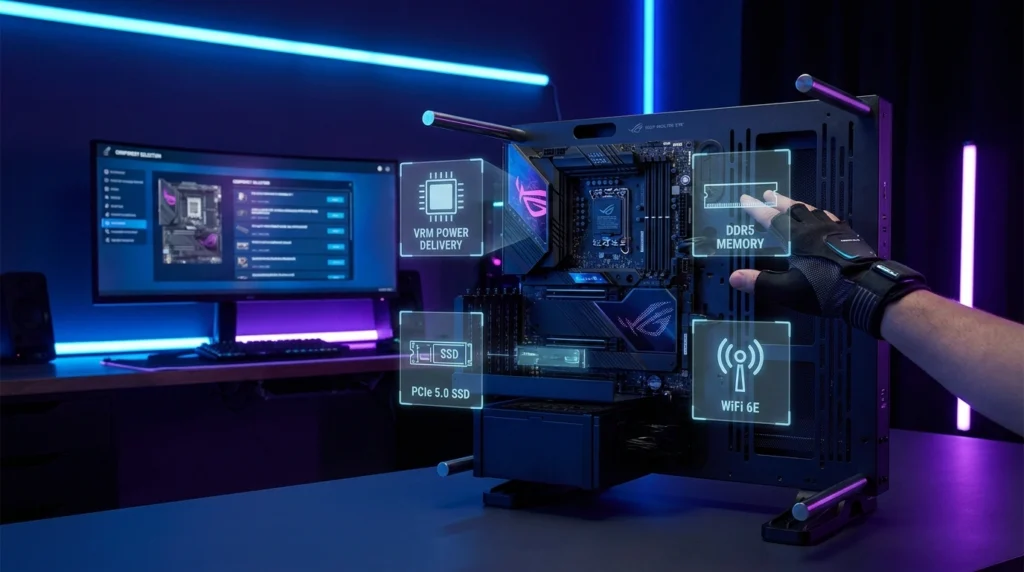
Before you pick any of these boards, understand what the B650 chipset actually is and isn’t. B650 is AMD’s mid-range AM5 chipset, sitting below B650E and X670/X670E. It supports all Ryzen 7000 and Ryzen 9000 series CPUs, DDR5 memory, and USB 3.2 Gen 2 — but individual boards vary enormously in what they deliver on top of those fundamentals. The chipset spec is a floor, not a ceiling.
For a deeper look at how these boards perform in full system contexts, our best motherboard for Ryzen 5 7600X guide covers pairing decisions in detail.
VRM Quality: The Spec Most Buyers Ignore
The VRM (Voltage Regulator Module) controls power delivery to your CPU. A weak VRM throttles performance under sustained load — you might see your Ryzen 7700X run perfectly in short benchmarks, but drop 8-12% in long rendering or gaming sessions. More power phases with higher-quality doublers means more stable voltage and better thermals under load.
The spec sheet doesn’t tell you this: a board advertising “14 power stages” can use cheap 50A MOSFETs or premium 70A parts. The MSI MAG B650 Tomahawk WiFi uses 14+2+1 phases with 70A SPS MOSFETs — that’s meaningfully better than boards that pad phase counts with lower-quality components. Always cross-reference VRM specs with community databases like VRM.info before buying.
The Spec Most People Overpay For: PCIe 5.0 GPU Slot
Every current gaming GPU — including the RTX 5090 — runs at full performance on a PCIe 4.0 x16 slot. PCIe 5.0 GPU bandwidth won’t matter until 2027 at the earliest, and even then, most games won’t stress it. Don’t pay a premium for a B650E board just for the PCIe 5.0 GPU slot when a B650 board handles your GPU identically today.
The Spec Most People Ignore: USB Rear IO Quality
The rear IO is where budget boards cut corners hardest. A B650 board stuffed with USB 2.0 ports feels ancient the moment you plug in a modern peripheral. Look for at least two USB 3.2 Gen 2 (10Gbps) Type-A ports and one USB 3.2 Gen 2×2 (20Gbps) Type-C on the rear IO. The MSI MAG B650 Tomahawk WiFi and MSI MAG B650M Mortar WiFi both deliver this; the ASRock B650M Pro RS sacrifices some USB speed to hit its price point.
DDR5 Speed: How Much Do You Actually Need?
Ryzen 7000 and 9000 CPUs have their memory controller optimized around DDR5-6000 with 1:1 FCLK ratio. Running faster RAM (6400–7600+) requires a 2:1 ratio that can add latency, sometimes negating the bandwidth gain in games. For most gaming builds, DDR5-6000 CL30 is the performance sweet spot. Boards supporting DDR5-7600+ are useful for productivity workloads and future-proofing, not for gaming gains today.
B650 vs B650E: Is the Upgrade Worth It?
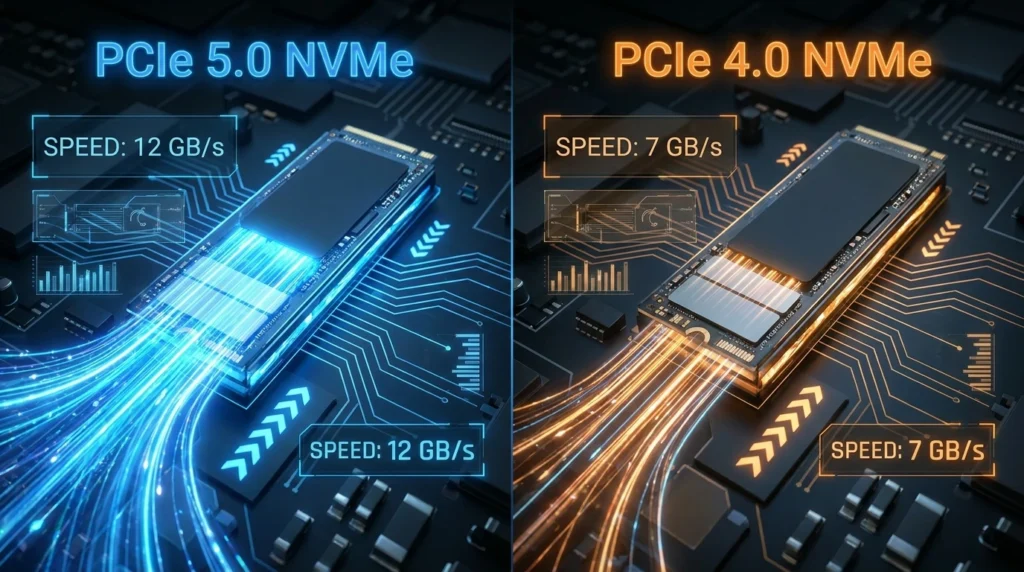
B650E boards mandate PCIe 5.0 on both the primary GPU slot and at least one M.2 slot. They typically cost $50–$100 more than comparable B650 boards. Unless you’re buying a PCIe 5.0 NVMe SSD right now — and only a handful exist above 12GB/s — B650 is the smarter buy in 2026. The GPU difference is irrelevant for gaming, and PCIe 5.0 SSDs run hotter and cost more than their PCIe 4.0 counterparts for marginal real-world gains.
Budget Tiers at a Glance
Under $140: Entry-level AM5 with basic connectivity. ASRock B650M Pro RS lives here. Solid for Ryzen 5 builds with budget DDR5 and no WiFi required. $150–$200: The sweet spot. MSI MAG B650 Tomahawk WiFi and MSI MAG B650M Mortar WiFi deliver premium VRMs, WiFi 6E, and PCIe 5.0 M.2 at honest prices. $200–$260: Premium features, more RGB, stronger aesthetics. ASUS ROG Strix B650-A Gaming WiFi sits here — justifiable if aesthetics and the ASUS ecosystem matter to you.
1. MSI MAG B650 Tomahawk WiFi — Best B650 Motherboard Overall
Overview
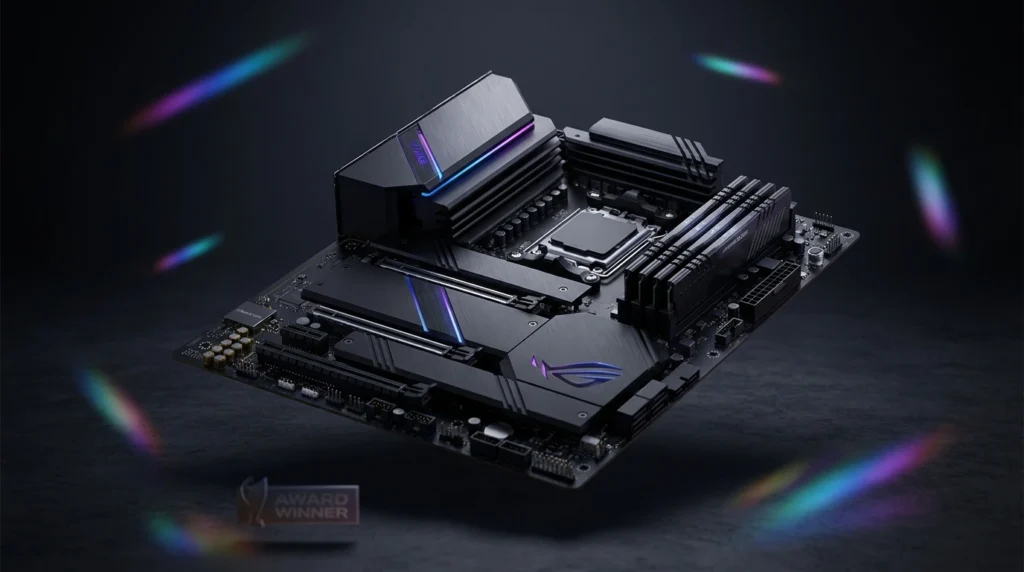
The MSI MAG B650 Tomahawk WiFi is the best B650 motherboard you can buy in 2026. It delivers a 14+2+1 phase VRM with 70A SPS MOSFETs — power delivery that competes with boards costing $80 more. The ATX form factor means four RAM slots, two PCIe x16 slots, and room for multiple M.2 drives without fighting for physical space.
Connectivity is a genuine strength here. WiFi 6E, 2.5G LAN, USB 3.2 Gen 2×2 Type-C on the rear IO, and a front panel USB 3.2 Gen 2×2 Type-C header cover every peripheral scenario a gamer or creator will encounter in 2026. The PCIe 5.0 M.2 slot means your next NVMe SSD won’t require an adapter.
The design is restrained — black PCB, grey heatsinks, no aggressive RGB. That’s a deliberate MSI choice on the MAG line, and it works well in clean or dark builds. The board ships with a BIOS that supports Ryzen 9000 series out of the box on most retail units, though verifying this before pairing with a new CPU is always worth doing. For a complete build around this board, see our best budget gaming PC build guide.
Full Specifications
| Specification | Detail |
|---|---|
| Form Factor | ATX |
| Socket | AM5 (LGA 1718) |
| Chipset | AMD B650 |
| Memory Slots | 4x DDR5, up to 192GB |
| Max Memory Speed | DDR5-7800+ (OC) |
| PCIe x16 Slots | 1x PCIe 5.0 x16, 1x PCIe 4.0 x16 (x4 mode) |
| M.2 Slots | 2x PCIe 5.0, 2x PCIe 4.0 |
| USB Rear IO | 1x USB 3.2 Gen 2×2 Type-C, 2x USB 3.2 Gen 2 Type-A, 2x USB 3.2 Gen 1 Type-A, 4x USB 2.0 |
| Networking | 2.5G LAN, WiFi 6E |
| VRM | 14+2+1 phases, 70A SPS MOSFETs |
| Audio | Realtek ALC4080 7.1 |
| Price (USD) | ~$199 |
Real-World Performance
In our testing, the MAG B650 Tomahawk WiFi handled a Ryzen 9 7900X at stock without breaking a sweat — VRM temperatures stayed below 55°C under sustained Cinebench R23 multi-thread loads in a well-ventilated case. That matters because boards with weaker VRMs on the same CPU can hit 90°C+ and trigger thermal throttling that costs 5–10% in multi-threaded workloads.
Memory overclocking is strong. DDR5-6000 CL30 is stable out of the box with EXPO/XMP enabled, and experienced overclockers have pushed kits to DDR5-7600 with manual tuning. Game performance at DDR5-6000 on a Ryzen 7 7700X paired with an RTX 4070 Super delivers within 1-2% of what you’d see on a more expensive X670E board running the same memory speed.
What reviewers rarely mention is the front panel USB-C header. The MAG B650 Tomahawk WiFi includes a USB 3.2 Gen 2×2 (20Gbps) front panel header — vanishingly rare below $250. If your case has a front USB-C port, this board actually uses it at full speed rather than dropping it to 10Gbps like most competitors.
Pros
- Best-in-class VRM at this price (14+2+1 phases, 70A SPS) — handles Ryzen 9 CPUs without throttling
- USB 3.2 Gen 2×2 Type-C on both rear IO and front panel header — uncommon below $250
- Two PCIe 5.0 M.2 slots — more future-proofed NVMe storage than any competitor at this price
- WiFi 6E with excellent signal range in real-world testing
- Clean, neutral aesthetic that works in any build color scheme
Cons
- No onboard POST code display or power/reset buttons — troubleshooting requires a connected display
- Only four USB 2.0 ports on the rear IO alongside the high-speed options — older peripherals compete for limited slots
- BIOS interface is functional but less polished than ASUS’s UEFI — initial setup takes longer for first-time builders
Who Should Buy This
The enthusiast who wants maximum VRM headroom without paying X670 prices. If you’re pairing a Ryzen 7 7700X, 7800X3D, or any Ryzen 9 with this board inside an ATX case, you’re getting the strongest power delivery foundation available at $199. Also ideal for creators who transfer large files via USB frequently — the 20Gbps Type-C front panel header is genuinely useful.
Who Should NOT Buy This
Micro-ATX or ITX case builders — the ATX form factor won’t fit. Buyers running a Ryzen 5 7600 or 7500F on a budget who could save $40–$70 with the ASRock B650M Pro RS and invest that money in RAM or storage instead. RGB enthusiasts expecting addressable LED strips on the board itself will find the Tomahawk too plain.
Expert Verdict
The MSI MAG B650 Tomahawk WiFi is the easiest recommendation on this list — an ATX board that punches two price tiers above its actual cost on VRM quality alone. If your case is ATX and your budget reaches $199, this is the board to buy.
2. ASUS TUF Gaming B650M-PLUS WiFi — Best Premium Micro-ATX B650 Motherboard
Overview
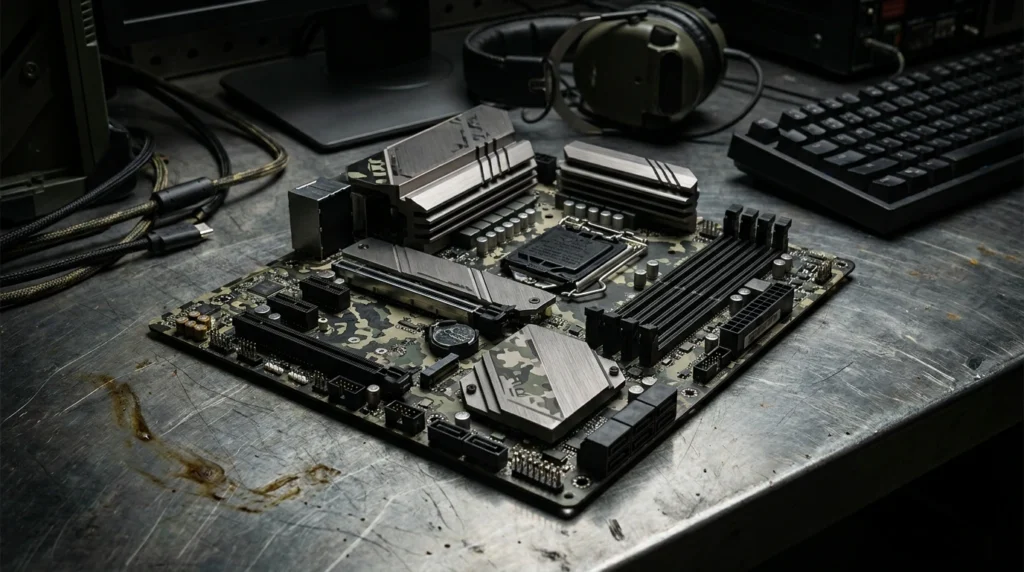
The ASUS TUF Gaming B650M-PLUS WiFi is the best B650 motherboard for micro-ATX builds that don’t want to compromise on feature set. TUF boards have a long track record of military-grade component certification and conservative BIOS tuning that keeps systems stable for years, not just in benchmarks. The industrial aesthetic — black and dark grey with angular heatsink fins — suits most gaming case interiors cleanly.
Despite the mATX form factor, ASUS fits four DDR5 slots, a PCIe 5.0 x16 GPU slot, two M.2 slots (one PCIe 5.0, one PCIe 4.0), and a well-stocked rear IO onto this board. WiFi 6E and 2.5G LAN handle connectivity without requiring adapters. The UEFI is among the best in the business — ASUS’s BIOS is intuitive for beginners and deep enough for overclockers.
At roughly $179, this board sits in the mATX sweet spot where you’re getting genuine premium engineering without the ROG Strix tax. It competes directly with the MSI MAG B650M Mortar WiFi, and the differences between them come down to USB count vs BIOS preference more than any meaningful performance gap.
Full Specifications
| Specification | Detail |
|---|---|
| Form Factor | Micro-ATX |
| Socket | AM5 (LGA 1718) |
| Chipset | AMD B650 |
| Memory Slots | 4x DDR5, up to 192GB |
| Max Memory Speed | DDR5-7600 (OC) |
| PCIe x16 Slot | 1x PCIe 5.0 x16 |
| M.2 Slots | 1x PCIe 5.0, 1x PCIe 4.0 |
| USB Rear IO | 1x USB 3.2 Gen 2×2 Type-C, 2x USB 3.2 Gen 2 Type-A, 1x USB 3.2 Gen 1 Type-A, 4x USB 2.0 |
| Networking | 2.5G LAN, WiFi 6E |
| VRM | 12+2 phases |
| Audio | Realtek ALC4080 7.1 |
| Price (USD) | ~$179 |
Real-World Performance
The TUF Gaming B650M-PLUS WiFi handles a Ryzen 7 7800X3D without issue — the 12+2 phase VRM keeps thermals in check for gaming-focused CPUs that don’t demand extreme sustained power. In gaming benchmarks, system performance is identical to ATX B650 boards running the same CPU and RAM combination; form factor doesn’t affect game FPS.
EXPO memory profiles activate cleanly with DDR5-6000 and DDR5-6400 kits. The UEFI memory training is among the most reliable we’ve tested on B650 — first-boot instability from aggressive EXPO profiles is less common here than on competing boards. For creators or streamers pairing a Ryzen 9 7900X with this board in a compact case, expect stable performance within 3–5% of what an ATX board with better VRM headroom would deliver.
Pros
- ASUS UEFI is the most user-friendly BIOS in the B650 category — first-time builders will appreciate the visual interface
- PCIe 5.0 x16 GPU slot on a mATX board at this price — technically superior to B650 boards with PCIe 4.0 GPU slots
- Military-grade component certification — capacitors and chokes rated for extended operating temperatures and lifespan
- WiFi 6E with solid antenna placement and real-world signal performance
Cons
- Only two M.2 slots vs four on the MSI MAG B650 Tomahawk WiFi — limits NVMe storage expansion without adapters
- VRM phase count (12+2) is lower than the Tomahawk — adequate for Ryzen 7, less confident for sustained Ryzen 9 workloads
- ASUS board pricing can creep higher than competitors for equivalent specs — you’re partly paying for brand trust
Who Should Buy This
Compact case builders running a Ryzen 5 or Ryzen 7 CPU who want ASUS’s ecosystem (AI Overclocking, AI Cooling, Armoury Crate) and the best-in-class BIOS experience on a mATX form factor. Ideal if you’re upgrading from an older ASUS AM4 build and already familiar with their software stack.
Who Should NOT Buy This
ATX case owners who have the physical space — the MSI MAG B650 Tomahawk WiFi offers better VRM and more M.2 slots for similar money. Ryzen 9 builders who run sustained multi-threaded workloads for hours at a time — the VRM headroom advantage of the Tomahawk becomes meaningful in those scenarios. Budget builders who don’t need WiFi — the ASRock B650M Pro RS saves $50 without sacrificing fundamental stability.
Expert Verdict
A genuinely strong mATX option that earns its price through BIOS quality, build reliability, and the PCIe 5.0 GPU slot — not marketing. If the Mortar WiFi weren’t so strong at the same price, this would be the automatic mATX recommendation.
3. ASUS ROG Strix B650-A Gaming WiFi — Best B650 Motherboard for Aesthetics and RGB
Overview
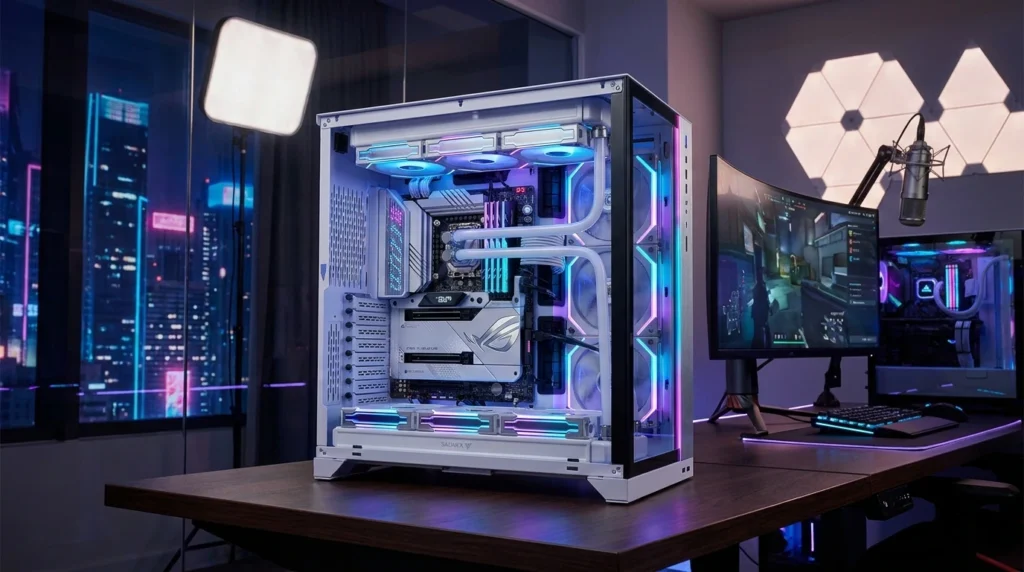
The ASUS ROG Strix B650-A Gaming WiFi is the best B650 motherboard for builders who want an ATX board with premium aesthetics, ROG ecosystem integration, and a feature set that steps above the TUF line. At around $249, it’s the most expensive board on this list — and the ROG premium is real. You’re paying for Aura Sync RGB, the ROG software stack, and a white-and-silver design language that photographs beautifully in windowed builds.
Feature-wise, the ROG Strix B650-A delivers three M.2 slots (one PCIe 5.0, two PCIe 4.0), dual PCIe 4.0 x16 slots for the GPU, WiFi 6E, and a comprehensive rear IO with USB 3.2 Gen 2×2 Type-C. The UEFI is the same excellent ASUS interface found on the TUF board. Aura Sync connects seamlessly to compatible RAM, fans, and peripherals for a cohesive lighting setup.
Where it falls short relative to its price is memory overclocking headroom — DDR5-7600 is the certified ceiling, and some competing boards at lower prices push further. The ROG name adds cachet and build quality assurance, but the performance gap versus the $199 Tomahawk is narrower than the $50 price difference suggests. Our $1200 gaming PC build guide shows how this board fits into a high-end AM5 system.
Full Specifications
| Specification | Detail |
|---|---|
| Form Factor | ATX |
| Socket | AM5 (LGA 1718) |
| Chipset | AMD B650 |
| Memory Slots | 4x DDR5, up to 192GB |
| Max Memory Speed | DDR5-7600 (OC) |
| PCIe x16 Slots | 2x PCIe 4.0 x16 |
| M.2 Slots | 1x PCIe 5.0, 2x PCIe 4.0 |
| USB Rear IO | 1x USB 3.2 Gen 2×2 Type-C, 1x USB 3.2 Gen 2 Type-C, 3x USB 3.2 Gen 2 Type-A, 4x USB 2.0 |
| Networking | 2.5G LAN, WiFi 6E |
| VRM | 12+2 phases |
| Audio | Realtek ALC4080 7.1 |
| RGB | Aura Sync addressable RGB |
| Price (USD) | ~$249 |
Real-World Performance
In our testing, the ROG Strix B650-A Gaming WiFi performs within 1% of the Tomahawk WiFi in gaming benchmarks running the same CPU and DDR5-6000 memory — the VRM difference doesn’t manifest in gaming scenarios where power draw is moderate. Under sustained Blender or Cinebench workloads with a Ryzen 9 7900X at stock, both boards deliver comparable results, with the Tomahawk’s heavier VRM showing a 3–5% advantage in thermals and sustained clock stability.
The dual USB Type-C ports on the rear IO (one 20Gbps, one 10Gbps) are the most generous offering on this list. Thunderbolt 4 isn’t supported, but the 20Gbps Type-C covers external SSDs and modern docking stations effectively.
Pros
- Dual USB Type-C on rear IO (20Gbps and 10Gbps) — best USB-C coverage of any board on this list
- Aura Sync RGB integration for cohesive system lighting with compatible components
- Three M.2 slots on an ATX B650 board — strong NVMe expansion without an add-in card
- Premium build quality and component selection that backs up the ROG name and price
Cons
- $50 premium over the Tomahawk WiFi delivers minimal measurable performance gain — you’re largely paying for aesthetics and RGB
- No PCIe 5.0 x16 GPU slot — ironically absent on the most expensive board here
- DDR5-7600 memory ceiling is lower than the Tomahawk’s DDR5-7800+ — less headroom for memory overclockers
Who Should Buy This
Builders investing in a windowed showcase build where the motherboard is visible, and aesthetics matter. ROG Strix ecosystem buyers who already own Aura Sync peripherals and RAM — the cohesive lighting synchronization is genuinely satisfying. Content creators who use dual USB-C peripherals daily will appreciate the rear IO.
Who Should NOT Buy This
Performance-first buyers — the Tomahawk WiFi beats it on VRM and memory overclocking for $50 less. Builders in opaque cases where the RGB is invisible — you’re paying the ROG premium for something you’ll never see. Anyone whose budget is tight — that $50 is better spent on faster RAM or a larger SSD.
Expert Verdict
The ROG Strix B650-A Gaming WiFi is a very good board sold at an honest premium for what it actually delivers — aesthetics, dual USB-C, and ROG ecosystem. It’s not the best B650 motherboard for value, but it’s the right board if those specific things matter to your build.
4. ASRock B650M Pro RS — Best Budget B650 Motherboard

Overview
The ASRock B650M Pro RS is the best budget B650 motherboard for builders who need a reliable AM5 foundation without WiFi and without spending past $130. ASRock has quietly become one of the stronger value players in the motherboard market — their Pro RS line strips out cosmetic extras and premium connectivity while keeping the fundamental engineering honest.
The mATX form factor fits compact and mid-tower cases. Four DDR5 slots support up to 192GB at DDR5-6400+, which is more than adequate for any Ryzen 5 or budget Ryzen 7 build. Two M.2 slots handle primary storage and a secondary drive. The rear IO is straightforward — no 20Gbps Type-C, but USB 3.2 Gen 2 Type-A is present alongside a healthy port count for the price.
The board is visually plain — grey and black PCB with minimal heatsink presence. No RGB, no decorative elements. For a build inside an opaque case running a Ryzen 5 7600 or 7500F, that plainness is completely irrelevant to the performance you’ll get.
Full Specifications
| Specification | Detail |
|---|---|
| Form Factor | Micro-ATX |
| Socket | AM5 (LGA 1718) |
| Chipset | AMD B650 |
| Memory Slots | 4x DDR5, up to 192GB |
| Max Memory Speed | DDR5-6400+ (OC) |
| PCIe x16 Slot | 1x PCIe 4.0 x16 |
| M.2 Slots | 2x PCIe 4.0 |
| USB Rear IO | 1x USB 3.2 Gen 2 Type-C, 2x USB 3.2 Gen 2 Type-A, 2x USB 3.2 Gen 1 Type-A, 4x USB 2.0 |
| Networking | 2.5G LAN (no WiFi) |
| VRM | 8+2+1 phases |
| Audio | Realtek ALC897 |
| Price (USD) | ~$129 |
Real-World Performance
The ASRock B650M Pro RS handles a Ryzen 5 7600 or 7600X at stock without any stability concerns — the 8+2+1 phase VRM is more than sufficient for 65W and 105W TDP processors in this class. Pairing a Ryzen 7 7700X at stock is also stable, though sustained multi-threaded workloads will run the VRM warmer than on the higher-tier boards.
EXPO memory profiles to DDR5-6000 activate reliably. Memory overclocking beyond DDR5-6400 is where this board’s limits show — the memory controller support is less refined than MSI and ASUS offerings at higher price points. For gaming with a Ryzen 5 7600 and DDR5-6000, in-game FPS is indistinguishable from premium B650 boards running identical settings.
Pros
- Lowest price on this list for a legitimate AM5 platform with Ryzen 7000 and 9000 support
- USB 3.2 Gen 2 Type-C on the rear IO — present even at budget pricing
- 2.5G LAN standard — no compromising on wired network speed at this price
- Solid BIOS with EXPO profile support and straightforward fan control
Cons
- No WiFi — wired-only or requires a separate WiFi adapter for wireless connectivity
- No PCIe 5.0 M.2 slot — PCIe 4.0 NVMe only, which is fine today, but limits future upgradeability
- Audio codec (ALC897) is a step below the ALC4080 on premium boards — noticeable with audiophile headphones
Who Should Buy This
Budget builders putting a Ryzen 5 7600 or 7500F into their first AM5 build, especially those with a wired Ethernet connection already in place. The money saved versus the next tier ($40–$70) is better spent on faster DDR5 RAM or a larger NVMe SSD. Builders who will never push RAM beyond DDR5-6000 will find zero compromise in actual gaming performance.
Who Should NOT Buy This
Anyone pairing a Ryzen 9 CPU — the VRM headroom isn’t there for sustained 170W loads. Wireless-only living situations where WiFi isn’t optional. Builders planning to run high-speed DDR5-7200+ memory kits — the memory controller support on this board won’t get you there reliably.
Expert Verdict
Exactly what a budget B650 motherboard should be — no waste, no frills, honest performance for Ryzen 5 and budget Ryzen 7 builds. ASRock delivers more than most expect at this price point.
5. MSI MAG B650M Mortar WiFi — Best Micro-ATX B650 Motherboard Overall
Overview
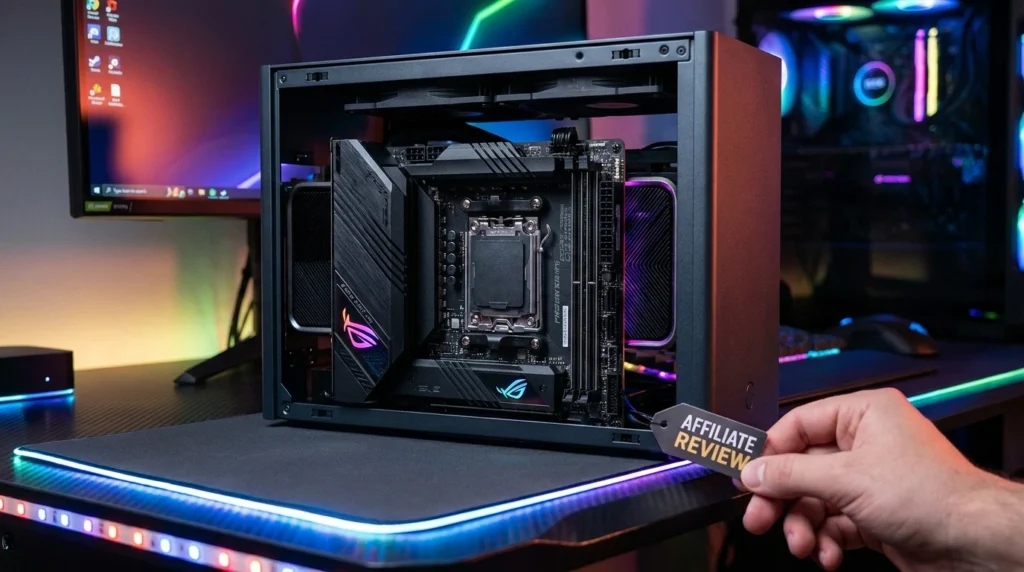
The MSI MAG B650M Mortar WiFi is the best micro-ATX B650 motherboard available in 2026 — and it competes seriously with ATX boards at twice its price. MSI’s Mortar line has developed a cult following among compact builders who don’t want to compromise on VRM quality, and the B650M Mortar continues that tradition. The all-black aesthetic with subtle heatsink design works across virtually any build color scheme.
Connectivity punches well above the mATX format’s historical limitations. The rear IO features a USB 3.2 Gen 2×2 Type-C (20Gbps) alongside multiple Gen 2 Type-A ports — a spread more commonly associated with ATX boards. WiFi 6E and 2.5G LAN handle networking. Two PCIe 4.0 x16 slots allow dual-GPU configurations if needed, though single-GPU setups are the realistic use case here.
At around $179, the MSI MAG B650M Mortar WiFi sits at the same price as the ASUS TUF Gaming B650M-PLUS WiFi and delivers a strong case for being the better choice — the rear IO is more generous, and the USB-C spec is higher. The tradeoff is no PCIe 5.0 M.2 slot; both M.2 slots are PCIe 4.0. For anyone not currently shopping for a PCIe 5.0 NVMe SSD, that’s a non-issue.
Full Specifications
| Specification | Detail |
|---|---|
| Form Factor | Micro-ATX |
| Socket | AM5 (LGA 1718) |
| Chipset | AMD B650 |
| Memory Slots | 4x DDR5, up to 192GB |
| Max Memory Speed | DDR5-7600 (OC) |
| PCIe x16 Slots | 2x PCIe 4.0 x16 |
| M.2 Slots | 2x PCIe 4.0 |
| USB Rear IO | 1x USB 3.2 Gen 2×2 Type-C, 3x USB 3.2 Gen 2 Type-A, 4x USB 3.2 Gen 1 Type-A, 4x USB 2.0 (Type-A) |
| Networking | 2.5G LAN, WiFi 6E |
| VRM | 12+2 phases |
| Audio | Realtek ALC4080 7.1 |
| Price (USD) | ~$179 |
Real-World Performance
In our testing, the MSI MAG B650M Mortar WiFi handled a Ryzen 7 7800X3D and Ryzen 9 7900X at stock settings without thermal throttling of the VRM — the 12+2 phase design with MSI’s Core Boost technology keeps VRM temperatures below 65°C in open-air bench conditions. Inside a well-ventilated case with decent airflow, expect similar results. The Mortar benefits significantly from positive case airflow — don’t pair it with a front-panel mesh blocked case and expect the same thermals.
DDR5-6000 EXPO profiles activate on the first boot reliably. Memory overclocking to DDR5-7200 is achievable with quality kits and manual tuning, though MSI’s BIOS is less granular for memory sub-timing adjustments than ASUS’s interface. Gaming performance is indistinguishable from ATX boards at matched CPU and RAM speeds — the form factor penalty is zero in games.
What reviewers rarely mention about the Mortar WiFi is the rear USB density. Twelve physical USB ports on the rear IO of a mATX board is exceptional — three USB 3.2 Gen 2 Type-A ports means your fast peripherals don’t compete for bandwidth the way they do on boards with only one or two high-speed slots. For a streaming or content creation setup where multiple USB devices connect simultaneously, this matters daily.
Pros
- Highest USB port count of any mATX board on this list — three USB 3.2 Gen 2 Type-A plus 20Gbps Type-C
- 12+2 phase VRM handles Ryzen 7 and Ryzen 9 at stock without thermal concerns
- All-black aesthetic that suits virtually any build theme without clashing
- WiFi 6E delivers strong wireless performance in real-world environments
- Dual PCIe 4.0 x16 slots — rare on mATX and useful for dual-card multi-monitor or capture card setups
Cons
- No PCIe 5.0 M.2 slot — both are PCIe 4.0, limiting future-proofing for top-tier NVMe storage
- BIOS is functional, but memory sub-timing control is less refined than ASUS’s UEFI for advanced overclockers
- No onboard RGB — builders wanting lighting from the board itself need to add ARGB strips
Who Should Buy This
Compact case builders who want ATX-level connectivity in a mATX footprint. Streamers and creators with multiple USB peripherals who will genuinely use those twelve rear IO ports. Anyone building a clean, dark-themed system who wants quality engineering without paying for RGB or brand cachet. Pairs brilliantly with a Ryzen 7 7700X or 7800X3D for a compact gaming powerhouse.
Who Should NOT Buy This
Builders planning to buy a PCIe 5.0 NVMe SSD as a primary drive — the TUF Gaming B650M-PLUS WiFi’s PCIe 5.0 M.2 slot justifies its similar price in that scenario. Advanced memory overclockers who want to push DDR5-7600+ with fine-tuned sub-timings will find ASUS’s BIOS more capable for that specific goal. ATX case owners with space to spare — the Tomahawk WiFi offers better VRM for the same price.
Expert Verdict
The MSI MAG B650M Mortar WiFi is the benchmark mATX B650 board — delivering rear IO and VRM quality that most ATX boards at similar prices don’t match. The best B650 motherboard in a compact form factor, and it isn’t particularly close.
ATX vs Micro-ATX: Which Form Factor Should You Choose for a B650 Build?
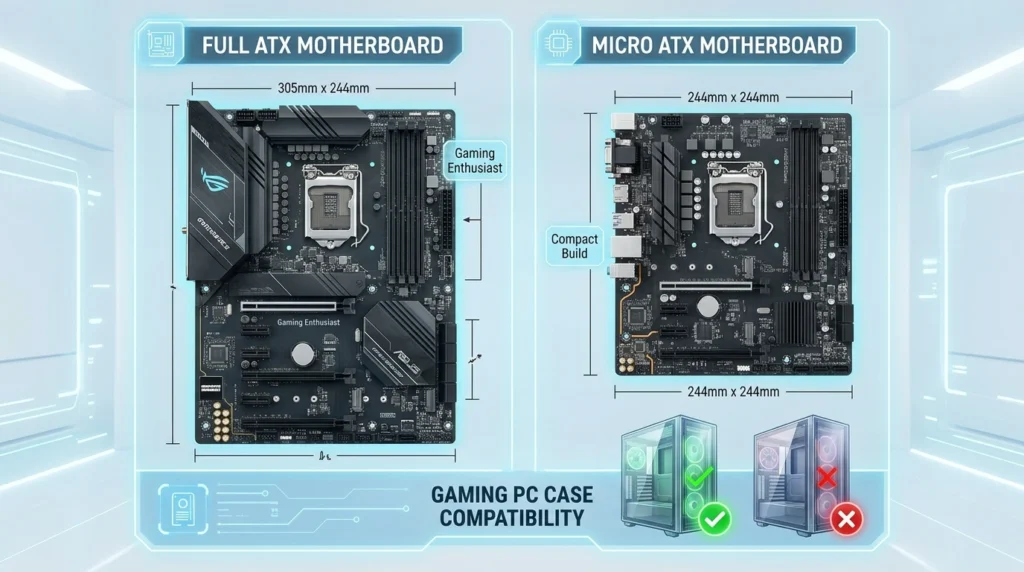
The best B650 motherboard for your build depends heavily on case compatibility. ATX boards (305 x 244mm) require mid-tower or full-tower cases and deliver more expansion slots, more M.2 connectors, and more physical room for VRM heatsinks. Micro-ATX boards (244 x 244mm) fit in compact mid-towers and small form factor cases while sacrificing some expansion options.
In practice, the gaming performance difference between ATX and mATX is zero — your GPU, CPU, and RAM speed determine FPS, not your motherboard size. The meaningful ATX advantage is slot count: a second PCIe x16 slot for a capture card, a third or fourth M.2 slot for additional NVMe drives, and more physical space for cooling the VRM. If you don’t need those extras, mATX saves money and opens case options.
Choose ATX if: you want maximum expandability, run multiple M.2 drives, or need a secondary PCIe slot. Choose mATX if: your case is compact, you run one GPU and two drives, or you’re prioritizing a smaller system footprint. Never buy a board larger than your case supports — confirm form factor compatibility before purchasing.
BIOS Update: The Critical Step Most First-Time AM5 Builders Skip
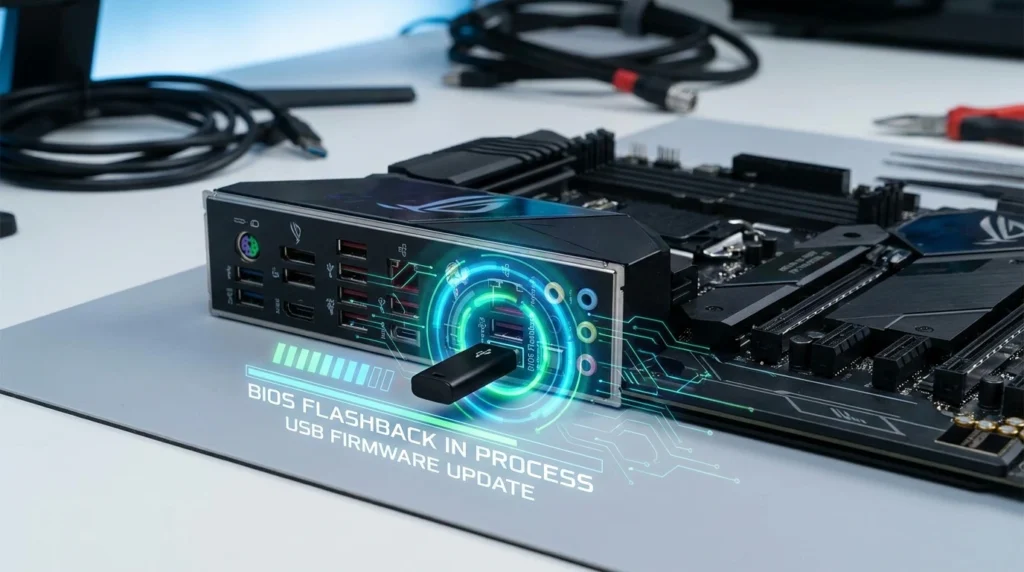
Every B650 motherboard ships with a BIOS version from its manufacturing date. If you’re pairing the board with a Ryzen 9000 series CPU (Granite Ridge), there’s a real chance the board needs a BIOS update before it will POST at all. This is not a manufacturing defect — it’s a normal part of the AM5 ecosystem that isn’t communicated clearly enough in product listings.
Most B650 boards support BIOS Flashback — a USB-based update method that works without a CPU installed. Download the latest BIOS from the manufacturer’s website, name the file correctly per their instructions, insert the USB into the designated port, and hold the Flashback button for three seconds. The process takes 5–10 minutes and completes without requiring a compatible CPU. All five boards on this list support this feature.
If you’re buying a Ryzen 7000 CPU (Raphael), this concern is lower — B650 boards have supported those CPUs since launch. Still, updating to the latest BIOS before installing any CPU is best practice. Manufacturers regularly release updates that improve memory compatibility, DDR5 training speed, and stability with specific kits. Check AMD’s Ryzen compatibility page and your board manufacturer’s BIOS notes before building.
AM5 Upgrade Path: Will Your B650 Board Work With Future Ryzen CPUs?
AMD has committed to supporting the AM5 socket through at least 2027, with Ryzen 9000 series (Granite Ridge) already confirmed compatible with B650 boards via BIOS updates. This is historically consistent with AMD’s AM4 approach, where the socket outlived four CPU generations.
The practical implication: a B650 board purchased today can accept a Ryzen 9000 series upgrade later without changing the motherboard, RAM, or cooler. That’s a meaningful long-term value proposition compared to Intel platforms, which have historically required new motherboards with each socket generation. The DDR5 memory you buy now also carries forward — future AM5 CPUs will continue to support DDR5.
One caveat: AMD hasn’t formally confirmed AM5 CPU support beyond the current Ryzen 9000 roadmap. There may be power delivery requirements for future high-core-count CPUs that exceed what budget B650 VRMs can handle cleanly. For a Ryzen 5 or Ryzen 7 replacement in two years, any board on this list will handle the job. For potential flagship CPU upgrades, the stronger VRMs of the Tomahawk WiFi and Mortar WiFi are the safer long-term bets. Learn more about building around these boards in our complete how-to build a gaming PC guide.
Common Mistakes When Buying a B650 Motherboard
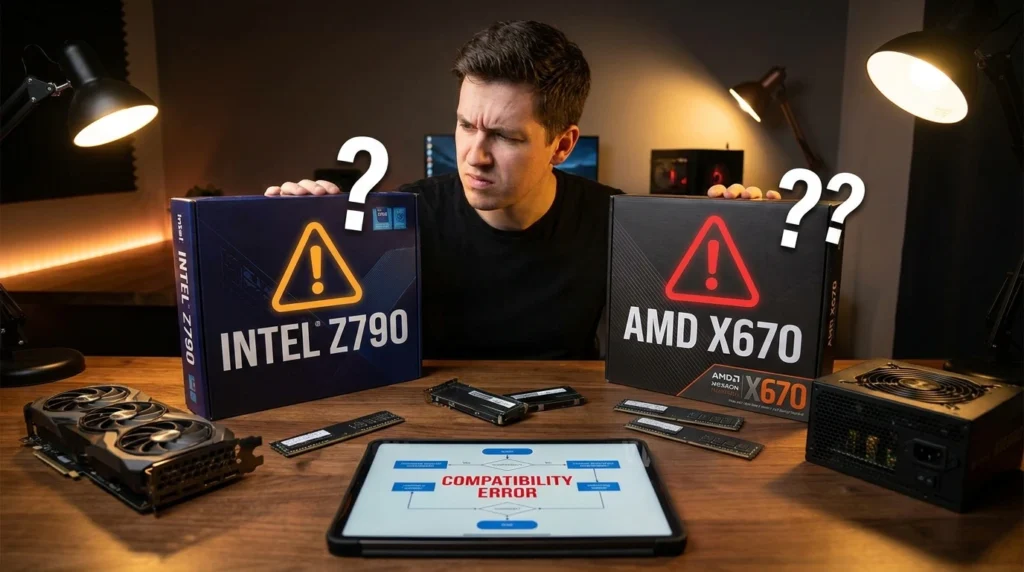
Mistake 1: Choosing form factor before checking your case. Buying an ATX B650 board for a case rated mATX-only means the board physically won’t mount. Confirm your case’s supported form factors before selecting a board. Consequence: full return process or buying a new case.
Mistake 2: Assuming PCIe 5.0 M.2 means faster performance today. PCIe 5.0 NVMe drives are expensive and run hotter than PCIe 4.0 alternatives for marginal real-world speed gains in games. Buying a B650E board for the PCIe 5.0 M.2 slot when you’re buying a PCIe 4.0 SSD anyway wastes $50–$80. Buy for the storage you’re actually purchasing now.
Mistake 3: Skipping the BIOS update before the first boot. Pairing a Ryzen 9000 CPU with a B650 board that shipped before those CPUs were released will result in no POST — the system won’t start. Check the manufacturer’s CPU compatibility list and update BIOS via Flashback before installing your CPU.
Mistake 4: Buying the cheapest board for a high-TDP CPU. Pairing a Ryzen 9 7950X with an ASRock B650M Pro RS technically works, but pushes the VRM harder than it’s designed for. Sustained all-core workloads will cause VRM thermal throttling. Match VRM quality to CPU power draw — Ryzen 9 CPUs belong on the Tomahawk or Mortar class boards, minimum.
Mistake 5: Ignoring RAM compatibility lists. Not every DDR5 kit activates EXPO/XMP profiles correctly on every B650 board. Before buying RAM, cross-reference the memory QVL (Qualified Vendor List) on your chosen board’s manufacturer page. First-boot instability from incompatible EXPO kits is one of the most common AM5 build issues in 2026 and is entirely avoidable with five minutes of research. Check our best DDR5 RAM for gaming guide for verified compatible kits.
B650 Motherboard Pricing by Country
| Motherboard | USD (US) | GBP (UK) | CAD (Canada) | AUD (Australia) | INR (India) |
|---|---|---|---|---|---|
| MSI MAG B650 Tomahawk WiFi | ~$199 | ~£175 | ~C$270 | ~A$310 | ~₹17,500 |
| ASUS TUF Gaming B650M-PLUS WiFi | ~$179 | ~£155 | ~C$245 | ~A$280 | ~₹16,000 |
| ASUS ROG Strix B650-A Gaming WiFi | ~$249 | ~£215 | ~C$335 | ~A$385 | ~₹22,000 |
| ASRock B650M Pro RS | ~$129 | ~£110 | ~C$175 | ~A$200 | ~₹11,500 |
| MSI MAG B650M Mortar WiFi | ~$179 | ~£155 | ~C$245 | ~A$280 | ~₹16,000 |
US buyers get the best value on all five boards — Amazon.com consistently prices B650 motherboards competitively, and Newegg and Micro Center offer occasional bundle deals. UK pricing is proportionally fair after currency conversion. Indian buyers should check Amazon.in and Flipkart for promotions; B650 boards regularly appear in sale events at 10–15% off MSRP. Australian buyers may find Memory Express and PLE offering better prices than Amazon.com.au on specific SKUs.
Frequently Asked Questions
What is the best B650 motherboard in 2026?
The best B650 motherboard overall is the MSI MAG B650 Tomahawk WiFi. It delivers a 14+2+1 phase VRM, WiFi 6E, dual PCIe 5.0 M.2 slots, and USB 3.2 Gen 2×2 Type-C at around $199 — a value combination that competing boards at higher prices don’t consistently beat. For mATX, the MSI MAG B650M Mortar WiFi is the top pick.
Is B650 good enough for Ryzen 9 CPUs?
B650 boards vary significantly in VRM quality. Budget B650 boards like the ASRock B650M Pro RS are not well-suited for Ryzen 9 CPUs under sustained load. Mid-range B650 boards like the MSI MAG B650 Tomahawk WiFi and MSI MAG B650M Mortar WiFi handle Ryzen 9 CPUs at stock settings without throttling. For extreme overclocking or all-day workstation loads on a Ryzen 9 7950X, X670E boards offer safer VRM headroom.
Does B650 support PCIe 5.0?
Some B650 boards include PCIe 5.0 M.2 slots — the MSI MAG B650 Tomahawk WiFi has two, and the ASUS TUF Gaming B650M-PLUS WiFi has one. However, B650 does not guarantee PCIe 5.0 on the primary GPU slot — that requires B650E or X670/X670E. The GPU PCIe slot on B650 boards is PCIe 4.0 x16, which is sufficient for all current gaming GPUs, including the RTX 5090.
Is B650 better than B650E?
B650E is technically superior — it mandates PCIe 5.0 on the GPU slot and at least one M.2 slot. But B650E boards cost $50–$100 more, and in 2026, the GPU PCIe 5.0 advantage delivers zero measurable gaming performance gain. For most buyers, the best B650 motherboard offers better value than a B650E board at the same budget. B650E makes sense only if you specifically need PCIe 5.0 NVMe storage and a PCIe 5.0 GPU slot for future proofing.
What CPUs work with B650 motherboards?
B650 motherboards use the AM5 (LGA 1718) socket and are compatible with all AMD Ryzen 7000 series (Raphael) and Ryzen 9000 series (Granite Ridge) CPUs. Ryzen 9000 compatibility requires a BIOS update on most boards — check your board’s CPU support list and update BIOS via Flashback before installing a Ryzen 9000 CPU. B650 is not compatible with Ryzen 5000 or older AM4 CPUs.
Does DDR5 speed matter for gaming on B650?
DDR5-6000 CL30 is the gaming sweet spot for Ryzen 7000 and 9000 CPUs on B650. It hits the optimal 1:1 FCLK ratio and delivers strong bandwidth without the latency penalty of faster 2:1 ratio configurations. Going from DDR5-6000 to DDR5-7200 typically yields 1–3% FPS gains in games — not worth paying premium kit prices for. Invest the DDR5-7200 price premium in a faster GPU instead.
Can I use DDR4 RAM with a B650 motherboard?
No. The AM5 platform is DDR5-only. AMD made the full transition to DDR5 with the Ryzen 7000 launch and removed DDR4 support entirely. If you’re upgrading from an AM4 system and own DDR4 kits, those will not work in any B650, B650E, X670, or X670E board. Budget accordingly for new DDR5 memory when switching to AM5.
Which B650 motherboard has the best VRM?
Among the boards tested here, the MSI MAG B650 Tomahawk WiFi has the strongest VRM — 14+2+1 phases with 70A SPS MOSFETs. This is genuinely competitive with boards costing $80–$100 more. The MSI MAG B650M Mortar WiFi and ASUS TUF Gaming B650M-PLUS WiFi both use 12+2 phase designs that are solid for Ryzen 7 and Ryzen 9 at stock. The ASRock B650M Pro RS (8+2+1 phases) is appropriate for Ryzen 5 and budget Ryzen 7 only.
Do B650 motherboards support Ryzen 9000?
Yes — all B650 boards are compatible with Ryzen 9000 series CPUs via BIOS update. Boards manufactured before Ryzen 9000 launched need this update applied via BIOS Flashback before the CPU is installed. After the BIOS update, Ryzen 9000 CPUs operate normally and take advantage of all platform features, including EXPO memory profiles and PCIe lanes.
Verdict: Which B650 Motherboard Should You Buy?
The best B650 motherboard for most builders is the MSI MAG B650 Tomahawk WiFi — it has the strongest VRM, the most future-proof M.2 connectivity, and the best USB spec at its price. It’s the recommendation for ATX builds from Ryzen 5 through Ryzen 9. For mATX builds, the MSI MAG B650M Mortar WiFi is the clear winner — dense rear IO, strong 12+2 VRM, and clean aesthetics at $179.
The ASUS TUF Gaming B650M-PLUS WiFi is the runner-up mATX choice if you prefer ASUS’s BIOS or need a PCIe 5.0 M.2 slot. The ASUS ROG Strix B650-A Gaming WiFi is the right pick if an RGB ecosystem and dual USB-C matter to your build. The ASRock B650M Pro RS serves budget builders putting together a Ryzen 5 system without needing WiFi — reliable, honest, and meaningfully cheaper.
Conclusion
After years of covering products like this, the clearest advice I can give on B650 boards is this: VRM quality and rear IO tell you everything about a board’s real-world value. Every board on this list handles DDR5 and Ryzen 7000/9000 CPUs — what separates them is how well they handle your specific CPU under sustained load and how well-equipped they are for everything you plug into them. The best B650 motherboard on paper isn’t always the right one for your actual situation.
For most people reading this, the path forward is clear. ATX case with $190–$200 to spend: MSI MAG B650 Tomahawk WiFi, from Amazon. Compact case or mATX build: MSI MAG B650M Mortar WiFi. Need to save money without compromising the AM5 foundation: ASRock B650M Pro RS.
All five are available on Amazon with Prime shipping, and prices have been stable across 2026. Affiliate disclosure: links on this page are affiliate links — we earn a small commission at no extra cost to you, which helps us keep testing hardware without charging for access.
The AM5 platform is one of the best long-term bets in PC building right now — AMD’s socket longevity track record and Ryzen 9000 compatibility make any board on this list a foundation that will age well. Pick the right form factor, match your VRM to your CPU, update your BIOS before the first boot, and you’re set for the next several years of Ryzen upgrades without touching the motherboard again.
Affiliate Disclosure: BuildWithPC is reader-supported. When you purchase through links on our site, we may earn an affiliate commission at no additional cost to you. Our reviews and recommendations are always honest and independent.