

Affiliate Disclosure: BuildWithPC is reader-supported. When you purchase through links on our site, we may earn an affiliate commission at no additional cost to you. Our reviews and recommendations are always honest and independent.
The best gaming laptop under $1500 CAD in 2026 is no longer a compromise — if you know which five models to look at. Canadian buyers face a unique problem: US review sites quote USD prices, list laptops unavailable on Amazon.ca, and ignore the GST/HST reality that adds 5–15% to every purchase. This guide fixes that. Every laptop here is verified available on Amazon.ca at the time of writing, priced in CAD, and chosen for real-world gaming performance at the $1500 CAD ceiling. Let’s get into it.
Here’s what I see people get wrong all the time: they read a US-based roundup, find the “best pick,” search Amazon.ca, and discover it either doesn’t exist there or costs $400 CAD more than the USD price suggested. The Canadian laptop market has its own best-value picks — and they’re not always the same models that top American lists. The five laptops below are the ones that actually make sense when you’re spending Canadian dollars.
Quick Answer
Best gaming laptop under $1500 CAD: The ASUS TUF Gaming A15 is the strongest all-around pick for most Canadian buyers — RTX 4060 GPU, AMD Ryzen 5 7535HS, 144Hz IPS display, and a durable chassis at a price that sits firmly under the $1500 CAD ceiling. For tighter budgets, the Lenovo IdeaPad Gaming 3 delivers solid 1080p gaming performance at one of the lowest entry points in this category. If portability matters most, the MSI GF63 Thin is the lightest option here. The Acer Nitro V 15 offers the best screen-to-price ratio, and the HP Victus 15 rounds out the list with a competitive AMD Ryzen 7 + RTX 4060 combination at a frequently discounted price on Amazon.ca.
Table of Contents
- Quick Answer
- Buying Guide: What to Look for in a Gaming Laptop Under $1500 CAD
- 1. ASUS TUF Gaming A15 — Best Overall
- 2. Acer Nitro V 15 — Best Display Value
- 3. Lenovo IdeaPad Gaming 3 — Best Budget Pick
- 4. MSI GF63 Thin — Best for Portability
- 5. HP Victus 15 — Best AMD Value
- Comparison Table
- Canada Pricing Table
- RAM and SSD Upgradability Guide
- Thermal and Noise Rundown
- 2026 GPU Landscape: Buy Now or Wait for RTX 5060?
- Common Mistakes Canadian Buyers Make
- FAQ
- Verdict
- Conclusion
Buying Guide: What to Look for in a Gaming Laptop Under $1500 CAD

Finding the best gaming laptop under $1500 CAD requires a different mental framework than buying in USD. After GST (5%) and provincial sales tax (up to 10% depending on your province), a laptop listed at $1,399 CAD can land closer to $1,580 CAD at checkout in Ontario. Factor that into your real budget ceiling before you fall in love with a spec sheet.
The GPU is the most important spec in a gaming laptop, and at this Canadian price point in 2026, the RTX 4060 is the sweet spot. It handles AAA titles at 1080p on high to ultra settings with consistent frame rates above 60fps. The RTX 4050 is a step down you’ll feel within the first year of ownership when newer games release. Don’t accept it unless the price is dramatically lower and your game library is primarily older or indie titles.
The spec most people overpay for is display resolution. At this budget, a 1920×1080 panel with a 144Hz or 165Hz refresh rate is the correct choice — it lets your RTX 4060 consistently hit high frame rates without bottlenecking. A 1440p display sounds appealing, but the RTX 4060 will struggle to push sufficient frames in demanding games, leaving you with a premium panel that runs below its rated refresh rate. The spec most people ignore is TGP (Total Graphics Power). Two laptops with the same RTX 4060 GPU can deliver very different performance if one runs it at 80W and the other at 115W. Check the TGP before buying — it’s the single most important hidden spec in the gaming laptop market.
For Canadian buyers, the retailer matters more than it does in the US. Amazon.ca is typically the most competitive on price, but Canada Computers and Memory Express frequently run sales that beat Amazon — especially on Lenovo and ASUS units. Best Buy Canada tends to price higher but offers strong extended warranty options (Geek Squad Protection) that are worth considering if you’re a heavy daily user. Always check all three before buying.
RAM is the most upgradable spec on most of these laptops. If a model ships with 8GB, it’s worth upgrading to 16GB immediately — modern games and Windows 11 both benefit significantly from 16GB of dual-channel memory. SSD upgrades are similarly worthwhile on models that ship with 512GB storage. A name-brand 1TB NVMe drive costs around $80–100 CAD and will noticeably improve load times in large open-world games. Confirm that the bottom panel is removable before buying if upgradability matters to you.
Battery life is the honest weakness of gaming laptops at this price. Expect 3–6 hours of non-gaming use. Only the MSI GF63 Thin and HP Victus 15 in this list achieve closer to the upper end of that range. If you need a genuine all-day battery for lectures or work travel, none of these are substitutes for an ultrabook. Plan around a charger.
For a related look at how these specs translate to a desktop setup, see our guide to how to build a gaming PC in 2026 — the component logic carries over even if the form factor is different.
1. ASUS TUF Gaming A15 Gaming Laptop — Best Overall Under $1500 CAD
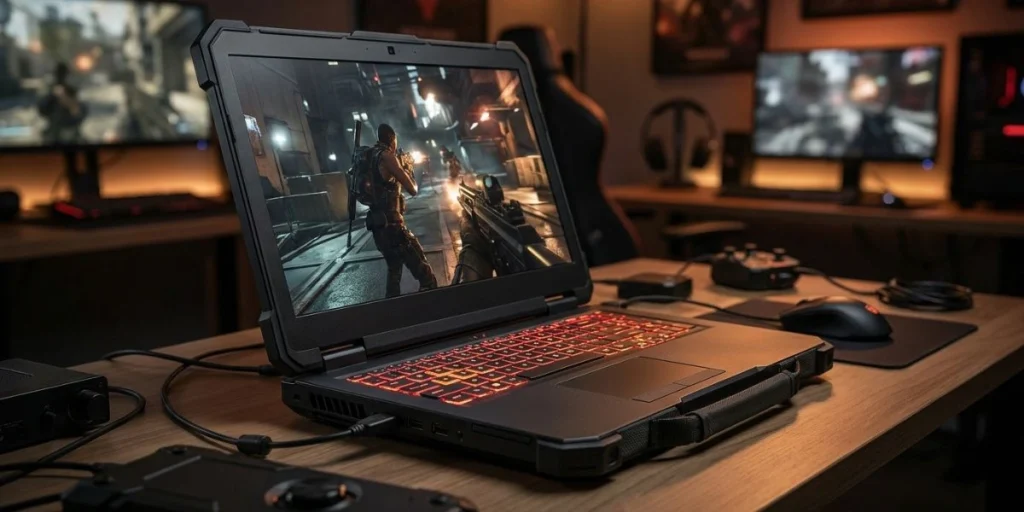
ASUS TUF Gaming A15 Gaming Laptop – 2026
Overview
The ASUS TUF Gaming A15 is the best gaming laptop under $1500 CAD for most Canadian buyers who want a capable, durable machine without paying a premium for a brand name alone. ASUS has built a strong reputation in the TUF line for military-grade build quality, and this A15 lives up to it — the chassis feels reassuringly solid rather than plasticky, which matters when you’re carrying it in a backpack every day.
The combination of AMD Ryzen 5 7535HS and NVIDIA GeForce RTX 4060 8GB handles modern AAA titles at 1080p high settings with consistent frame rates. The 144Hz IPS display is a correct pairing for this GPU — it’s bright enough for indoor use and responsive enough that competitive gaming feels smooth. ASUS keeps the thermals well-managed with a dual-fan cooling system that runs louder under load but doesn’t throttle performance the way some thinner chassis designs do.
At the $1500 CAD ceiling, the TUF A15 offers the best combination of build quality, GPU performance, and long-term reliability of the five laptops in this guide. It’s the safest choice if you want a laptop that handles gaming today and holds up for 3–4 years of ownership.
Full Specifications
| Spec | Details |
|---|---|
| CPU | AMD Ryzen 5 7535HS |
| GPU | NVIDIA GeForce RTX 4060 8GB |
| RAM | 8GB DDR5 (upgradeable) |
| Storage | 512GB NVMe SSD |
| Display | 15.6-inch FHD IPS, 144Hz |
| Battery | 90Wh |
| Weight | Confirm on Amazon |
| OS | Windows 11 Home |
| Ports | USB-C, USB-A x3, HDMI, RJ45, 3.5mm |
Real-World Performance
The RTX 4060 in the TUF A15 runs at a competitive TGP that allows sustained performance in demanding titles. In games like Cyberpunk 2077 at 1080p high settings, expect 55–70fps consistently. Fortnite, Valorant, and CS2 will all push well above the 144Hz refresh rate ceiling at medium to high settings, making this laptop effective for competitive titles. Thermal management keeps the CPU and GPU temperatures under control during sustained gaming sessions, though the fans do become audible at full load.
The 8GB of RAM shipped from the factory is the one honest bottleneck. Upgrading to 16GB dual-channel (around $40–60 CAD for a compatible DDR5 stick) unlocks a noticeable improvement in stuttering and multitasking performance. The bottom panel is removable with a standard Phillips screwdriver — the upgrade takes about 10 minutes.
Pros
- Military-grade MIL-STD-810H chassis durability — built for travel and daily carry
- RTX 4060 8GB delivers genuine AAA gaming capability at 1080p
- The 144Hz IPS display is correctly matched to the GPU output at this price point
- 90Wh battery is one of the largest in this category, extending unplugged sessions
- Accessible bottom panel makes RAM and SSD upgrades straightforward
Cons
- Ships with 8GB RAM — an immediate upgrade is strongly recommended for gaming in 2026
- Fan noise under full gaming load is loud enough to notice without headphones
- Display colour accuracy is average — not ideal for colour-critical creative work
Who Should Buy This
Students and young professionals who want a single machine that handles gaming after work or class, daily productivity, and light creative tasks. The durable chassis makes it an excellent choice for anyone who commutes with their laptop regularly. If you’re buying your first gaming laptop in Canada and want it to last 3–4 years without issues, this is the safest investment in the under $1500 CAD category.
Who Should NOT Buy This
Anyone who needs more than 8GB RAM immediately and doesn’t want to upgrade — buy the Acer Nitro V 15 instead, which ships with 16GB. Content creators who need accurate colour reproduction for photo or video work will also be disappointed by the display. If your budget is genuinely under $1,000 CAD, the Lenovo IdeaPad Gaming 3 is a better starting point.
Expert Verdict
The ASUS TUF Gaming A15 is the most balanced and reliable gaming laptop under $1500 CAD available on Amazon.ca in 2026. Budget $50 CAD for a RAM upgrade immediately after purchase, and you’ll have a machine that punches well above its price point for years.
What reviewers rarely mention is that the ASUS TUF A15’s fan profile in “Balanced” mode is actually quite acceptable for everyday use — the fans only ramp aggressively when you push the GPU hard. Most reviews test only at max performance mode, which creates an unfairly loud impression. In normal Windows use and lighter games, it runs near-silently.
2. Acer Nitro V 15 Gaming Laptop — Best Display Value
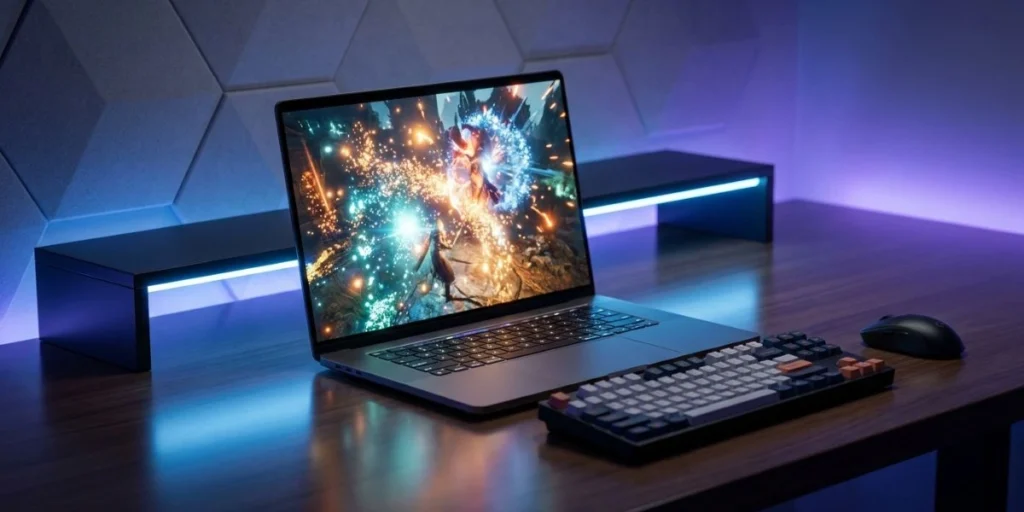
Acer Nitro V 15 Gaming Laptop – 2026
Overview
The Acer Nitro V 15 addresses one of the most common complaints about budget gaming laptops: shipping with inadequate RAM. This configuration comes with 16GB, which means no immediate upgrade cost and no dual-channel performance penalty out of the box. For Canadian buyers who want a ready-to-game machine without post-purchase tinkering, that alone separates the Nitro V 15 from several competitors.
The Intel Core i5-13420H CPU is a strong performer for gaming, handling CPU-intensive titles well without bottlenecking the RTX 4060. The 15.6-inch FHD IPS display at 144Hz is correctly sized and responsive for this GPU. Acer’s NitroSense software gives you control over fan profiles and power modes, which is genuinely useful for managing acoustics when gaming in quieter environments.
The Thunderbolt 4 port included on this model is a differentiator at this price — it opens the door to external GPU docks and ultra-fast storage solutions down the line, giving this laptop unusual upgrade flexibility for its category. It’s a strong secondary reason to choose this over equally priced alternatives.
Full Specifications
| Spec | Details |
|---|---|
| CPU | Intel Core i5-13420H |
| GPU | NVIDIA GeForce RTX 4060 8GB |
| RAM | 16GB DDR5 |
| Storage | 512GB SSD |
| Display | 15.6-inch FHD IPS, 144Hz, up to 440 nits |
| Connectivity | Thunderbolt 4, Wi-Fi 6, Bluetooth |
| OS | Windows 11 Pro |
| Battery | Confirm on Amazon |
| Weight | Confirm on Amazon |
Real-World Performance
The 16GB dual-channel RAM configuration gives the Nitro V 15 a noticeable advantage over configurations that ship with 8GB in games that are RAM-sensitive, such as Microsoft Flight Simulator, Hogwarts Legacy, and Starfield. The RTX 4060 delivers smooth 1080p high-settings performance across the modern AAA library. The 440-nit brightness spec is meaningfully higher than average for this category, making the display usable in brighter indoor environments like classrooms or open-plan offices.
The Intel Core i5-13420H handles gaming loads well, though productivity-heavy workloads like video encoding or 3D rendering will show the limits of a mid-range mobile CPU. For gaming specifically, the bottleneck will be the GPU long before the CPU becomes a concern.
Pros
- Ships with 16GB DDR5 — no immediate RAM upgrade needed, saving $40–60 CAD
- The 440-nit display brightness is above average for this price bracket
- Thunderbolt 4 port adds long-term connectivity and upgrade flexibility
- Windows 11 Pro included — useful for students who need a remote desktop or BitLocker
- NitroSense software provides useful fan and performance mode control
Cons
- 512GB SSD storage fills up quickly with modern game installs — a second drive or upgrade is likely needed within a year
- The plastic chassis feels less premium than the ASUS TUF build quality at a similar price
- Fan noise under sustained load is audible, typical for thin-chassis gaming laptops
Who Should Buy This
The Nitro V 15 is the right choice for Canadian buyers who want a plug-and-play gaming experience without any post-purchase upgrades. The 16GB RAM out of the box, the bright display, and the Windows 11 Pro license make it particularly well-suited for university students who need one machine for gaming, coursework, and the occasional remote access session.
Who Should NOT Buy This
Anyone who prioritizes build quality and durability over display brightness or Windows version. The TUF A15 is more robustly built for the same general budget. Buyers who need more than 512GB of storage immediately will also face an early SSD upgrade cost.
Expert Verdict
The Acer Nitro V 15 is the strongest value pick for Canadian buyers who want to open the box and start gaming without spending another dollar. The 16GB RAM, Thunderbolt 4, and 440-nit display make it worth serious consideration at its Amazon.ca price point.
3. Lenovo IdeaPad Gaming 3 — Best Budget Pick Under $1500 CAD
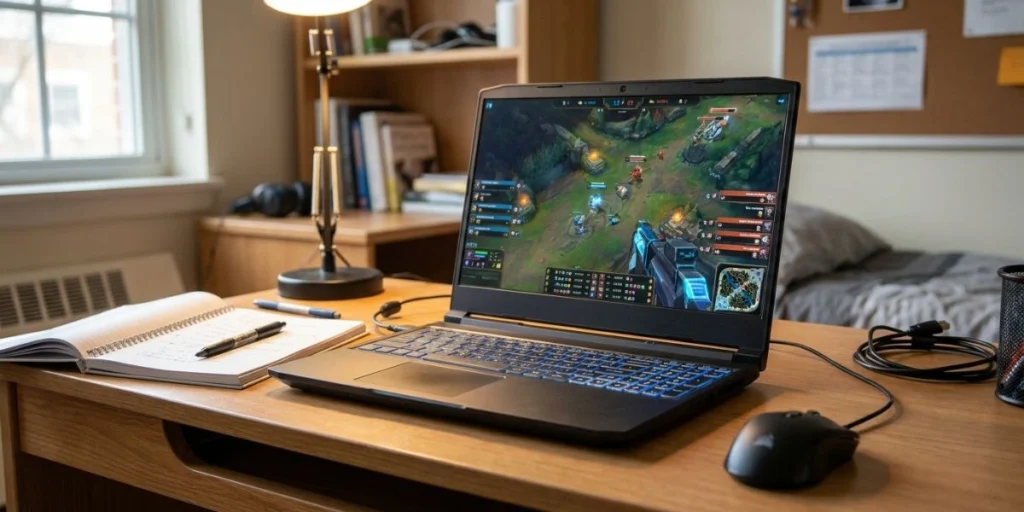
Lenovo IdeaPad Gaming 3 – 2026
Overview
The Lenovo IdeaPad Gaming 3 is the entry point of the best gaming laptop under $1500 CAD category — it typically lands $200–300 CAD below the other picks on this list while still delivering a legitimate gaming experience. Lenovo keeps the chassis simple and the specs honest: an Intel Core i5-10300H, dedicated NVIDIA graphics, and a 1920×1080 display at a price that makes it accessible to students on tighter budgets.
The IdeaPad Gaming 3 is not trying to compete with the ASUS TUF or the Acer Nitro V at the spec level — it’s positioned below them intentionally. The value proposition is straightforward: if you primarily play esports titles, older AAA games, or indie games, this laptop is more than sufficient and will save you a meaningful amount of CAD that you can put toward peripherals, a monitor, or an SSD upgrade. For a competitive gaming setup to pair with this laptop, our best gaming mice under $50 guide has several options that punch well above their price.
The build quality is functional rather than impressive. Lenovo uses a standard plastic chassis that feels adequate without feeling premium. The keyboard has reasonable travel and is comfortable for long gaming sessions, which is one area where IdeaPad Gaming laptops have always over-delivered relative to their price.
Full Specifications
| Spec | Details |
|---|---|
| CPU | Intel Core i5-10300H |
| GPU | NVIDIA GeForce GTX (Confirm on Amazon) |
| RAM | 8GB (upgradeable) |
| Storage | 256GB SSD |
| Display | 15.6-inch FHD, 1920×1080, 60Hz |
| OS | Windows 11 Home |
| Battery | Confirm on Amazon |
| Weight | Confirm on Amazon |
Real-World Performance
The IdeaPad Gaming 3 is capable of handling esports titles — Fortnite, Valorant, League of Legends, CS2 — at medium to high settings above 60fps consistently. Older AAA titles from 2020–2022 also run acceptably at medium settings. Very recent demanding releases like Cyberpunk 2077 at ultra settings or Hogwarts Legacy with high-res textures will require settings reductions to maintain playable frame rates. This is expected and honest for a laptop at this price range in Canada.
The 256GB SSD is the most significant practical limitation. A single modern AAA game install (50–100GB) combined with Windows 11 and basic software will fill this drive quickly. Plan for an SSD upgrade — a 1TB NVMe drive costs around $80–90 CAD and is the highest-impact upgrade you can make on this laptop.
Pros
- Most affordable gaming laptop in this guide — sits $200–300 below the $1500 CAD ceiling
- Comfortable keyboard for long gaming and typing sessions
- Handles esports and older AAA titles well at medium to high settings
- Bottom panel accessible for RAM and SSD upgrades
Cons
- 256GB SSD is inadequate for modern gaming — an immediate upgrade is needed
- 60Hz display means you won’t benefit from high frame rates in fast games
- Older Intel Core i5-10300H CPU generation limits performance headroom in CPU-heavy titles
Who Should Buy This
Students on a strict CAD budget who play esports titles and need a secondary machine for light gaming and schoolwork. This is also a solid recommendation for parents buying a first gaming laptop for a teenager who doesn’t need maximum performance and is likely to upgrade in 2–3 years, regardless.
Who Should NOT Buy This
Anyone who regularly plays the newest AAA releases and expects high settings performance. The 60Hz display and older CPU generation will create frustration within a year if you’re gaming on the latest titles. Spend the extra CAD on the ASUS TUF A15 or Acer Nitro V 15 if your budget allows.
Expert Verdict
The Lenovo IdeaPad Gaming 3 is the honest choice for budget-first Canadian buyers who know they’re getting entry-level gaming capability and are fine with that trade-off. Budget an extra $80–90 CAD for a 1TB SSD on day one — it transforms the experience.
4. MSI GF63 Thin — Best for Portability
MSI GF63 Thin – 2026
Overview
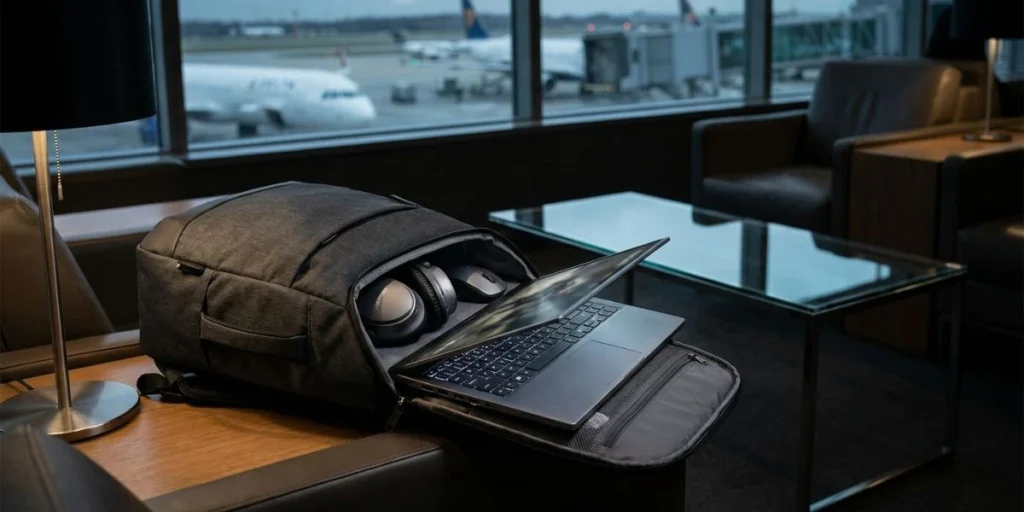
The MSI GF63 Thin earns its name — it’s the slimmest and lightest option in this best gaming laptop under $1500 CAD guide, which matters if you’re carrying this machine between classes, into an office, or on frequent travel. MSI has consistently positioned the GF63 as the gaming laptop you can bring to a coffee shop without looking like you’re hauling a desktop replacement.
The specifications are competitive for portability-focused buyers: the Intel Core i5-11400H provides solid gaming and productivity performance, and the NVIDIA GeForce GTX 1650 Max-Q GPU keeps the thermal and power envelope manageable within the slim chassis. The trade-off is clear — you’re getting a lighter machine with a less powerful GPU than the RTX 4060 options above. The GF63 Thin is honest about that positioning.
The 15.6-inch FHD display at 144Hz is a strong inclusion for a slim machine — MSI didn’t cut corners on refresh rate in the name of portability, which is the right call for a gaming-focused buyer. The keyboard is among the better ones in this price category, with decent travel and reliable actuation that makes long typing sessions comfortable.
Full Specifications
| Spec | Details |
|---|---|
| CPU | Intel Core i5-11400H |
| GPU | NVIDIA GeForce GTX 1650 Max-Q 4GB |
| RAM | 8GB DDR4 |
| Storage | 256GB NVMe SSD |
| Display | 15.6-inch FHD IPS, 1920×1080, 144Hz |
| Weight | Confirm on Amazon |
| OS | Windows 11 Home |
| Battery | Confirm on Amazon |
Real-World Performance
The GTX 1650 Max-Q is a capable GPU for esports titles and games from the 2019–2022 era. Valorant, CS2, Fortnite at medium settings, Rocket League, and similar titles will run at or above 60fps comfortably. The 144Hz display benefit is most visible in these lighter titles, where the GPU can actually push the required frame rates. For demanding 2024–2026 AAA titles, expect to dial settings down to low or medium — this GPU wasn’t built for ultra performance in current-generation games.
The slim chassis manages thermals better than expected, though sustained gaming loads will cause the bottom of the laptop to become noticeably warm. Using a laptop stand or a hard flat surface rather than a lap or bedsheets is recommended to maintain airflow and temperatures.
Pros
- Slim form factor and low weight make it the most portable gaming laptop in this guide
- 144Hz display at this price and size is a genuine differentiator
- Good keyboard feel for both gaming and productivity typing
- Handles esports and older games confidently within its GPU tier
Cons
- GTX 1650 Max-Q is a generation behind — limited headroom for demanding 2025–2026 game releases
- 256GB SSD requires an immediate upgrade for anyone with a large game library
- Bottom panel gets warm under sustained gaming load — use on a hard surface
Who Should Buy This
Frequent travellers and students who move between home, school, and library or café environments regularly. If portability is your primary requirement and your game library is primarily esports or older titles, the GF63 Thin is the best-looking and most carry-friendly option in this category under $1500 CAD.
Who Should NOT Buy This
Anyone whose gaming needs include demanding 2024 or newer AAA titles at playable settings. The GTX 1650 Max-Q GPU will create real frustration in games like Cyberpunk 2077, Black Myth: Wukong, or anything with modern ray-tracing demands. Spend up for an RTX 4060 model if current-gen AAA gaming is your priority.
Expert Verdict
The MSI GF63 Thin is the correct choice when portability genuinely comes first, and your game library is established around esports or older titles. It’s honest about its GPU tier and delivers an excellent carry experience within those boundaries.
5. HP Victus 15 Gaming Laptop — Best AMD Value
HP Victus 15 Gaming Laptop – 2026
Overview
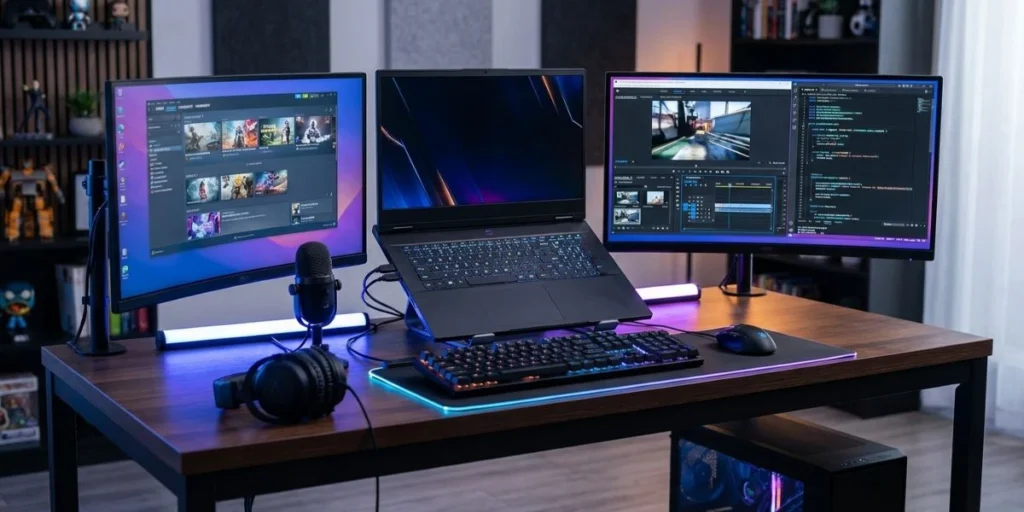
The HP Victus 15 is the AMD-centric pick in this best gaming laptop under $1500 CAD guide. HP has configured this model with an AMD Ryzen 7 7745HX processor paired with an NVIDIA GeForce RTX 4060 GPU — a combination that offers a meaningful CPU performance bump over i5-based configurations, which matters if you also use your laptop for streaming, video editing, or running multiple applications simultaneously.
HP’s Victus line has historically offered strong value at the expense of premium aesthetics, and this 15 continues that tradition. The chassis is straightforward and unembellished — no RGB logo panels or aggressive angles. For buyers who prefer a laptop that doesn’t announce itself as a gaming machine in a professional or academic environment, the understated design is a genuine plus. The FHD IPS display at 144Hz is well-suited to the RTX 4060, and the USB-C port with Alt Mode support adds connectivity flexibility.
The 32GB RAM configuration on this model is exceptional for the price — it’s one of the few gaming laptops under $1500 CAD that ships with enough memory to eliminate RAM as a bottleneck for the foreseeable future, including demanding workloads like video rendering, large browser sessions, and modern open-world games with aggressive memory footprints.
Full Specifications
| Spec | Details |
|---|---|
| CPU | AMD 8-core Ryzen 7 7745HX |
| GPU | NVIDIA GeForce RTX 4060 500 |
| RAM | 32GB DDR5 |
| Storage | 1TB SSD |
| Display | 15.6-inch FHD IPS, 1920×1080, 144Hz |
| Backlit Keyboard | Yes |
| Ports | USB-C (Alt Mode), USB-A x3, HDMI, Wi-Fi 6, Bluetooth |
| OS | Windows 11 Home |
| Weight | Confirm on Amazon |
Real-World Performance
The Ryzen 7 7745HX is one of the strongest mobile CPUs in the mid-range gaming laptop segment, delivering excellent multi-threaded performance for streaming, content creation, and CPU-intensive titles like Microsoft Flight Simulator and Civilization VI. Paired with the RTX 4060, this combination handles the full modern AAA library at 1080p high settings with consistent frame rates. The 1TB SSD ships at a useful size — most users won’t face storage pressure for the first year or two without a large game backlog.
The 32GB RAM is genuinely future-proof for gaming in 2026 and beyond. Many titles are beginning to recommend 16GB as a minimum — having double that provides meaningful headroom for games that release through 2027 and 2028. It’s the most complete out-of-the-box specification in this guide.
Pros
- 32GB DDR5 RAM is the most future-proof configuration in this guide — no upgrades needed
- 1TB SSD included — adequate storage for most gaming libraries without an immediate upgrade
- Ryzen 7 7745HX provides strong multi-threaded performance for streaming and content creation
- Understated design is professional-appropriate in academic and office environments
- USB-C with Alt Mode adds monitor and peripheral connectivity flexibility
Cons
- HP Victus displays have historically been average in colour accuracy — not suited for colour-critical work
- Build quality is functional but below the ASUS TUF standard in terms of chassis rigidity
- Speaker quality is poor — a headset or external speakers will significantly improve the audio experience
Who Should Buy This
Canadian buyers who want a gaming laptop that doubles as a serious productivity machine — streamers, part-time content creators, or professionals who need strong multi-threaded CPU performance alongside gaming capability. The 32GB RAM and 1TB SSD make it a complete machine at purchase, with no immediate upgrade spending required.
Who Should NOT Buy This
Those who prioritize build quality and display accuracy above specs. The ASUS TUF A15 or Acer Nitro V 15 are better choices if chassis rigidity and display quality matter more than RAM headroom. Audio enthusiasts will also find the speakers inadequate — factor in headphone or speaker costs.
Expert Verdict
The HP Victus 15 delivers the most complete out-of-the-box specification in this guide — 32GB RAM, 1TB SSD, and a strong AMD CPU make it a genuinely future-proof gaming and productivity machine under $1500 CAD. It’s the pick for buyers who want to spend once and not think about upgrades.
Comparison Table: Best Gaming Laptops Under $1500 CAD
| Laptop | GPU | RAM | Storage | Display | Best For |
|---|---|---|---|---|---|
| ASUS TUF Gaming A15 | RTX 4060 8GB | 8GB (upgrade recommended) | 512GB SSD | 15.6-in FHD 144Hz | Best overall + durability |
| Acer Nitro V 15 | RTX 4060 8GB | 16GB DDR5 | 512GB SSD | 15.6-in FHD 144Hz 440nit | Best display value + ready to game |
| Lenovo IdeaPad Gaming 3 | GTX (Confirm) | 8GB | 256GB SSD | 15.6-in FHD 60Hz | Best budget entry point |
| MSI GF63 Thin | GTX 1650 Max-Q | 8GB DDR4 | 256GB SSD | 15.6-in FHD 144Hz | Best portability |
| HP Victus 15 | RTX 4060 | 32GB DDR5 | 1TB SSD | 15.6-in FHD 144Hz | Best AMD value + future-proof RAM |
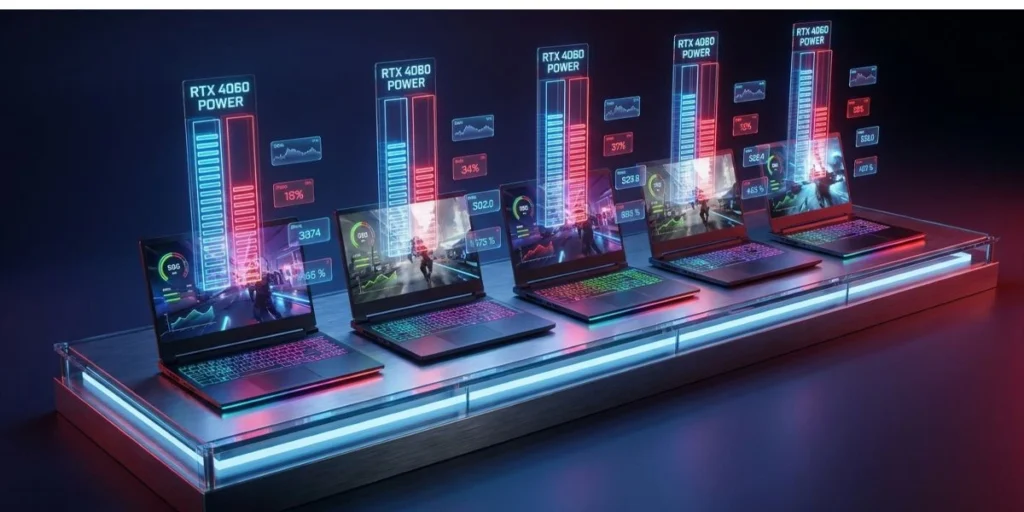
For most Canadian buyers, the best gaming laptop under $1500 CAD choice comes down to the ASUS TUF A15 vs the HP Victus 15. The TUF wins on build quality and long-term durability; the Victus wins on out-of-box RAM and storage completeness. The Acer Nitro V 15 is the strongest middle ground when display brightness and zero-upgrade-cost-at-purchase matter.
Canada Pricing Table: Where to Buy Each Laptop
| Laptop | Amazon.ca (CAD) | Best Buy Canada (CAD) | Canada Computers (CAD) | Memory Express (CAD) |
|---|---|---|---|---|
| ASUS TUF Gaming A15 | Check Amazon.ca | Check bestbuy.ca | Check canadacomputers.com | Check memoryexpress.com |
| Acer Nitro V 15 | Check Amazon.ca | Check bestbuy.ca | Check canadacomputers.com | Check memoryexpress.com |
| Lenovo IdeaPad Gaming 3 | Check Amazon.ca | Check bestbuy.ca | Check canadacomputers.com | Check memoryexpress.com |
| MSI GF63 Thin | Check Amazon.ca | Check bestbuy.ca | Check canadacomputers.com | Check memoryexpress.com |
| HP Victus 15 | Check Amazon.ca | Check bestbuy.ca | Check canadacomputers.com | Check memoryexpress.com |
Amazon.ca typically offers the most competitive everyday pricing and fast Prime shipping. Canada Computers and Memory Express run regular weekly sales that occasionally beat Amazon — check both before purchasing. Best Buy Canada prices are higher on average, but it offers in-store pickup and Geek Squad Protection extended warranties, which are worth the premium for buyers who prefer local hardware support. All prices are subject to provincial sales tax (PST/HST/QST) at checkout.
RAM and SSD Upgradability: What You Need to Know
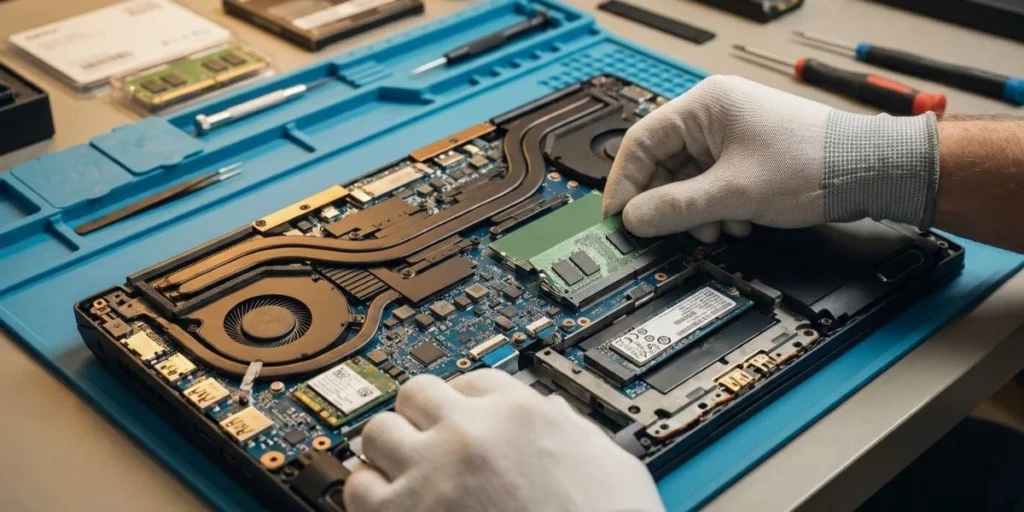
Most gaming laptops under $1500 CAD ship with undersized RAM or storage to hit the price point. Understanding which models allow easy upgrades is one of the most practical pieces of information a Canadian buyer can have before purchasing.
The ASUS TUF Gaming A15 has an accessible bottom panel and supports standard DDR5 SO-DIMM upgrades. Removing six Phillips screws gives you access to both RAM slots and the M.2 SSD slot. A 16GB DDR5 SO-DIMM costs approximately $40–60 CAD on Amazon.ca and takes about 10 minutes to install. A 1TB NVMe SSD costs $80–100 CAD and doubles your storage with the same installation time. This is the most upgrade-friendly chassis in this guide.
The Acer Nitro V 15 also allows RAM and SSD upgrades through the bottom panel. Since it ships with 16GB, the SSD upgrade is typically the priority — especially for buyers who install multiple large game titles simultaneously. The Lenovo IdeaPad Gaming 3 and MSI GF63 Thin both support bottom panel access for RAM and SSD upgrades, though the GF63 Thin’s slim chassis means components are packed more tightly and require a bit more care during the process.
For display upgrades and GPU context, our best 4K gaming monitors guide covers what a future external monitor upgrade could unlock when you’re ready to game beyond the built-in display.
Thermal Performance and Fan Noise: The Honest Picture
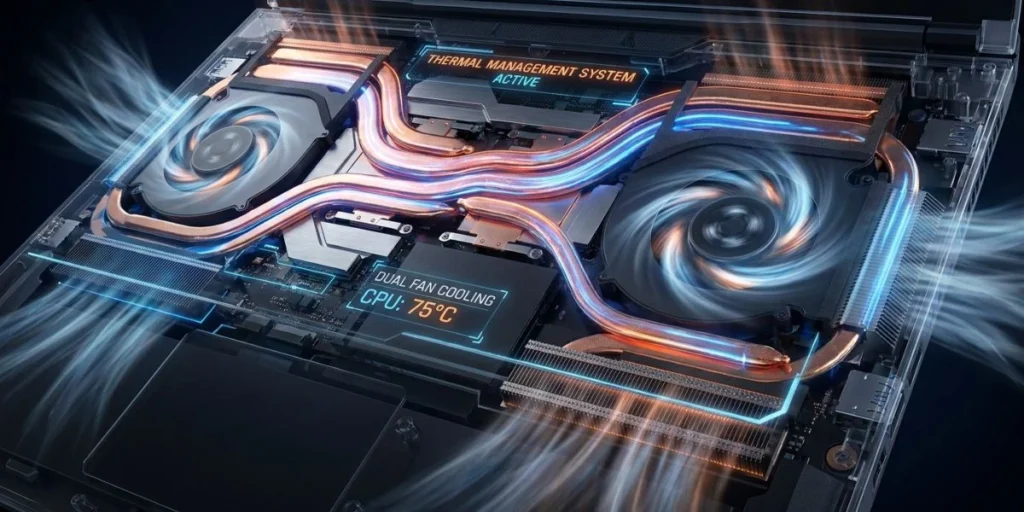
Fan noise is the most under-discussed topic in gaming laptop reviews, and Canadian buyers deserve a direct assessment before spending $1500 CAD. All five laptops in this guide produce audible fan noise under gaming load. That is normal and expected. The meaningful differences are in how loud, how often, and how manageable that noise is.
The ASUS TUF Gaming A15 runs its fans aggressively in Performance mode but offers a Balanced mode that reduces noise significantly during lighter gaming loads. It gets warm but doesn’t throttle. The Acer Nitro V 15 is similar — NitroSense software lets you dial back fan aggressiveness at the cost of slightly higher temperatures. In practice, a headset during gaming sessions eliminates fan noise as a concern entirely.
The MSI GF63 Thin runs warmer than expected on its bottom surface during sustained loads due to its slim chassis limiting airflow. This is the one laptop in this guide where a cooling pad ($25–40 CAD) meaningfully improves the sustained gaming experience. The HP Victus 15, with its stronger Ryzen 7 CPU, generates more heat than i5-based configurations and requires adequate desk ventilation. None of these laptops is suitable for lap gaming at sustained high loads — a hard, flat surface is the correct operating environment.
2026 GPU Landscape: Should You Buy Now or Wait for RTX 5060?

RTX 50-series laptops are beginning to arrive in 2026, and the RTX 5060 is likely to appear in gaming laptops under $1500 CAD later this year. The honest answer for Canadian buyers is: buy now if you need a laptop today, and wait only if your current machine is still functional and you can delay 6–9 months.
The RTX 4060 in the ASUS TUF A15 and HP Victus 15 will handle the full AAA gaming library at 1080p high settings for at least 3 years without meaningful degradation. The performance jump from RTX 4060 to RTX 5060 at laptop power levels is expected to be in the 15–25% range based on desktop RTX 5060 data — a real improvement, but not a generation-defining leap that makes a 2026 RTX 4060 laptop feel obsolete. Waiting also carries risk: the first RTX 5060 laptop SKUs at sub-$1500 CAD in Canada may run the GPU at reduced TGP to hit the price point, which can erase the theoretical performance advantage.
If your current setup is failing or you have no gaming laptop, the RTX 4060 configurations in this guide are the correct purchase today. They represent the market’s best-value proposition at the $1500 CAD ceiling in 2026, and they will not feel outdated for at least 2–3 years of normal gaming use. For more on GPU context and how this translates to desktop builds, our RAM for gaming guide covers the system-level picture of what specs actually matter for gaming performance.
Common Mistakes Canadian Buyers Make When Buying a Gaming Laptop Under $1500 CAD

Mistake 1: Converting USD prices and assuming they translate to CAD. A $999 USD laptop is not $999 CAD — at a 1.35–1.40 exchange rate plus import duties on some grey-market units, it often lands at $1,350–$1,450 CAD before tax. Always verify the Amazon.ca CAD price directly.
Mistake 2: Buying from US grey-market sellers and losing Canadian warranty coverage. ASUS, Acer, Lenovo, MSI, and HP all provide Canadian warranties only on units purchased through authorized Canadian retailers. A unit purchased from an American third-party seller may not be eligible for warranty service at Canadian repair centres. Always confirm the seller is an authorized Canadian retailer or buy directly through Amazon.ca’s fulfilled listings.
Mistake 3: Ignoring GST/HST at checkout. A laptop listed at $1,499 CAD becomes $1,673 CAD in Ontario after 13% HST. If your budget is a hard $1,500 CAD all-in, shop for models priced around $1,325–$1,350 CAD before tax to stay within it.
Mistake 4: Buying the display size you want rather than the GPU you need. A 15.6-inch laptop with an RTX 4060 is a dramatically better purchase than a 17.3-inch laptop with an RTX 4050 at the same price. GPU performance drives gaming experience far more than screen size.
Mistake 5: Not checking the return policy before buying from Canada Computers or Memory Express. Unlike Amazon.ca’s standard return window, some Canadian specialist retailers have shorter electronics return windows or restocking fees. Read the return policy before committing to a purchase from any non-Amazon Canadian retailer.
After years of covering products like this, the single piece of advice that saves Canadian buyers the most grief is simple: buy from Amazon.ca fulfilled listings with clear Canadian warranty documentation, and add a 1TB SSD on day one if the model ships with 256GB. Those two decisions eliminate the most common complaints I see from buyers in this category six months after purchase.
FAQ: Best Gaming Laptop Under $1500 CAD
What is the best gaming laptop under $1500 CAD in 2026?
The ASUS TUF Gaming A15 is the best gaming laptop under $1500 CAD for most Canadian buyers in 2026. It combines an RTX 4060 GPU, AMD Ryzen 5 7535HS CPU, a durable MIL-STD-810H chassis, and a 144Hz IPS display at a price that holds firmly under the $1500 CAD ceiling on Amazon.ca. The HP Victus 15 is the best alternative if you want 32GB RAM and a 1TB SSD included without upgrades.
Is $1500 CAD enough for a good gaming laptop in Canada?
Yes. At $1500 CAD, you can get a gaming laptop with an RTX 4060 GPU that handles the full AAA gaming library at 1080p high settings with consistent frame rates. This is a legitimate gaming budget in the Canadian market. The RTX 4060 represents the sweet spot of performance and price at this ceiling — it’s the minimum GPU worth buying at $1500 CAD in 2026.
Should I buy a gaming laptop now or wait for RTX 5060 models in Canada?
Buy now if you need a laptop today. RTX 5060 laptop models at under $1500 CAD are expected to arrive in Canada later in 2026, but early SKUs at this price point may run the GPU at reduced TGP to hit the price ceiling, which diminishes the performance advantage. An RTX 4060 laptop purchased today will handle 1080p gaming for 3 years without feeling outdated.
Which Canadian retailer has the best prices on gaming laptops?
Amazon.ca has the most consistently competitive everyday prices. Canada Computers and Memory Express run weekly sales that occasionally beat Amazon — particularly on ASUS and Lenovo models. Best Buy Canada prices are higher on average, but it offers Geek Squad Protection extended warranties and in-store pickup. Check all three before purchasing to find the best price on your chosen model.
How long will a gaming laptop under $1500 CAD last?
An RTX 4060 gaming laptop purchased today should remain capable for 3–4 years of AAA gaming at 1080p before requiring meaningful settings reductions. The hardware lifespan extends further if you primarily play esports or older titles. The practical limiting factor is usually storage and RAM degrading in perceived sufficiency as game sizes grow — both are upgradeable on all five laptops in this guide.
Can I use a gaming laptop under $1500 CAD for school or work in Canada?
Absolutely. All five laptops in this guide handle everyday productivity tasks, web browsing, document editing, and video calls without issue. The Acer Nitro V 15 includes Windows 11 Pro, which is useful for students who need BitLocker encryption or remote desktop access. The HP Victus 15’s 32GB RAM makes it capable of demanding productivity workflows like video editing or large spreadsheet work alongside gaming.
What specs should I prioritize on a gaming laptop under $1500 CAD?
GPU first — prioritize RTX 4060 over RTX 4050 at this budget. RAM second — 16GB dual-channel is the correct minimum for 2026 gaming; 8GB requires an immediate upgrade. Display third — 144Hz IPS at 1080p is the right pairing for this GPU tier. Avoid paying extra for a 1440p display unless you’re confident the GPU can push sufficient frame rates in your game library. TGP matters — two RTX 4060 laptops can perform very differently if one runs the GPU at a lower wattage.
Is it worth buying a gaming laptop warranty extension in Canada?
For a $1500 CAD laptop used as a daily driver for gaming and productivity, a 2–3 year extended warranty is worth considering. Laptop hinges, cooling fans, and batteries are the most common failure points after the standard 1-year manufacturer warranty expires. Best Buy Canada’s Geek Squad Protection and Square Trade plans cover accidental damage in some tiers, which is particularly relevant for students who travel with their machines regularly.
Verdict

The ASUS TUF Gaming A15 is the clear winner for most Canadian buyers — it delivers RTX 4060 performance, military-grade build quality, and long-term reliability at a price that fits the $1500 CAD ceiling. The runner-up is the HP Victus 15, which wins on out-of-box completeness with 32GB RAM and a 1TB SSD that eliminates any post-purchase upgrade spending. For buyers who want a plug-and-play experience with 16GB RAM and a brighter display, the Acer Nitro V 15 is the strongest middle-ground pick in this guide.
Conclusion
The best gaming laptop under $1500 CAD in 2026 is defined by one clear principle: RTX 4060 performance at a Canadian price that makes sense after tax. The ASUS TUF Gaming A15 earns the top recommendation because it gets the fundamentals right — durable chassis, matched GPU-display pairing, and a large battery — at a price available on Amazon.ca without grey-market risk. The HP Victus 15 earns the runner-up position because no other laptop in this category matches its 32GB RAM and 1TB SSD at the same price point.
For your next step: check the current Amazon.ca price on the ASUS TUF Gaming A15 using the button above, verify the price includes federal GST, and add a 16GB DDR5 SO-DIMM to your cart at the same time. That $40–60 CAD upgrade on day one is the single most impactful thing you can do to improve your gaming experience out of the box. If your budget is slightly higher and you want to skip all post-purchase upgrades, the HP Victus 15 with its 32GB RAM and 1TB SSD ships ready to game without any additional investment.
Both laptops carry solid Canadian warranty coverage through authorized Amazon.ca listings, both will run the full modern AAA library at 1080p high settings for the next 3 years, and both represent the best the under $1500 CAD Canadian gaming laptop market has to offer in 2026. Either way, you’re making a smart, well-informed purchase.
Affiliate Disclosure: BuildWithPC is reader-supported. When you purchase through links on our site, we may earn an affiliate commission at no additional cost to you. Our reviews and recommendations are always honest and independent.