

Affiliate Disclosure: BuildWithPC is reader-supported. When you purchase through links on our site, we may earn an affiliate commission at no additional cost to you. Our reviews and recommendations are always honest and independent.
In 2026, laptop software demands more memory than ever, making RAM upgrades essential for smooth performance. Low RAM often causes slow boot times, lag, and poor multitasking, even on capable hardware.
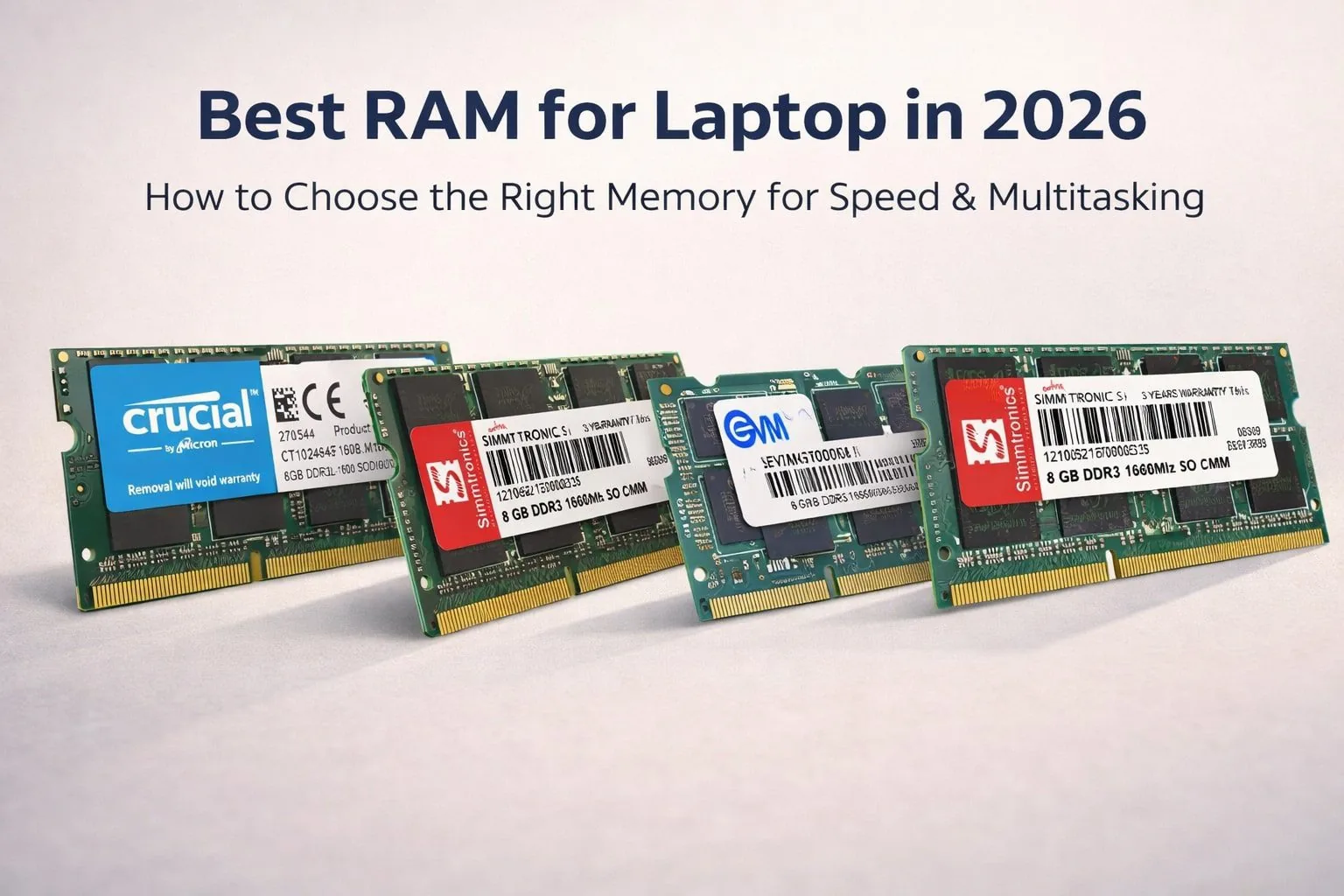
This guide helps you choose the Best RAM for Laptop by explaining how RAM affects speed, multitasking, and compatibility. You’ll also discover the best RAM options to upgrade confidently and restore fast, responsive performance without replacing your laptop.
Table of Contents
1: What Is RAM and Why It’s Important for Laptops
Understanding RAM is essential when choosing the Best RAM for Laptop, especially as software demands increase in 2026.
Simple explanation of RAM
RAM (Random Access Memory) is your laptop’s short-term working memory. It temporarily stores data that the system actively uses, allowing programs to run smoothly and respond quickly.
How RAM affects performance
• Boot time: More RAM helps the system load essential processes faster after startup.
• Multitasking: Adequate RAM allows multiple apps and browser tabs to run without slowing down.
• App & browser performance: Higher RAM reduces lag, freezes, and long loading times.
RAM vs storage (SSD vs RAM)
RAM handles active tasks, while an SSD stores data permanently. Even with a fast SSD, insufficient RAM can bottleneck performance, making RAM upgrades critical for a smoother experience.
2: How Much RAM Do You Need in 2026?
Choosing the Best RAM for Laptop starts with the right capacity. Software demands continue to grow in 2026, making RAM size a key factor for smooth performance.
4GB vs 8GB vs 16GB vs 32GB
4GB is only suitable for very basic tasks and struggles with modern apps.
8GB handles everyday computing smoothly.
16GB offers excellent multitasking and faster workflows.
32GB is ideal for advanced workloads and professional use.
Best RAM size for students
8GB is enough for online classes, browsing, and assignments.
Best RAM size for office & work-from-home users
8GB to 16GB ensures smooth multitasking and productivity apps.
Best RAM size for multitasking & power users
16GB or more is recommended for heavy multitasking and demanding software.
Why 8GB is the sweet spot in 2026
8GB delivers the best balance of performance, cost, and future readiness for most laptop users.
3: Key Factors to Consider Before Buying Laptop RAM
Choosing the Best RAM for Laptop requires understanding a few technical details that directly affect performance and compatibility. This section breaks them down clearly for smart buying decisions in 2026.
4.1 RAM Type (DDR3, DDR3L, DDR4, DDR5)
DDR3 and DDR3L are common in older laptops, with DDR3L using lower voltage for better efficiency. DDR4 and DDR5 are newer standards found in modern systems. Laptop RAM must exactly match the supported type—using the wrong generation will not work and may prevent the system from booting.
4.2 RAM Speed (MHz Explained)
RAM speed impacts how quickly data is accessed.
• 1066MHz suits basic tasks on older laptops
• 1333MHz offers balanced everyday performance
• 1600MHz delivers smoother multitasking
In real use, higher speeds improve responsiveness but only if the laptop supports them.
4.3 Voltage & Power Efficiency
Standard DDR3 runs at 1.5V, while DDR3L uses 1.35V. Low-voltage RAM consumes less power, produces less heat, and helps extend battery life—ideal for laptops.
4.4 Form Factor & Compatibility
Laptops use SO-DIMM RAM, which is smaller than desktop DIMMs. Always check compatibility via BIOS, manufacturer specifications, or the laptop’s motherboard details before upgrading.
4: Best RAM for Laptop in 2026 (DDR3 Options Reviewed)
4.1: Crucial 8GB DDR3/DDR3L 1600MHz SO-DIMM

The Crucial 8GB DDR3/DDR3L 1600MHz SO-DIMM is a dependable upgrade for older laptops, offering stable performance and wide compatibility. It’s a trusted option for users searching for the Best RAM for Laptop upgrades in 2026.
Key Features
| Feature | Details |
|---|---|
| Capacity | 8GB |
| Speed | 1600 MT/s |
| Type | DDR3 / DDR3L |
| Voltage | 1.35V–1.5V |
| Form Factor | 204-pin SO-DIMM |
Performance Benefits
Improves multitasking, speeds up everyday tasks, and enhances overall system responsiveness with efficient power usage.
Pros & Cons
Pros: Reliable brand, good compatibility
Cons: Not for modern DDR4/DDR5 laptops
Best For
Users upgrading older laptops for smooth daily performance.
4.2: SIMMTRONICS 8GB DDR3 1066MHz SO-DIMM

The SIMMTRONICS 8GB DDR3 1066MHz SO-DIMM is a budget-friendly upgrade designed for older laptops that support lower memory speeds. It’s a practical option for users seeking the Best RAM for Laptop performance on legacy systems without overspending.
Key Features
| Feature | Details |
|---|---|
| Capacity | 8GB |
| Type | DDR3 |
| Speed | 1066MHz |
| Form Factor | SO-DIMM |
| Compatibility | Older DDR3 laptops |
Performance Benefits
This RAM improves basic multitasking, reduces system lag, and enhances everyday responsiveness for web browsing, office work, and light applications on older hardware.
Pros & Cons
Pros: Affordable, good for legacy systems
Cons: Slower than 1333MHz and 1600MHz RAM
Best For
Users upgrading older laptops that require 1066MHz memory and want a cost-effective Best RAM for Laptop solution in 2026.
4.3: EVM 8GB DDR3 1333MHz SO-DIMM

The EVM 8GB DDR3 1333MHz SO-DIMM is a reliable upgrade for users aiming to improve everyday laptop performance. With low latency and a long warranty, it stands out as a practical Best RAM for Laptop option for older DDR3 systems.
Key Features
| Feature | Details |
|---|---|
| Capacity | 8GB |
| Type | DDR3 |
| Speed | 1333MHz |
| Form Factor | SO-DIMM |
| Warranty | 10 Years |
Performance Benefits
This RAM helps reduce lag, improves multitasking, and delivers smoother performance for office work, browsing, and light productivity tasks.
Pros & Cons
Pros: Long warranty, stable performance, good value
Cons: Not suitable for modern DDR4/DDR5 laptops
Best For
Users upgrading DDR3 laptops who want dependable performance and long-term value from the Best RAM for Laptop category.
4.4: EVM 8GB DDR3 1600MHz SO-DIMM

The EVM 8GB DDR3 1600MHz SO-DIMM is designed for users who want faster performance from older laptops. With high-speed memory and low voltage operation, it fits well into the Best RAM for Laptop upgrade options in 2026.
Key Features
| Feature | Details |
|---|---|
| Capacity | 8GB |
| Type | DDR3 |
| Speed | 1600MHz |
| Voltage | Low Voltage |
| Warranty | 10 Years |
Performance Benefits
This RAM delivers quicker app launches, smoother multitasking, and improved overall responsiveness, making everyday computing noticeably faster and more efficient.
Pros & Cons
Pros: High speed, energy-efficient, long warranty
Cons: Limited to DDR3-compatible laptops
Best For
Users upgrading DDR3 laptops who want one of the Best RAM for Laptop options for speed-focused performance and long-term reliability.
4.5: Simmtronics 8GB DDR3L 1600MHz SO-DIMM

The Simmtronics 8GB DDR3L 1600MHz SO-DIMM is a power-efficient upgrade built for older laptops that support low-voltage memory. It offers a balanced mix of speed, stability, and value, making it a solid Best RAM for Laptop choice in 2026.
Key Features
| Feature | Details |
|---|---|
| Capacity | 8GB |
| Type | DDR3L |
| Speed | 1600MHz (PC3-12800) |
| Voltage | Low Voltage |
| Warranty | 3 Years |
Performance Benefits
This RAM improves multitasking, reduces lag, and enhances system responsiveness while consuming less power, helping maintain better battery efficiency.
Pros & Cons
Pros: Energy-efficient, good speed, reliable brand
Cons: Limited to DDR3L-compatible laptops
Best For
Users upgrading older laptops who want efficient, stable performance from a Best RAM for Laptop option designed for everyday use.
5: Comparison Table
| Brand | Capacity | Speed | Voltage | Warranty |
|---|---|---|---|---|
| Crucial | 8GB | 1600MHz | 1.35V / 1.5V | Limited Lifetime |
| Simmtronics | 8GB | 1066MHz | 1.5V | 3 Years |
| EVM | 8GB | 1333MHz | 1.5V | 10 Years |
| EVM | 8GB | 1600MHz | Low Voltage | 10 Years |
| Simmtronics | 8GB | 1600MHz | Low Voltage | 3 Years |
6: Best RAM Recommendations by Use Case
Choosing the Best RAM for Laptop depends on how you use your system. Below are clear, experience-based recommendations to help you upgrade with confidence in 2026.
Best overall RAM for laptop
Crucial 8GB DDR3/DDR3L 1600MHz offers the best balance of speed, compatibility, and long-term reliability, making it ideal for most DDR3 laptops.
Best budget DDR3 RAM
SIMMTRONICS 8GB DDR3 1066MHz is a cost-effective choice for basic tasks and everyday use on older systems.
Best RAM for old laptops
EVM 8GB DDR3 1333MHz provides stable performance and excellent durability, especially for legacy laptops needing a safe upgrade.
Best RAM for multitasking & speed
EVM 8GB DDR3 1600MHz delivers faster responsiveness and smoother multitasking for users who run multiple apps.
Best low-power RAM for battery life
Simmtronics 8GB DDR3L 1600MHz is ideal for energy efficiency, helping extend battery life without sacrificing performance.
7: How to Upgrade Laptop RAM Safely (Quick Guide)
Upgrading memory is one of the easiest ways to boost performance, but doing it correctly ensures you get the Best RAM for Laptop results without risking hardware issues.
Check maximum supported RAM
Before buying, confirm your laptop’s maximum supported RAM, memory type, and speed through the manufacturer’s website or system tools. Installing unsupported RAM can lead to boot failures or instability.
Single-channel vs dual-channel
Single-channel works fine for basic use, but dual-channel (matching RAM sticks) offers better performance for multitasking and speed. Always use identical capacity and speed modules when possible.
Installation tips
Power off the laptop, disconnect the battery, ground yourself, and install the RAM firmly at the correct angle. Ensure it clicks into place before closing the panel.
Common mistakes to avoid
Avoid mixing incompatible RAM types, forcing modules into slots, or skipping compatibility checks. These errors can reduce performance or damage components.
8: Conclusion
The Best RAM for Laptop in 2026 comes down to compatibility, speed, and value. Crucial 8GB DDR3/DDR3L 1600MHz offers the best overall balance, while EVM 8GB DDR3 1600MHz suits users focused on faster multitasking. Budget users can choose SIMMTRONICS, and DDR3L options are ideal for better battery efficiency.
For most laptops, upgrading to 8GB RAM delivers the biggest performance boost. If your system supports it, a RAM upgrade is a simple, cost-effective way to improve speed and extend your laptop’s lifespan.
9: Frequently Asked Questions (FAQs)
Q1: What is good RAM in 2025?
A good RAM in 2025 is at least 8GB with DDR4 or DDR5 support, depending on laptop compatibility and usage needs.
Q2: How much RAM should a laptop have in 2025?
Most users need 8GB, while multitaskers benefit from 16GB.
Q3: Which RAM is best for a laptop?
The Best RAM for Laptop is the one fully compatible with your system and usage.
Q4: Is 8GB RAM enough for 5 years?
Yes, for everyday use and light multitasking.
Q5: Is DDR4 or DDR5 RAM better?
DDR5 is faster and more future-ready, but DDR4 remains reliable.
Also Read:
- Top 5 Best SSD for Gaming PC in 2026: Boost FPS, Speed & Performance
- Best SSD for Gaming in 2026: Top Picks for Faster Load Times
- Best SSD for Gaming PC in India (2026) — Ultimate Buyer’s Guide
Affiliate Disclosure: BuildWithPC is reader-supported. When you purchase through links on our site, we may earn an affiliate commission at no additional cost to you. Our reviews and recommendations are always honest and independent.