

Affiliate Disclosure: BuildWithPC is reader-supported. When you purchase through links on our site, we may earn an affiliate commission at no additional cost to you. Our reviews and recommendations are always honest and independent.
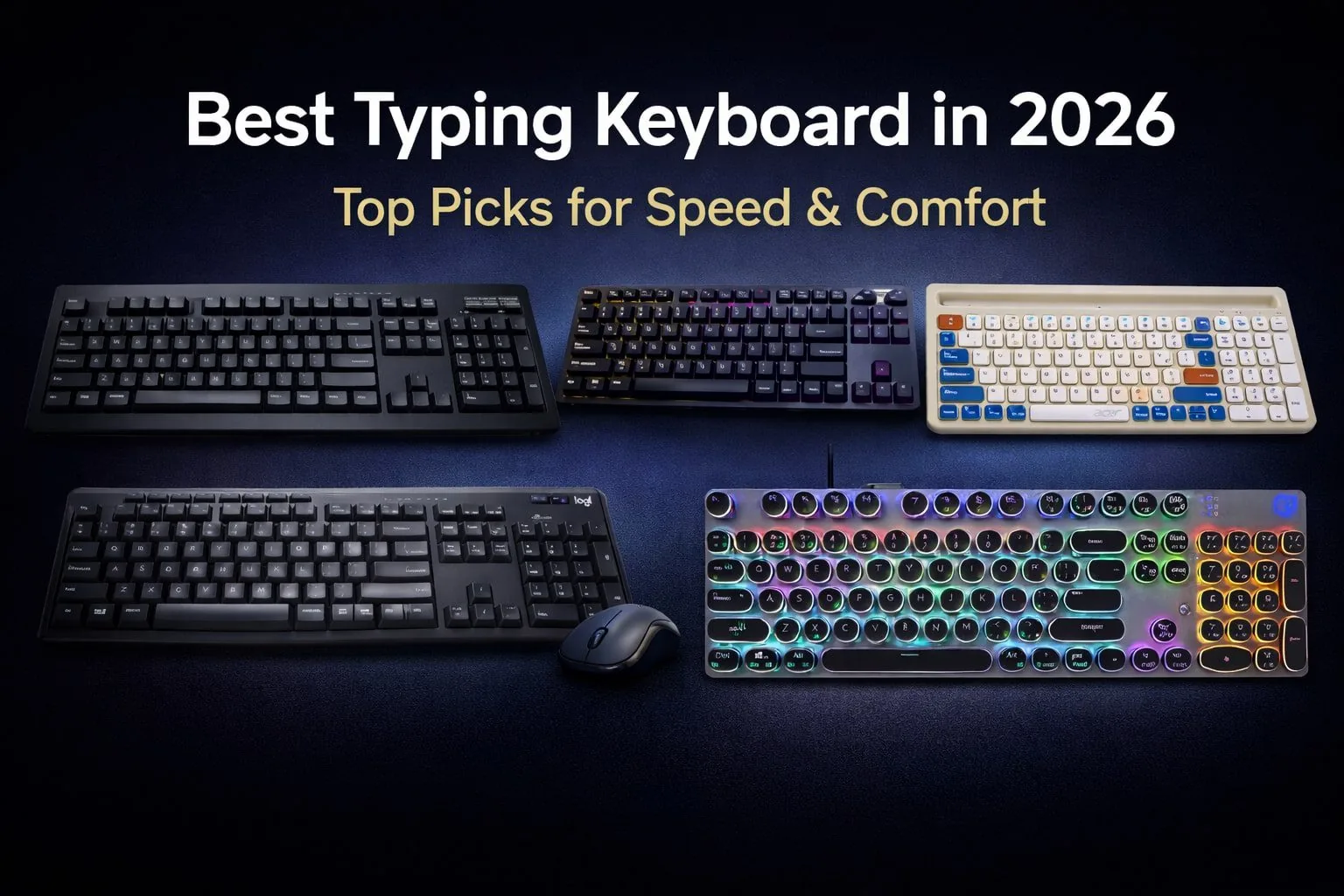
The best typing keyboard in 2026 is all about speed, a comfortable long workday, and accuracy.
The best typing keyboards in 2026 are designed to minimize fatigue and enhance daily productivity.
With an increasing demand for mechanical, quiet, and wireless keyboards, selecting the proper model matters. For writers, programmers, college students, and office workers who type all day, this guide helps readers understand switch types, ergonomics of typing on a keyboard, wired vs wireless alternatives, and what the best keyboards to buy in 2026 are.
Table of Contents
1: How We Selected the Best Typing Keyboards
We selected the best typing keyboards by evaluating typing speed, key response, and overall comfort for long work hours.
Switch durability, noise levels, and keystroke lifespan were analyzed to match different user preferences. We also considered connectivity options, battery life, and build quality.
These factors matter in 2026 because they directly impact productivity, typing accuracy, and daily work efficiency.
2: Top Picks: Best Typing Keyboards in 2026 (Detailed Reviews)
2.1: TVS ELECTRONICS Gold Prime Mechanical Wired Keyboard

The TVS Electronics Gold Prime is a no-nonsense mechanical keyboard trusted by professionals who value durability and typing accuracy.
Built with dustproof switches and a solid wired connection, it delivers consistent keystrokes even under heavy daily use, making it a dependable long-term investment.
Key Features
| Feature | Details |
|---|---|
| Switch Type | Mechanical, dustproof |
| Durability | 50 million keystrokes |
| Connectivity | Wired USB |
| Cable Length | 1.5 meters |
| Build | Sturdy, full-size |
Best For
Writers, programmers, and office users who want reliability over flashy design.
2.2: EvoFox Katana X2 FS Mechanical Keyboard

The EvoFox Katana X2 FS blends performance-focused gaming features with mechanical precision.
Its clicky blue switches and customizable controls enhance both competitive gameplay and everyday productivity without feeling overwhelming.
Key Features
| Feature | Details |
|---|---|
| Switches | 3-pin replaceable blue |
| Backlighting | Dynamic RGB |
| Anti-Ghosting | All keys |
| Controls | Volume knob, shortcuts |
| Compatibility | Windows gaming tools |
Best For
Gamers and streamers who want tactile feedback and extra control.
2.3: Acer SwiftPRO Multi-Device Bluetooth Wireless Keyboard

The Acer SwiftPRO is designed for modern multi-device workflows. Its quiet keys, compact layout, and long battery life make it ideal for users switching between laptops, tablets, and phones throughout the day.
Key Features
| Feature | Details |
|---|---|
| Connectivity | Bluetooth multi-device |
| Battery | Up to 80 hours |
| Keys | 99, low-noise |
| Charging | USB-C |
| Compatibility | Windows, Mac, Android |
Best For
Remote workers and multitaskers need portability and flexibility.
2.4: Logitech MK295 Silent Wireless Keyboard & Mouse Combo

The Logitech MK295 focuses on comfort and silence. With SilentTouch technology and lag-free wireless performance, it delivers a calm, distraction-free typing experience suitable for shared or home offices.
Key Features
| Feature | Details |
|---|---|
| Noise Reduction | 90% less noise |
| Connectivity | Wireless USB receiver |
| Layout | Full-size with numpad |
| Mouse | Included, optical tracking |
| Battery Life | Long-lasting |
Best For
Office users seeking quiet operation and value in a combo.
2.5: HP GK400Y Mechanical Gaming Keyboard

The HP GK400Y offers an accessible entry into mechanical keyboards with RGB lighting and practical power-saving features. It balances gaming aesthetics with everyday usability at a competitive price point.
Key Features
| Feature | Details |
|---|---|
| Switch Type | Mechanical |
| Lighting | RGB backlit |
| Layout | Full-size |
| Power | Auto-sleep mode |
| Build | Gaming-focused design |
Best For
Casual gamers and users upgrading from membrane keyboards.
3: Comparison Table
| Keyboard Name | Switch Type | Connectivity | Noise Level | Best For |
|---|---|---|---|---|
| TVS Gold Prime | Mechanical | Wired USB | Clicky | Typing |
| EvoFox Katana X2 FS | Mechanical Blue | Wired USB | Loud | Gaming |
| Acer SwiftPRO | Scissor/Silent | Bluetooth | Silent | Multi-device |
| Logitech MK295 | Membrane Silent | Wireless USB | Very Silent | Office |
| HP GK400Y | Mechanical | Wired USB | Medium | Gaming |
4: Mechanical vs Wireless Keyboards for Typing (2026 Guide)
Mechanical keyboards offer the fastest and most accurate typing experience, protecting your hands for hours of writing or gaming.
Wireless Computer Keyboards. Many wireless computer keyboards use USB to connect to computers, but Bluetooth is also used.
Wireless keyboards concentrate on delivering maximum comfort during use, providing travel with much less clutter.
Mechanical models can be louder, and battery life is a concern for wireless ones. It’s not until 2026 that there’s a clear ‘right’ answer, and it depends on whether you prioritize speed or convenience.
5: Buying Guide: How to Choose the Best Typing Keyboard
The best typing keyboard for you depends on switch type, comfort and connectivity. (Blue is clicky, Brown is balanced, Silent makes less noise, and scissor keys are for quiet typing.) The ergonomic designs provide a more comfortable user experience for hours.
Wired keyboards have zero latency, and there are also wireless and Bluetooth keyboards for even more freedom. Features balanced with budget in 2026 = great typing performance and value.
6: Final Verdict – Which Typing Keyboard Should You Buy?
The Best typing keyboard in 2026. Whatever works best for you. There’s no one-size-fits-all answer to the question of what you should buy, unfortunately.
For general usage, a balanced keyboard provides comfort and remains easy to use after years of use. Silent keyboards are best for office work, mechanical models suit speed typists, and wireless is ideal for anyone working from multiple devices.
In 2026, a good keyboard can enhance productivity, comfort, and even how well you type if you’re willing to give it more time than a day or two.
7: Frequently Asked Questions (FAQs)
Q1: Is a 1000Hz keyboard good for gaming?
Yes, a 1000Hz polling rate, which allows your magic to flow in at an ultra-fast speed, with the high refresh rate, reduces the time it takes for you to push the button and keep ahead of the competition.
Q2: What is the best keyboard for FPS?
Fast switches and anti-ghosting mechanical keyboards are good for FPS games, where accuracy is required.
Q3: What’s the fastest keyboard right now?
Mechanical keyboards with low latency, such as those using linear or optical switches, are the fastest for typists and gamers.
Q4: What is the best keyboard for Android 2026?
The multi-device functionality of Bluetooth keyboards is most seamless when used with Android phones and tablets.
Also Read:
Best Gaming Keyboard Under 5000 in 2026 – Top Picks for Gaming & Typing
Best Keyboard for Typing Under 2000 in 2026 – Top Picks for Fast & Comfortable Typing
Best Gaming Keyboard Under 1000 Budget-Friendly Picks for Beginners
Best Gaming Keyboard Under 3000: Affordable Options for Gamers
Best Gaming Mechanical Keyboard in 2026: Top Picks for Pro & Casual Gamers
Affiliate Disclosure: BuildWithPC is reader-supported. When you purchase through links on our site, we may earn an affiliate commission at no additional cost to you. Our reviews and recommendations are always honest and independent.