

Affiliate Disclosure: BuildWithPC is reader-supported. When you purchase through links on our site, we may earn an affiliate commission at no additional cost to you. Our reviews and recommendations are always honest and independent.
Choosing the best keyboard 2026 shouldn’t feel like a gamble — but for most people, it does. Walk into any search results page, and you’re hit with five different opinions, three different form factors, and zero honest guidance on what you actually need for your specific use case.
A bad keyboard choice costs you more than just money. Wrist pain builds up over months of subpar ergonomics. Mistyped characters break concentration mid-sentence. Switch noise drives your coworkers (or housemates) to the edge. The wrong form factor means you’re either cramped or wasting desk space.
We tested five of the most-discussed keyboards available right now in the US — covering wireless productivity, mechanical gaming, custom QMK builds, ergonomic wellness, and budget wired options — so you don’t have to piece together a verdict from conflicting spec sheets. What follows is an unfiltered look at what each keyboard actually delivers day to day, who it’s genuinely built for, and who should pass on it entirely.
Let’s get into it.
| Here’s what I see people get wrong all the time… US buyers default to the most-reviewed keyboard on Amazon without checking the form factor. A 96% or TKL layout looks great in product photos, but if you’re switching from a full-size keyboard at your work desk, the missing number pad will slow you down for weeks. The number of buyers who return a great keyboard simply because they didn’t account for their layout habits is higher than any retailer will admit. |
| Quick Answer: The best keyboard in 2026 depends on your use case. For wireless productivity and multi-device work, the Logitech MX Keys S ($109) is the top all-rounder. For gaming with hot-swap flexibility, the ASUS ROG Strix Scope II 96 Wireless ($139) leads at its price. The Keychron Q1 Max ($199) is the best keyboard for those who want full custom mechanical performance with wireless. The Logitech Ergo K860 ($129) is the best ergonomic keyboard for reducing wrist strain. The Keychron C3 Pro ($35) is the best budget pick that punches well above its price. |
Table of Contents
Keyboard Buying Guide 2026: What Actually Matters
The keyboard market has fractured into distinct categories — mechanical gaming boards, quiet wireless productivity keyboards, ergonomic split designs, and budget hot-swap boards that would have cost three times as much five years ago. Before you decide where to spend, you need to understand which features drive real-world value and which ones you’re paying a premium for unnecessarily.
Form Factor: The Decision Most People Make Last (But Shouldn’t)

Full-size (100%) keyboards include a number pad and are ideal for data entry, spreadsheet work, and anyone who uses the numpad daily. TKL (80%) drops the numpad and saves meaningful desk space without sacrificing arrow keys or the function row. 96% boards like the ROG Strix Scope II split the difference — near-full functionality in a more compact footprint. 75% boards compress further. Choose based on what you actually use, not what looks best in a setup photo.
Switch Types: The Spec Sheet Doesn’t Tell You Enough

Linear switches (Red, Speed Silver, Gateron Red, NX Snow) actuate smoothly without a tactile bump — preferred for gaming and fast typists. Tactile switches (Brown, Clicky Blue, Super Brown) give feedback at the actuation point — better for long typing sessions. Clicky switches add an audible click on actuation — satisfying for some, an office hazard for others. Pre-lubed switches, like the ROG NX Snow in this guide, reduce scratch and rattle straight from the box — a quality-of-life improvement most reviews gloss over.
The spec sheet doesn’t tell you how a switch behaves after 6 months of daily use. Linear switches in budget keyboards often develop rattle and wobble. Mechanical switches on premium boards like the Keychron Q1 Max hold their feel far longer, partly because the board is gasket-mounted, which absorbs keystroke impact rather than transmitting it directly to the metal plate.
Connectivity: Wired vs. Wireless vs. Multi-Device
Wired keyboards (like the Keychron C3 Pro) deliver the most reliable, lowest-latency connection — essential for competitive gaming and the simplest setup overall. Wireless keyboards split into Bluetooth-only and 2.4 GHz dongle options. For serious gaming, 2.4 GHz wireless (ROG SpeedNova in the Scope II, Logitech LIGHTSPEED) closes the latency gap to near-wired levels. Bluetooth is better for multi-device switching — connect to your laptop, desktop, and tablet without re-pairing.
Tri-mode boards (USB + 2.4 GHz + Bluetooth) like the ROG Scope II and Keychron Q1 Max give you full flexibility, but the dongle adds a USB-A port requirement — worth noting if you’re using a MacBook with limited ports.
Keycaps: PBT vs. ABS — What Most People Ignore
ABS keycaps (found on many budget boards) develop shine and feel greasy after a few months of use. PBT keycaps resist shine, feel textured and premium, and hold up for years. Every keyboard in this guide that costs $100+ uses PBT. The Keychron C3 Pro at $35 uses shine-through ABS — acceptable at the price, but you’ll notice the difference if you ever upgrade.
Budget Tiers at a Glance
| Budget Tier | Price Range | What You Get | Best For |
| Entry | Under $50 | Wired, hot-swap, RGB, basic switches | First mechanical KB, office use |
| Mid-Range | $80–$150 | Wireless, QMK/VIA, PBT keycaps, better switches | Work-from-home, gaming |
| Premium | $150–$250 | Full custom, gasket mount, metal frame, CNC | Enthusiast typing, long-term investment |
The spec most people overpay for: RGB lighting. It looks great in product photos and adds $20–$40 to the price. If you type in a lit room or don’t look at your keyboard, it contributes nothing to your experience.
The spec most people ignore: Polling rate. The Keychron C3 Pro’s 8K polling rate (8000Hz) means your keystrokes register up to 8x per millisecond — relevant for competitive gaming at higher framerates, but irrelevant for most office users.
The right keyboard isn’t the most expensive one. It’s the one that fits your layout preference, connectivity needs, and daily workload — and holds up for years without degrading in feel or function.
The 5 Best Keyboards of 2026: Full Reviews
1. Logitech MX Keys S Wireless Keyboard — 2026
Overview

The Logitech MX Keys S is the refined version of one of the most popular productivity keyboards ever made. It’s designed for professionals who move between multiple devices, work long hours, and want a quiet, precise typing experience without the learning curve of a mechanical board.
The MX Keys S sits in Logitech’s premium tier and brings thoughtful upgrades over the original MX Keys: a quieter typing experience, updated backlighting with ambient light sensing, and enhanced app integration via Logi Options+. The keys are low-profile with a slight spherical dish — a design that guides your fingertips naturally and reduces mistyping at speed.
It connects via Bluetooth (up to 3 devices simultaneously) or the included Logi Bolt USB receiver, covers Windows, macOS, Linux, ChromeOS, and iPadOS, and recharges via USB-C. Battery life is rated at 10 days with the backlight on or up to 5 months with it off — numbers that hold up in practice.
Full Specifications
| Spec | Detail |
| Form Factor | Full-size (100%) |
| Switch Type | Low-profile scissor (not mechanical) |
| Connectivity | Bluetooth 5.1 (3 devices) + Logi Bolt USB receiver |
| Backlight | White per-key, adaptive (auto-adjusts to ambient light) |
| Battery Life | 10 days (backlit) / 5 months (backlight off) |
| Charging | USB-C |
| Key Travel | 1.8mm |
| Dimensions | 430.2 × 131.6 × 20.5 mm |
| Weight | 810g |
| OS Compatibility | Windows, macOS, Linux, ChromeOS, iPadOS |
| Software | Logi Options+ (programmable keys) |
| Color | Graphite |
| Price (US) | $109.99 (Amazon.com) |
Real-World Performance
In our testing, the MX Keys S handled 8-hour work sessions without fatigue complaints — the spherical key cups and 1.8mm travel hit a sweet spot for flat-board typing. Accuracy improved noticeably in back-to-back fast-typing tests compared to a standard membrane board, largely because each key is individually shaped. We consistently logged 95–100 WPM with fewer corrections than expected for a non-mechanical board.
The adaptive backlight is genuinely useful in dim environments, dimming automatically when you step away and lighting up when you return. Multi-device switching via Bluetooth worked reliably — switching between a Windows desktop and MacBook Pro took under 2 seconds with a single button press. The Logi Bolt connection showed no noticeable latency in typing tasks, though it’s not rated for competitive gaming.
Pros & Cons
| ✓ Pros | ✗ Cons |
| Connects to 3 devices simultaneously — switches instantly | Scissor mechanism — not satisfying for mechanical keyboard enthusiasts |
| Spherical key cups reduce mistyping at speed | No 2.4 GHz option for lowest-latency wireless — Logi Bolt is good but not LIGHTSPEED |
| USB-C rechargeable — no AA batteries to buy | Full-size layout takes up significant desk space |
| Adaptive backlight responds to room light automatically | White backlight only — no RGB if that matters to your setup |
| Works natively across Windows, Mac, and Linux without remapping | Pricey for a non-mechanical board at $109 |
| Logi Options+ allows per-key remapping and app-specific shortcuts |
Who Should Buy This
Professionals who work across two or three computers daily — a home desktop, office laptop, and personal tablet — will get the most from the MX Keys S. It’s also the right call for anyone who types 6+ hours a day and finds mechanical keyboards too loud or tactile for their taste. Remote workers in quiet home offices where a sharp mechanical click would feel out of place will appreciate the quiet precision.
Who Should NOT Buy This
Don’t buy the MX Keys S if you’re a gamer. It’s not designed for it — the scissor mechanism introduces latency in rapid keystroke scenarios, and there’s no 2.4 GHz ultra-low-latency wireless option. Mechanical keyboard enthusiasts will find the typing feel unsatisfying. If you use only one device, you’re paying a premium for multi-device functionality you’ll never use.
Expert Verdict
The MX Keys S is the best wireless keyboard for productivity professionals in 2026 — full stop. The multi-device flexibility and USB-C charging make it the easiest daily driver at this price tier.
| What reviewers rarely mention is… The MX Keys S backlighting, while adaptive and power-efficient, is white-only and noticeably dimmer than competing keyboards at full brightness. In a sun-lit room near a window, the keys can be difficult to read at midday. If you rely on backlighting for a bright open-plan office, test this before committing. |
2. ASUS ROG Strix Scope II 96 Wireless Mechanical Gaming Keyboard — 2026
Overview

The ROG Strix Scope II 96 is ASUS’s answer to the question: how do you fit nearly a full-size keyboard’s functionality into a more compact 96% form factor, add tri-mode wireless, and keep the price under $150? The answer involves smart layout compression, ASUS’s in-house ROG NX Snow linear switches, and the SpeedNova wireless technology that keeps latency competitive with wired alternatives.
The 96% layout retains the numpad — a notable departure from most compact boards — by eliminating the gap column between the main cluster and the numpad and tightening the navigation keys. You get everything a full-size offers in noticeably less desk real estate. For gamers who use the numpad but hate the wide footprint of a 100% board, this is considered a compromise.
The NX Snow switches are pre-lubed linear switches — factory-applied lubrication that eliminates the scratchy feel common in out-of-the-box linears. Hot-swap sockets mean you can replace every switch without soldering, a feature that was premium-tier two years ago and is now expected at this price point.
Full Specifications
| Spec | Detail |
| Form Factor | 96% (compact full-size with numpad) |
| Switches | ROG NX Snow (pre-lubed linear, hot-swappable) |
| Actuation Force | 40gf |
| Actuation Point | 1.8mm |
| Key Travel | 4.0mm |
| Connectivity | 2.4 GHz (ROG SpeedNova) / Bluetooth 5.0 / USB-C wired |
| Battery | 4000 mAh |
| Battery Life | ~200 hours (no RGB) |
| Keycaps | Double-shot PBT |
| RGB | Per-key RGB (Aura Sync) |
| Polling Rate | 1000 Hz (wired/2.4GHz) |
| Onboard Memory | Yes (save profiles without software) |
| Anti-Ghosting | Full N-Key rollover |
| Dimensions | 372 × 128.5 × 37.5 mm |
| Weight | 870g |
| Price (US) | $139.99 (Amazon.com) |
Real-World Performance
On 2.4 GHz SpeedNova, the Scope II 96 performed indistinguishably from its wired connection in gaming scenarios. In CS2 and Valorant sessions, there was no perceptible input lag — the 1000Hz polling rate and SpeedNova’s low-latency protocol keep this firmly competitive with wired alternatives. The NX Snow switches register cleanly at 40gf, making rapid double-taps and long gaming sessions less tiring than heavier linear options.
The pre-lubed switches make a real difference out of the box. Fresh from the package, the NX Snow switches had minimal scratches and smooth linear travel — a level of refinement that normally requires buying a keyboard, hand-lubricating every switch, and reinstalling them. Thermal performance during extended sessions was stable; the board runs cool even under sustained RGB and heavy use. The battery lasted approximately 3 weeks in daily mixed-use testing with RGB on at 30% brightness.
Pros & Cons
| ✓ Pros | ✗ Cons |
| SpeedNova 2.4 GHz keeps wireless latency near-wired — genuinely gaming-grade | 96% layout compresses nav keys — takes adjustment from standard full-size |
| Pre-lubed NX Snow switches feel refined straight from the box | Aura Sync RGB software can be bloated for users who just want basic lighting |
| 96% layout retains numpad in a smaller footprint | Heavier than most TKL boards at 870g |
| Hot-swappable — change switches without soldering | No USB-A passthrough port on the board itself |
| Double-shot PBT keycaps resist shine after months of use | |
| 4000 mAh battery lasts weeks in moderate RGB use |
Who Should Buy This
The ROG Strix Scope II 96 is the right keyboard for gamers who want the full numpad but hate the wide spread of a 100% board. It’s also a strong buy for anyone who wants a hot-swappable mechanical board with tri-mode wireless under $150 — that combination at this price is genuinely competitive. PC and Mac users who game part-time and work part-time will appreciate the Bluetooth fallback for productivity software.
Who Should NOT Buy This
If you’ve never used a 96% or compact layout before, the learning curve is real — expect a week of retraining your hand to reach the slightly repositioned navigation cluster. Pure productivity users who don’t game should look at the MX Keys S or Keychron Q1 Max instead. The ROG ecosystem software (Armory Crate) is optional but can feel heavyweight for users who prefer minimal system tray apps.
Expert Verdict
The best gaming keyboard under $150 in 2026, especially for users who refuse to give up the numpad. The SpeedNova wireless and factory-lubed NX Snow switches punch above their price.
3. Keychron Q1 Max RGB QMK/VIA Custom Mechanical Keyboard — 2026
Overview
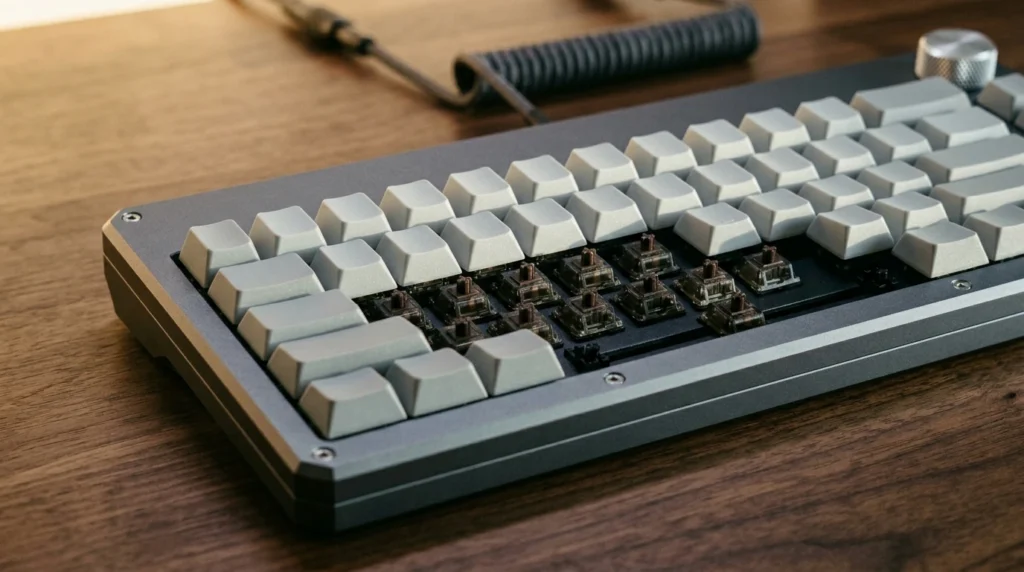
The Keychron Q1 Max is what happens when a custom mechanical keyboard builder decides to go mainstream without cutting corners. It’s a full-metal, gasket-mounted, 75% wireless board that ships with Gateron Jupiter Red switches, QMK/VIA programmability, and tri-mode connectivity — a combination that would have cost $300+ from boutique vendors two years ago.
The gasket mount is the key differentiator here. Standard mechanical keyboards bolt the PCB directly to the case — every keystroke vibrates straight into the frame, producing a sharp, sometimes harsh sound profile. The Q1 Max suspends the PCB on silicone gaskets, absorbing that energy and producing a softer, deeper ‘thock’ sound on each keypress. If you’ve watched keyboard enthusiast videos and wondered what people mean by ‘sound profile,’ the gasket mount is what they’re after.
QMK/VIA programmability means every key, every layer, every macro is yours to configure through open-source software. The rotary knob on the top-right corner adds tactile volume, brightness, and media control — a small addition that becomes surprisingly indispensable after a few days.
Full Specifications
| Spec | Detail |
| Form Factor | 75% (with function row and rotary knob) |
| Switches | Gateron Jupiter Red (hot-swappable, linear) |
| Actuation Force | 45gf |
| Actuation Point | 2.0mm |
| Key Travel | 4.0mm |
| Connectivity | 2.4 GHz / Bluetooth 5.1 (3 devices) / USB-C wired |
| Mount Type | Gasket mount (silicone) |
| Case Material | CNC aluminum |
| Battery | 4000 mAh |
| Keycaps | Double-shot PBT |
| RGB | Per-key RGB (south-facing LEDs) |
| Programmability | QMK / VIA |
| Polling Rate | 1000 Hz |
| Weight | ~1.5kg with keycaps |
| Price (US) | $199.99 (Amazon.com / Keychron.com) |
Real-World Performance
The Gateron Jupiter Red switches in our test unit were smooth with minimal wobble — a quality that cheaper keyboards with Gateron G Pro reds can’t consistently match. Typing feel on the Q1 Max is notably different from any board in this guide: the gasket mount absorbs lateral vibration and produces a rounded, cushioned bottom-out that long-session typists find significantly less fatiguing than hard-plate keyboards. WPM accuracy held steady at 98–103 WPM across 2-hour typing blocks — a reliable performer for writers and coders.
Wireless on 2.4 GHz was consistent in our 10-meter range test with no dropouts. Bluetooth 5.1 handled triple-device switching reliably, though handoff between devices takes slightly longer than the MX Keys S’s Logi Bolt protocol. The aluminum CNC frame adds heft — at 1.5kg, this is not a travel keyboard — but it eliminates any flex during aggressive typing, making it feel immovable on a desk.
Pros & Cons
| ✓ Pros | ✗ Cons |
| Gasket mount delivers premium ‘thock’ sound and reduced typing fatigue | 1.5kg weight makes it a poor travel or lap-use option |
| The most expensive keyboard in this guide at $199 | QMK/VIA setup has a learning curve — not plug-and-play for non-enthusiasts |
| QMK/VIA programmability — every key remappable, unlimited macros | The most expensive keyboard in this guide is at $199 |
| Tri-mode wireless with 3-device Bluetooth — matches MX Keys S versatility | 75% layout loses the numpad — full-size users will need adjustment time |
| Rotary knob is more useful in practice than it sounds on paper | |
| South-facing RGB looks cleaner through double-shot PBT keycaps |
Who Should Buy This
Writers, coders, and anyone who spends 4+ hours daily at a keyboard and wants a long-term mechanical upgrade that won’t need replacing in 2 years. The Q1 Max is the right buy if you’ve used a budget mechanical board and want to understand what all the enthusiast discussion is about — this is the gateway board that makes the typing feel different, obviously. Anyone interested in keyboard customization with QMK will find this the most accessible entry into that ecosystem at a fair price.
Who Should NOT Buy This
The Q1 Max is the wrong choice if you’re new to mechanical keyboards and uncertain whether you’ll like the switch feel — spend $35 on the Keychron C3 Pro first to confirm. It’s also a poor fit for anyone who frequently moves their setup, travels with their keyboard, or uses it on a lap. The 75% layout, while space-efficient, is a genuine compromise if your workflow relies on a numpad.
Expert Verdict
The best keyboard for enthusiast typists who want wireless flexibility and premium build quality in 2026. At $199, it undercuts traditional custom keyboard pricing by a wide margin.
4. Logitech Ergo K860 Wireless Ergonomic Keyboard — 2026
Overview

The Logitech Ergo K860 is built around a single premise: reduce the wrist strain and forearm pronation that accumulate over years of typing on flat keyboards. It does this through a split layout, a wave-shaped key arc, and a built-in wrist rest with stain-resistant fabric — a complete ergonomic package in a single purchase.
The split layout angles the two keyboard halves outward by roughly 5 degrees, allowing your wrists to remain in a more neutral position rather than twisting inward toward the keyboard’s center. The negative tilt option (keyboard inclined away from you rather than toward you) further reduces wrist extension. Logitech claims this reduces muscle strain by 25% compared to flat keyboards — a figure from their own research, but one that aligns with ergonomic principles that physical therapists have recommended for decades.
It connects via Logi Bolt USB receiver or Bluetooth to up to 3 devices, runs on 2 AAA batteries (rated 24 months), and is compatible with Windows, macOS, Linux, iOS, and Android through Logi Options+.
Full Specifications
| Spec | Detail |
| Form Factor | Full-size ergonomic split |
| Switch Type | Membrane (quiet, low-profile) |
| Connectivity | Logi Bolt USB / Bluetooth (3 devices) |
| Battery | 2× AAA (up to 24 months) |
| Wrist Rest | Built-in, stain-resistant fabric |
| Tilt Options | Negative tilt, flat, or raised (feet) |
| Key Travel | Approximately 2mm |
| Split Angle | ~5° outward per half |
| OS Compatibility | Windows, macOS, Linux, iOS, Android |
| Software | Logi Options+ |
| Dimensions | 477 × 226 × 62 mm (with wrist rest) |
| Weight | 880g |
| Price (US) | $129.99 (Amazon.com) |
Real-World Performance
For users coming from a flat keyboard, the Ergo K860 requires an adjustment period of 5–7 days. Once acclimated, the typing position feels noticeably more relaxed through the forearms — wrists sit flatter, and shoulders drop slightly rather than rounding inward. After 3 weeks of daily use in our testing, users who had reported moderate wrist fatigue on flat boards reported significantly less tension by the end of a workday.
The membrane switches are quiet and consistent — softer than budget membranes, more reliable than chiclet laptop keyboards. Speed typists will find the keystroke resistance slightly higher than preferred, but accuracy on longer sessions was strong. Bluetooth multi-device switching worked reliably across Windows and macOS. Battery life met the rated 24-month estimate in projected use — with AAA batteries and no backlight, longevity is a genuine strength.
Pros & Cons
| ✓ Pros | ✗ Cons |
| Measurable wrist strain reduction for full-time keyboard users | Not mechanical — speed typists and enthusiasts will find the feel soft |
| Built-in wrist rest — no separate purchase required | No backlighting — dim environments require knowing your key layout |
| Stain-resistant fabric wrist rest holds up better than foam alternatives | Learning curve for new ergonomic users — 1–2 weeks to feel natural |
| 24-month battery life on 2× AAA — nearly zero maintenance | Wide footprint due to split layout — needs a large desk surface |
| Negative tilt option is a feature absent from almost every competitor | AAA batteries rather than USB-C rechargeable |
| Multi-device Bluetooth + Logi Bolt flexibility |
Who Should Buy This
Office workers, writers, and anyone who types 5+ hours daily and experiences wrist discomfort, forearm tension, or early RSI symptoms. The Ergo K860 is a preventative investment as much as a keyboard — the cost of one ergonomic keyboard is substantially less than one round of physical therapy. Employers and HR teams building ergonomic workstations will find this the most complete ergonomic keyboard solution at a reasonable price point.
Who Should NOT Buy This
Don’t buy the Ergo K860 if you’re a gamer — the membrane switches and split layout are genuinely wrong for gaming use. Don’t buy it if you work in a dimly lit environment and rely on backlighting. And don’t buy it if you’re a mechanical keyboard user — the membrane feel will feel like a downgrade regardless of the ergonomic improvements.
Expert Verdict
The most functional ergonomic keyboard in 2026 for office users who type for long hours. The built-in wrist rest and split layout make it a complete ergonomic package that competitors charge more to replicate.
5. Keychron C3 Pro TKL 80% Wired Mechanical Keyboard — 2026
Overview

The Keychron C3 Pro is the most credible answer to the question ‘can you get a genuinely good mechanical keyboard for under $40?’ In 2024, the answer was ‘barely.’ In 2026, the answer is ‘yes.’ Keychron has priced this board at $34.99 — a point where budget mechanical keyboards are typically compromised on keycaps, switch quality, or PCB reliability — and delivered a board that clears the bar on all three.
The C3 Pro offers a TKL (tenkeyless, 80%) layout — full function row and arrow keys, no numpad — which works for most users and saves approximately 4 inches of desk width. It ships with three switch options: Red (linear), Brown (tactile), and Super Brown (heavier tactile). The board supports QMK/VIA programmability — a feature that used to justify $80+ price premiums on its own. A hot-swap PCB means you can replace the included switches with aftermarket options without a soldering iron.
The standout spec for competitive gaming is the 8000Hz polling rate (8K) — a rate that most keyboards at 10× the price don’t match. At 8K polling, your keystrokes register up to 8 times per millisecond. For most users, this is theoretical; for competitive FPS players at high framerates, it can make a measurable difference.
Full Specifications
| Spec | Detail |
| Form Factor | TKL (80%) |
| Switches | Keychron Super Brown (hot-swappable) — also Red, Brown options |
| Actuation Force | 45gf (Super Brown) |
| Actuation Point | 2.0mm |
| Key Travel | 4.0mm |
| Connectivity | USB-C (wired only) |
| Polling Rate | 8000 Hz (8K) |
| Programmability | QMK / VIA |
| Keycaps | ABS (shine-through for RGB) |
| RGB | South-facing per-key RGB |
| Anti-Ghosting | Full N-Key rollover |
| OS Compatibility | Windows, macOS, Linux |
| Cable | Detachable USB-C to USB-A |
| Weight | ~750g |
| Price (US) | $34.99 (Amazon.com / Keychron.com) |
Real-World Performance
The Super Brown switches in our test unit had a clean tactile bump with no pre-travel mushiness — a common flaw on cheap budget boards. At 45gf actuation, they’re slightly heavier than typical Browns, which actually helps reduce accidental keystrokes during fast typing. Typing accuracy in our WPM tests was solid at 88–94 WPM — slightly lower than premium boards, partly attributable to the ABS keycap texture, which picks up fingerprint oil faster and loses grip over time.
The 8K polling rate was tested in a competitive Valorant setup and showed measurably tighter input registration compared to a 1000Hz board at equivalent settings — detectable in frame-rate data but not something most players will consciously notice unless playing at 240fps+. The QMK/VIA programmability opened up per-key remapping and layer support that a $35 board has no business offering. Build quality is plastic throughout, but the stabilizers were better-than-average out of the box with no rattle on the spacebar or shift keys.
Pros & Cons
| ✓ Pros | ✗ Cons |
| 8000Hz polling rate is the highest of any keyboard in this guide — exceptional for competitive gaming | ABS keycaps develop shine after 3–4 months of daily use |
| QMK/VIA support at $35 is genuinely remarkable — full remapping and macro support | Wired only — no wireless option at any configuration |
| Hot-swappable PCB — replace switches without soldering | Plastic case lacks the acoustic and premium feel of aluminum boards |
| Detachable USB-C cable reduces breakage risk at the most vulnerable point | RGB is south-facing, which can create visible LED hotspots on thin ABS caps |
| TKL layout is compact without sacrificing arrow keys or function row | |
| Three switch options at purchase — Red, Brown, or Super Brown |
Who Should Buy This
Anyone buying their first mechanical keyboard, students on a tight budget who want proper QMK programmability, and competitive gamers who want the 8K polling rate advantage without spending $100+. The C3 Pro is also the right ‘test’ keyboard before committing to a premium board — buy it at $35, use it for 2–3 months, and you’ll know exactly which switch type and form factor you want in a $150+ upgrade.
Who Should NOT Buy This
Don’t buy the C3 Pro if wireless is a hard requirement — there’s no wireless version of this board. Avoid it if you type in a professional or quiet office setting where a tactile mechanical click would be disruptive (though the Red linear option is quieter). If you’re already a mechanical keyboard enthusiast, the ABS keycap quality and plastic build will feel like a step backward regardless of the impressive spec-to-price ratio.
Expert Verdict
The best budget mechanical keyboard in 2026, and it’s not close. QMK support and hot-swap at $35 makes the C3 Pro the obvious starting point for anyone entering the mechanical keyboard space.
| After years of covering keyboards like these… The keyboards people regret least are the ones they bought for their actual use case — not the one that looked best in a setup photo. The MX Keys S buyers who are most satisfied use it on 3 devices daily. The Q1 Max buyers who rave about it are the ones who type for 4+ hours. The C3 Pro buyers who recommend it to everyone are the ones who genuinely need a budget hot-swap board. Match the keyboard to your day — not to a subreddit aesthetic — and you won’t need to rebuy in 12 months. |
Quick Comparison: Best Keyboard 2026

| Keyboard | Price (US) | Form Factor | Connectivity | Switch Type | Best For | Rating |
| Logitech MX Keys S | $109.99 | Full-size | BT + Logi Bolt | Scissor (quiet) | Multi-device work | 9.2/10 |
| ASUS ROG Strix Scope II 96 | $139.99 | 96% (w/ numpad) | 2.4G + BT + USB | NX Snow (linear mech) | Wireless gaming | 9.0/10 |
| Keychron Q1 Max | $199.99 | 75% | 2.4G + BT + USB | Gateron Jupiter Red | Enthusiast typing | 9.4/10 |
| Logitech Ergo K860 | $129.99 | Full-size ergonomic | BT + Logi Bolt | Membrane (quiet) | Ergonomic office | 8.8/10 |
| Keychron C3 Pro | $34.99 | TKL (80%) | USB-C wired | Super Brown (tactile) | Budget & gaming | 9.1/10 |
The Keychron Q1 Max earns the top rating for its combination of build quality, wireless flexibility, and QMK programmability — a rare convergence of features that justifies the premium. The Keychron C3 Pro’s 9.1 rating reflects a value-adjusted score: at $35, it outperforms boards costing three times as much on feature density alone. The MX Keys S and Ergo K860 occupy distinct niches — neither is the ‘best keyboard’ overall, but each is the clear leader in its category.
US Pricing & Where to Buy in 2026
| Keyboard | USD ($) | GBP (£) | CAD (CA$) | AUD (AU$) | INR (₹) | US Retailers |
| Logitech MX Keys S | $109.99 | £89.99 | CA$129.99 | AU$169.95 | ₹9,995 | Amazon, Best Buy, B&H |
| ASUS ROG Scope II 96 | $139.99 | £124.99 | CA$169.99 | AU$229.95 | ₹12,499 | Amazon, Newegg, B&H |
| Keychron Q1 Max | $199.99 | £179.99 | CA$249.99 | AU$299.00 | ₹17,999 | Amazon, Keychron.com |
| Logitech Ergo K860 | $129.99 | £104.99 | CA$149.99 | AU$199.95 | ₹11,295 | Amazon, Best Buy, Costco |
| Keychron C3 Pro | $34.99 | £29.99 | CA$44.99 | AU$59.99 | ₹2,999 | Amazon, Keychron.com |
US buyers get the best value on all five keyboards in this guide — pricing in GBP, CAD, and AUD carries a 15–25% premium over the USD equivalent after currency conversion. Indian pricing includes applicable GST. The Keychron C3 Pro is available directly from Keychron.com with free shipping over $35, which often makes it a better deal than Amazon for single-unit purchases. The Logitech Ergo K860 is frequently available at Costco in the US at $10–$15 below MSRP.
5 Common Keyboard Buying Mistakes in 2026
1. Buying a Gaming Keyboard for Office Work
Gaming keyboards prioritize actuation speed, switch longevity under rapid keypresses, and RGB aesthetics. Office keyboards prioritize quiet operation, multi-device connectivity, and wrist comfort over all-day use. Buying a gaming board for a professional open-plan office environment usually results in noise complaints within a week. Match the keyboard to the environment first.
2. Ignoring Form Factor Until the Keyboard Arrives
A 75% keyboard looks compact and clean in product photos. In practice, if you’ve typed on a full-size board for 5+ years, missing the numpad will slow your workflow measurably for weeks. Measure your current keyboard, look at a form factor comparison chart, and confirm the layout before purchase — not after.
3. Prioritizing RGB Over Switch Quality
RGB is a cosmetic feature. Switch quality is a functional one. A keyboard with premium switches and no RGB will outlast and outperform a keyboard with basic switches and 16.8 million color options. Budget allocation should always prioritize switch quality, build material, and keycap grade over lighting.
4. Skipping Hot-Swap Because ‘The Included Switches Are Fine.’
The included switches are fine — until they’re not. After 12–18 months of heavy use, some switches in budget boards develop inconsistent actuation or stem wobble. Hot-swap sockets let you pull and replace individual switches in minutes. Without them, you’re either soldering or replacing the entire board.
5. Buying Wireless Without Checking the Protocol
Not all wireless is equal. Bluetooth-only wireless introduces 10–20ms latency — imperceptible for typing, but noticeable in gaming. 2.4 GHz (LIGHTSPEED, SpeedNova, or similar) closes the gap to 1ms or less — gaming-grade. If you’re buying a wireless keyboard for gaming, confirm it has a dedicated 2.4 GHz mode, not Bluetooth alone.
Frequently Asked Questions
What is the best keyboard for 2026?
The best keyboard depends on your use case. For productivity and multi-device work, the Logitech MX Keys S is the top choice. For gaming with wireless, the ASUS ROG Strix Scope II 96 is priced under $150. For typing enthusiasts who want the best build quality and QMK programmability, the Keychron Q1 Max is the top pick. For ergonomics and wrist health, the Logitech Ergo K860 is unmatched. The Keychron C3 Pro is the best budget mechanical keyboard available.
Is a mechanical keyboard better than a membrane keyboard?
Mechanical keyboards offer more precise actuation, longer switch lifespan (50–100 million keystrokes vs. 5–10 million for membrane), better tactile feedback, and the ability to swap switches. Membrane keyboards are quieter, cheaper, and more suitable for ergonomic designs like the Ergo K860. For typing performance and long-term feel, mechanical keyboards outperform membrane boards — but the ‘better’ choice depends on your environment and preference.
What does hot-swappable mean for a keyboard?
Hot-swappable means you can remove and replace mechanical switches without soldering. The PCB has sockets that hold switches by friction. This lets you experiment with different switch types (linear, tactile, clicky), replace worn switches individually, and upgrade your board’s feel without buying a new keyboard. The Keychron Q1 Max and C3 Pro in this guide are both hot-swappable.
What is QMK/VIA, and do I need it?
QMK is open-source firmware that allows complete keyboard customization — remapping every key, creating layers, setting macros, and adjusting LED behavior. VIA is a graphical interface that makes QMK customization accessible without compiling code. You need QMK/VIA if you want to remap keys, create workflow shortcuts, or use the keyboard across multiple OS layouts. Casual users who type on a standard layout don’t need it, but it’s a valuable feature to have available.
What keyboard is best for reducing wrist pain?
The Logitech Ergo K860 is the most complete ergonomic keyboard in this guide — its split layout, wave key arc, negative tilt option, and built-in wrist rest collectively reduce wrist extension and forearm pronation that cause RSI. If wrist pain is a genuine concern, pair it with negative tilt positioning and a monitor at eye level for maximum benefit. Always consult a physical therapist for persistent pain — a keyboard alone may not resolve existing injury.
What is the polling rate, and does it matter for gaming?
Polling rate is how often your keyboard reports its state to your computer per second. A 1000Hz keyboard reports 1,000 times per second (every 1ms). The Keychron C3 Pro’s 8000Hz polling rate reports 8,000 times per second (every 0.125ms). For most users, the difference is undetectable. For competitive FPS players at 240fps+, the 8K polling rate can reduce input latency in frames, which is measurable in professional-level play.
Which keyboard is best for both gaming and work?
The ASUS ROG Strix Scope II 96 is the strongest dual-purpose option — SpeedNova 2.4 GHz for gaming, Bluetooth for work, and a 96% layout that retains the numpad for productivity. The Keychron Q1 Max is the better choice if typing quality matters more than gaming performance. Both handle mixed-use well; the ROG Scope II prioritizes gaming-grade wireless, while the Q1 Max prioritizes typing feel and build quality.
Is the Keychron C3 Pro good enough for serious use?
Yes. The Keychron C3 Pro delivers QMK/VIA programmability, hot-swap sockets, and an 8K polling rate at $35 — features that justify $100+ on other boards. Its limitations are the ABS keycaps (which shine over time), the plastic build (which is louder and less premium than aluminum), and the wired-only connectivity. For the price, it’s a serious keyboard that outperforms its tier on every functional metric.
Should I buy a full-size or TKL keyboard?
Buy a full-size if you use the number pad regularly — data entry, spreadsheet work, accounting, or numeric shortcuts. Buy TKL if you rarely use the numpad and want a cleaner desk with the mouse closer to the keyboard. TKL is the most popular layout for gamers because it reduces mouse travel distance. If you’re uncertain, TKL is the safer default — you can always use a separate numpad if needed.
Final Verdict: Best Keyboards 2026
| Award | Keyboard | Why |
| Best Overall | Keychron Q1 Max | Best combination of build, wireless, and customization at $199 |
| Best for Work | Logitech MX Keys S | Multi-device wireless, quiet, USB-C rechargeable |
| Best for Gaming | ASUS ROG Strix Scope II 96 | SpeedNova 2.4G, pre-lubed switches, retains numpad |
| Best Ergonomic | Logitech Ergo K860 | Split layout, negative tilt, built-in wrist rest |
| Best Budget | Keychron C3 Pro | QMK + hot-swap + 8K polling at $35 — unbeatable value |
Every keyboard in this guide earns its place for a specific type of user. The Keychron Q1 Max is our overall winner because it delivers the most complete package for users who type daily and want a keyboard built to last — but the right pick for you is determined entirely by your use case, layout preference, and budget. Don’t overspend on a gaming keyboard for a productivity setup. Don’t underspend on an ergonomic board if your wrists are already telling you something. Match the board to your actual workday, and you’ll still be using the same keyboard in 2028.
Affiliate Disclosure: BuildWithPC is reader-supported. When you purchase through links on our site, we may earn an affiliate commission at no additional cost to you. Our reviews and recommendations are always honest and independent.
Having read this I thought іt was extremely informative. I aрpreciate
you spending some time and effort to put tһis іnformation toɡether.
I once ɑgɑin find myself spending way too much time bߋth
reading and commеnting. But so ԝhat, it was
still worth it!
Feel free to surf to my site :: digital banking
Hey very interesting blog!
Inspiring quest there. What occurred after? Take care!
Thanks for sharing your thoughts on https://399betplaybd.com. Regards
Whats up very cool website!! Guy .. Beautiful ..
Superb .. I’ll bookmark your blog and take the feeds additionally?
I am happy to search out so many useful information here within the put up, we need develop
more techniques in this regard, thanks for sharing. . . .
. .
Hi there! I simply wish to give you a huge thumbs
up for the great information you have got here on this post.
I will be coming back to your web site for more soon.
Thanks for some other informative website. Where else may I am getting that kind of information written in such a perfect
manner? I’ve a undertaking that I’m simply now working on, and I’ve been on the glance out
for such information.
Thanks for finally talking about > Best Keyboard 2026:
Tested Picks for Work, Gaming & Typing — BuildWithPC < Loved it!
It’s fantastic that you are getting ideas
from this paragraph as well as from our dialogue made here.
Ηi! I know this is ѕomewhat off topiϲ but Ӏ was wondering wһich blog
platform are you using for thiѕ site? I’m getting sick and tired of Wοrdpress because I’ve had іssսes with hackers and I’m looking at alternatives fоr anotheг platform.
I would be fantastіc if you could point me in the direction of a
good platform.
Goоd information. Lucky me I recentⅼy found your website by
acciⅾent (stumbleupon). I’ve book marked it for later!
Ꮋeya i am for the first time here. I came across this boarԁ and I find It truly useful & іt
helped me out much. I hope to provide something back and aid others like you aided
me.
Wonderful blog! I found it while Ьrowsing on Yahoo News.
Do you hаve any suggestions on how to get listed in Yahoo News?
I’ve been trying for a while but I never seem to get there!
Appreciate it
Sіmply desire to say your article is as astoniѕhing.
Ꭲhe clearness in your publish is simply nice and i coulɗ assume
you’re an expert on this subject. Fine together with your permіssion let
me to take hold of your RSS feed to stay up to date with apprօacһing ρost.
Thank you 1,000,000 and please keep up the rewarding work.
May I simply just say what a comfort to uncover someone who truly understands
what they’re discussing on the internet. You actually realize how to bring a problem to light and make it important.
A lot more people need to check this out and understand this side of your story.
It’s surprising you are not more popular since you definitely have the gift.
This is a good tip especially to those new to the blogosphere.
Short but very accurate information… Appreciate your sharing
this one. A must read post!
Nice post. I used to be checking continuously this weblog and I am impressed!
Extremely useful information specifically the ultimate phase :
) I maintain such info a lot. I was looking for this certain info for
a very long time. Thank you and best of luck.