


Affiliate Disclosure: BuildWithPC is reader-supported. When you purchase through links on our site, we may earn an affiliate commission at no additional cost to you. Our reviews and recommendations are always honest and independent.
Finding a good office mouse under 500 that works smoothly for daily office tasks and can handle light gaming is surprisingly tricky. Many ultra-cheap mice compromise on sensor accuracy, click durability, or comfort—things you immediately feel during long work hours.
After testing and researching popular budget models that are commonly available on Amazon.in and Amazon.com, we shortlisted five office & budget gaming mice under ₹500 / ~$7 that strike a solid balance between:
- Comfortable daily office use
- Reliable clicks for spreadsheets, browsing, and design tools
- Enough DPI and sensor performance for casual gaming
- Long-term durability for everyday users
This guide is ideal for:
- Office professionals
- Students
- Work-from-home users
- Budget PC builders
- Casual gamers who don’t want to overspend
Table of Contents
1: Quick Comparison Table –Office Mouse Under 500 in 2026
| Mouse Model | DPI Range | Buttons | Sensor Type | Lighting | Cable Length | Best For |
|---|---|---|---|---|---|---|
| EvoFox Phantom Air | Up to 12,800 | 6 | Optical | RGB | 1.8 m | Office + gaming comfort |
| EvoFox Spectre | Up to 3,600 | 6 | Optical | Rainbow | 1.5 m | Budget office use |
| Ant Esports GM100 V2 | Up to 3,600 | 7 | Optical | RGB | 1.5 m | Office multitasking |
| HP M180 | Up to 1,600 | 3 | Optical | LED | 1.8 m | Simple office work |
| Portronics Vader | Up to 6,400 | 6 | Optical | RGB | 1.5 m | Ergonomic office setup |
2:Buying Guide – How to Choose an Office Mouse Under 500
When buying an office mouse, don’t focus only on DPI numbers. For daily work, these factors matter more:
2.1: DPI (Sensitivity)
- 800–1600 DPI is ideal for office work
- Higher DPI helps with larger screens and light gaming
2.2: Comfort & Ergonomics
- Look for a curved or contoured design
- A thumb rest helps during long work hours
2.3: Buttons
- Extra side buttons improve productivity (back/forward, shortcuts)
2.4: Sensor Stability
- Optical sensors are best for desks without mousepads
2.5: Build Quality
- Click durability (5–10 million clicks) is important for office use
All five mice below meet these criteria at the budget level.
3: Detailed Reviews – Office Mouse Under 500 in 2026
3.1: EvoFox Phantom Air Ultra Lightweight Wired Mouse
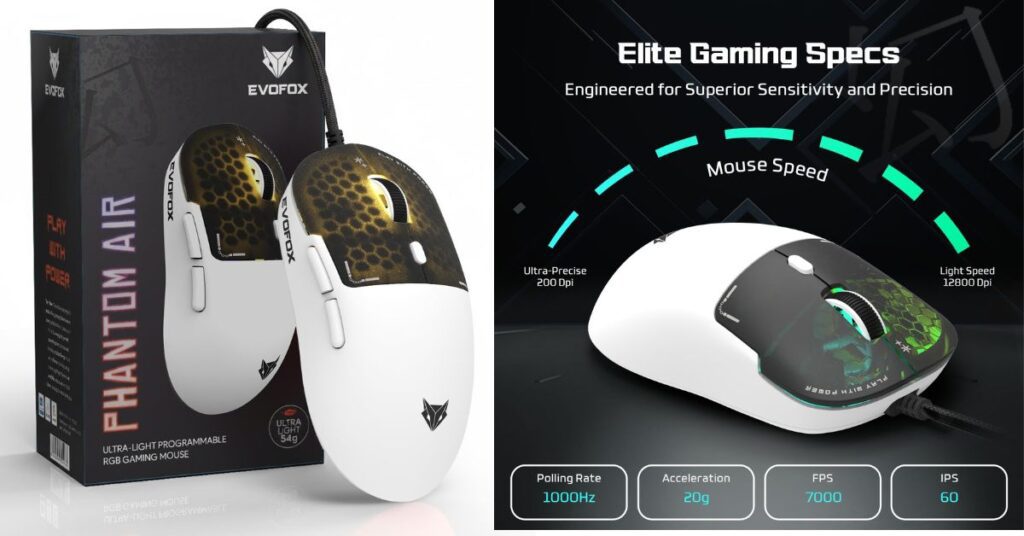
DPI Range: Up to 12,800
Buttons: 6 programmable buttons
Sensor: Optical gaming-grade sensor
Polling Rate: Up to 1000 Hz
Lighting: Honeycomb RGB
Cable Length: ~1.8 meters
Compatibility: Windows PC, laptops
Office + Gaming Experience:
Despite being marketed as a gaming mouse, the Phantom Air performs excellently as an office mouse. Cursor movement is smooth, clicks feel responsive, and the lightweight design reduces wrist fatigue during long working hours.
Comfort & Build:
The honeycomb body improves airflow, keeping your palm cool. The shape suits both palm and claw grip styles.
Who Should Buy:
Users who want one mouse for office productivity during the day and casual gaming at night.
3.2: EvoFox Starter Series Spectre USB Wired Mouse
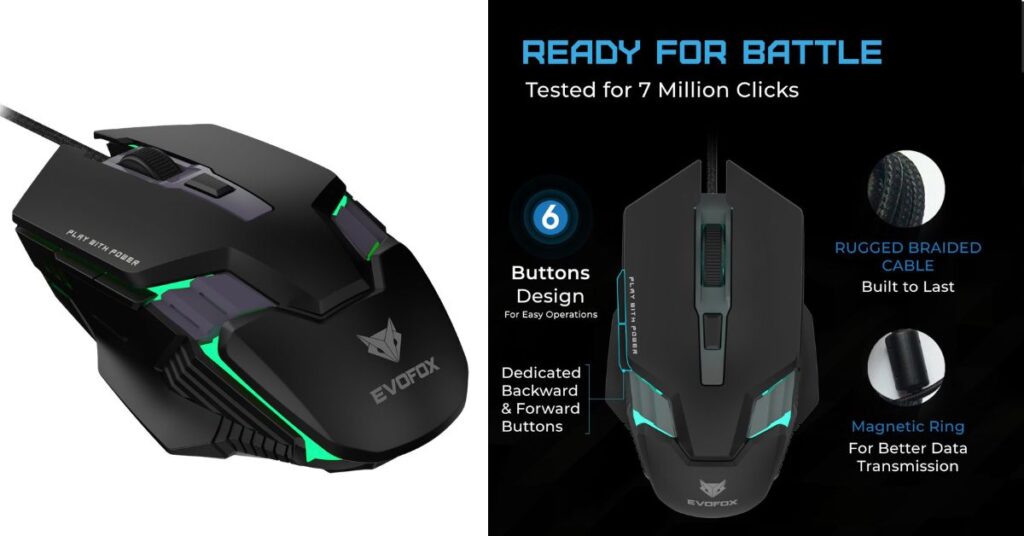
DPI Range: Up to 3,600
Buttons: 6 buttons
Sensor: Optical sensor
Click Durability: Up to 7 million clicks
Lighting: 7-color rainbow lighting
Cable Length: 1.5 meters braided cable
Compatibility: Windows PC, laptops
Office + Gaming Experience:
This mouse is tuned more towards office usage. Cursor control feels steady for document editing, browsing, and spreadsheets.
Comfort & Build:
The symmetrical shape makes it suitable for both left- and right-handed users. The braided cable adds durability for daily desk use.
Who Should Buy:
Students and office users looking for a no-nonsense wired mouse with decent looks.
3.3: Ant Esports GM100 V2 Optical Wired Mouse
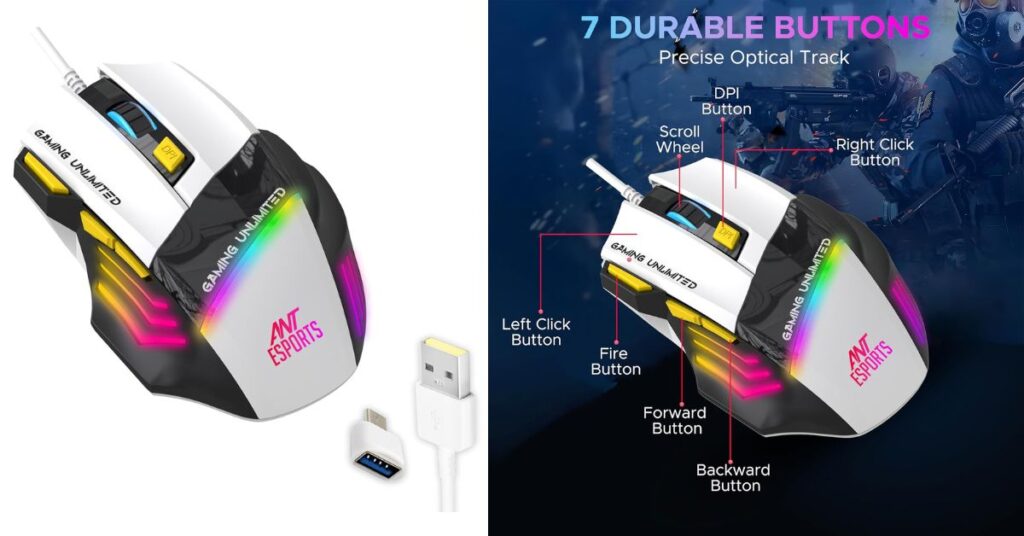
DPI Range: Up to 3,600
Buttons: 7 buttons
Sensor: Optical sensor
Tracking Speed: 4000 FPS
Lighting: RGB lighting
Cable Length: 1.5 meters PVC cable
Compatibility: Windows PC, laptops
Office + Gaming Experience:
The extra button helps with multitasking. Cursor precision is stable, making it good for Excel work, browsing, and basic creative tasks.
Comfort & Build:
Ergonomic curves provide decent palm support. The grip texture helps maintain control during long usage.
Who Should Buy:
Office users who want extra buttons for shortcuts and productivity.
3.4: HP M180 Wired Gaming Mouse
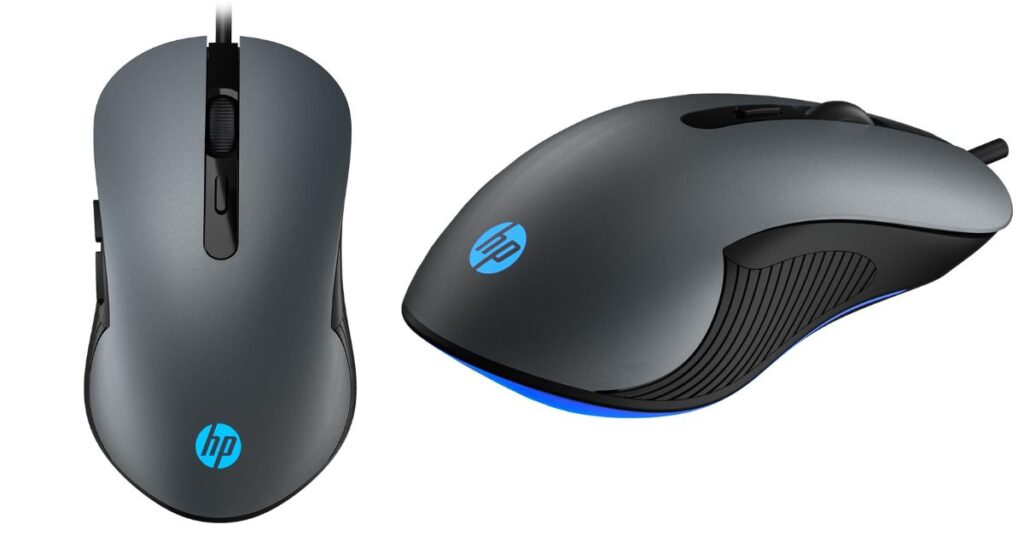
DPI Range: Up to 1,600
Buttons: 3 buttons
Sensor: Optical sensor
Lighting: LED lighting
Cable Length: ~1.8 meters
Compatibility: Windows PC, laptops
Office + Gaming Experience:
This is a classic office-style mouse with basic gaming aesthetics. Pointer movement is predictable and ideal for general office tasks.
Comfort & Build:
Simple, lightweight design with reliable HP build quality. Suitable for long typing and browsing sessions.
Who Should Buy:
Users who want a simple, brand-trusted mouse mainly for office work.
3.5: Portronics Vader Wired Ergonomic Mouse
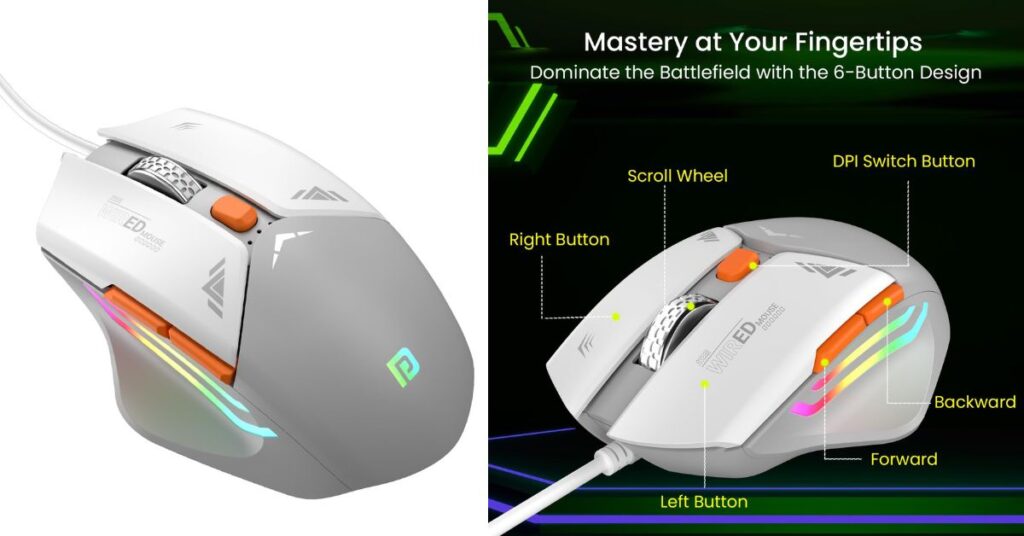
DPI Range: Up to 6,400
Buttons: 6 buttons
Sensor: Optical sensor
Lighting: RGB lighting
Cable Length: 1.5 meters USB cable
Compatibility: Windows PC, laptops
Office + Gaming Experience:
The Vader performs well for office multitasking and casual gaming. DPI switching helps adapt to different screen sizes.
Comfort & Build:
The ergonomic body and thumb support make it comfortable for extended work hours.
Who Should Buy:
Office professionals who want comfort and adjustable sensitivity.
4: Comparison Summary – Which One Should You Pick? Office Mouse Under 500 in 2026
| Usage Type | Best Choice |
|---|---|
| Long office hours | Portronics Vader |
| Office + casual gaming | EvoFox Phantom Air |
| Students & WFH | EvoFox Spectre |
| Multitasking shortcuts | Ant Esports GM100 V2 |
| Simple office setup | HP M180 |
5: Frequently Asked Questions (FAQs)
Q1: What is the best mouse for office work?
A: The best office mouse mixes comfort, steady tracking, and reliable buttons—like the Portronics Vader or HP M180 for everyday productivity.
Q2: Is a 100g mouse too heavy?
A: Not really. Around 90–110g feels solid and controlled for office use; under 90g is lighter and better for quick movements.
Q3: Is a 500 Hz mouse good for gaming?
A: Yes—500 Hz polling is fine for casual gaming. Competitive gamers may prefer higher polling rates, but 500 Hz works well under budget.
Q4: Which wireless mouse is best for office work?
A: For office use, reliable wireless options like the Logitech M221 Silent or Microsoft Bluetooth Mouse are popular for comfort and battery life (though not in the current under-500 list).
6: Conclusion
Finding a good office mouse under 500 is easier than ever, as budget models now offer solid comfort, reliable sensors, and durable clicks. For users who want a balance of office work and casual gaming, the EvoFox Phantom Air delivers smooth tracking and lightweight comfort. If long working hours are your priority, the Portronics Vader provides better ergonomics and control. The HP M180 suits users who prefer a simple, dependable mouse from a trusted brand, while EvoFox Spectre and Ant Esports GM100 V2 offer excellent value for students and multitaskers. Choose based on comfort and daily usage needs.
READ MORE:
Best Wireless Mouse Under 1000: Top Budget Picks for Work & Gaming
Top 5 Wireless Gaming Mouse (2026) – Best Picks for Competitive & Casual Gamers
Dell vs HP: 3 HP Mice vs 3 Dell Mice – The Ultimate Showdown!
Best Wireless Mouse Around $100 for Productivity, Gaming & Creators
Affiliate Disclosure: BuildWithPC is reader-supported. When you purchase through links on our site, we may earn an affiliate commission at no additional cost to you. Our reviews and recommendations are always honest and independent.