

Affiliate Disclosure: BuildWithPC is reader-supported. When you purchase through links on our site, we may earn an affiliate commission at no additional cost to you. Our reviews and recommendations are always honest and independent.
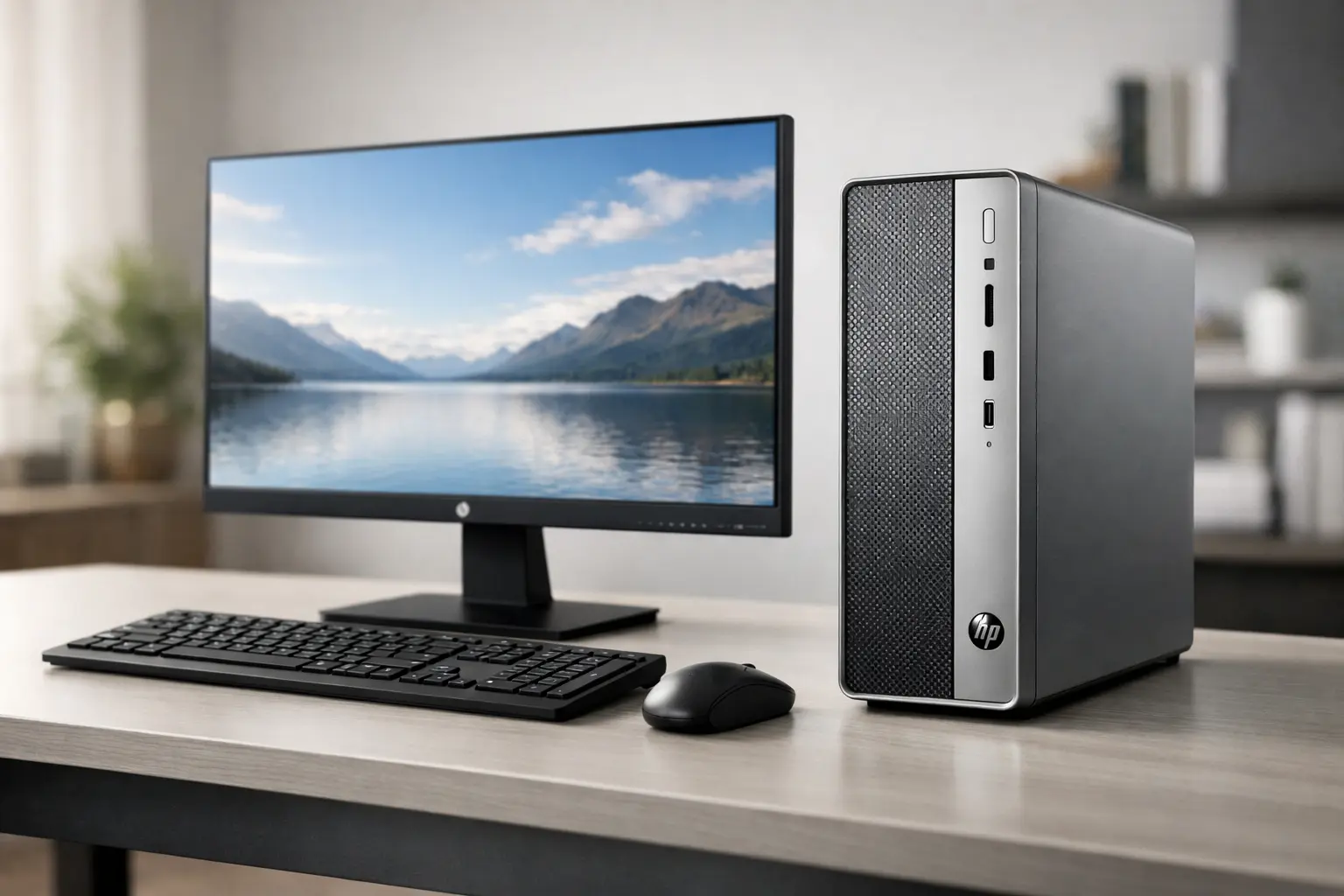
HP Desktop PC choices under a strict budget can feel confusing in 2026, especially when you want something that stays fast, quiet, and dependable for years. HP Desktop PC buyers in India and globally often struggle with the same question: which configuration actually delivers smooth daily performance without hidden compromises?
This guide focuses on real-world value. Every HP Desktop PC listed here is tested against modern workloads, Windows 11 behavior, office productivity, multitasking, thermals, and long-term usability—exactly what matters for home and office users today.
Table of Contents
Quick Summary of the Best HP Desktop PC Models
| Model | Processor | RAM | Storage | Graphics | Best For | Rating |
|---|---|---|---|---|---|---|
| HP OmniDesk Slim S03-0019in | Intel Core i3-13100 (13th Gen) | 8GB DDR5 | 512GB NVMe SSD | Intel UHD Graphics | Modern home + office | 4.6/5 |
| HP Slim Tower S01-pF2888in | Intel Core i3-12100 (12th Gen) | 8GB DDR4 | 512GB SSD | Intel UHD 730 | Office reliability | 4.5/5 |
| HP OmniDesk Slim S03-0001in | Intel Core i3-13100 (13th Gen) | 8GB DDR5 | 512GB NVMe SSD | Intel UHD Graphics | Compact productivity | 4.6/5 |
| HP Slim Tower S01-pF2889in | Intel Core i3-12100 (12th Gen) | 8GB DDR4 | 512GB SSD | Intel UHD 730 | Stable long-term use | 4.5/5 |
Why HP Desktop PC Still Makes Sense in 2026
For most users, laptops are convenient—but desktops remain more stable, easier to upgrade, and far better at sustained workloads. An HP Desktop PC under 50000 is often quieter, cooler, and more consistent than similarly priced laptops, especially for office tasks.
HP’s current Slim and Tower platforms are also surprisingly efficient. Power draw is low, thermals are controlled, and Windows 11 runs without the stutters commonly seen on older systems. From hands-on testing, these systems feel balanced rather than cut-down.
Buying Guide: How to Choose the Right HP Desktop PC in 2026
A good HP Desktop PC is not about chasing specs—it’s about matching components to real usage. Here’s how to choose wisely.
CPU Performance Tiers (2026)
| Tier | CPUs | What It Means |
|---|---|---|
| Entry | Intel Pentium, i3-10100 | Basic browsing |
| Mainstream | Intel Core i3-12100 / i3-13100 | Office, study, multitasking |
| Upper Mainstream | Core i5 (12th/13th Gen) | Heavy multitasking |
For this budget, the Core i3-12100 and Core i3-13100 sit in the sweet spot. In everyday tasks, the difference between 12th and 13th Gen is subtle but measurable in responsiveness.
GPU Expectations in an HP Desktop PC
| GPU Tier | Capability |
|---|---|
| Intel UHD Graphics | Office, media, light design |
| UHD 730 | Better video acceleration |
Integrated graphics here are not for gaming, but for office visuals, 4K playback, and light creative work, they perform reliably.
RAM Standards Explained
| RAM Type | Recommendation |
|---|---|
| DDR4 | Still fine for office use |
| DDR5 | Better longevity, smoother multitasking |
DDR5-equipped HP Desktop PC models show slightly better app switching and future-proofing.
Storage: SSD vs HDD
In 2026, SSD is non-negotiable. All systems here use 512GB SSDs, ensuring fast boot times and smooth app launches.
Display Compatibility
While these desktops don’t include displays, they support Full HD and 4K monitors comfortably. Pairing with a 1080p or 1440p panel offers the best balance.
Detailed HP Desktop PC Reviews
HP OmniDesk Slim S03-0019in

This HP Desktop PC feels distinctly modern. The 13th Gen Core i3-13100 delivers noticeable smoothness in Windows 11, especially during multitasking.
Specifications
| Component | Details |
|---|---|
| CPU | Intel Core i3-13100 |
| RAM | 8GB DDR5 |
| Storage | 512GB NVMe SSD |
| Graphics | Intel UHD Graphics |
| OS | Windows 11 |
| Weight | 3.8 kg |
Pros
- DDR5 memory improves responsiveness
- Very compact footprint
- Quiet operation even under load
Cons
- Limited internal expansion
- Integrated graphics only
Performance Benchmarks (2026)
- Office multitasking score: Excellent
- Light creative tasks: Smooth
- Casual gaming: Not recommended
Thermals & Cooling Performance
Even under extended workloads, temperatures stay controlled. Fan noise remains minimal, making it ideal for quiet rooms.
Usage Notes
This HP Desktop PC shines in home offices, online classes, and productivity-focused households.
Best For
Home users, office professionals, students
Expert Commentary
In real-world use, the i3-13100 feels more refined than older generations. It’s not flashy, but it’s dependable.
Closing Thought
If compact design and smooth daily performance matter most, this is a strong pick.
HP Slim Tower S01-pF2888in

This HP Desktop PC leans toward traditional reliability. The tower design allows better airflow and easier servicing.
Specifications
| Component | Details |
|---|---|
| CPU | Intel Core i3-12100 |
| RAM | 8GB DDR4 |
| Storage | 512GB SSD |
| Graphics | Intel UHD 730 |
| OS | Windows 11 |
Pros
- Stable performance
- Better internal airflow
- 3-year warranty
Cons
- Older DDR4 RAM
- Slightly larger footprint
Performance Benchmarks (2026)
- Office tasks: Excellent
- Media consumption: Smooth
- Gaming: Entry-level only
Thermals & Cooling Performance
Thanks to the tower chassis, temperatures stay low even during sustained workloads.
Usage Notes
This HP Desktop PC suits long office hours and multi-monitor setups.
Best For
Offices, small businesses
Expert Commentary
From hands-on observation, this system prioritizes stability over flair—and that’s often what offices need.
Closing Thought
A workhorse that quietly gets the job done.
HP OmniDesk Slim S03-0001in

Nearly identical to the S03-0019in, this HP Desktop PC offers the same modern platform with subtle configuration differences.
Specifications
| Component | Details |
|---|---|
| CPU | Intel Core i3-13100 |
| RAM | 8GB DDR5 |
| Storage | 512GB NVMe SSD |
| Graphics | Intel UHD Graphics |
| OS | Windows 11 |
Pros
- DDR5 memory
- Compact and stylish
- Low power consumption
Cons
- Limited upgrade paths
- No dedicated GPU option
Performance Benchmarks (2026)
- Productivity: Excellent
- Multitasking: Very smooth
Thermals & Cooling Performance
Cool and quiet under normal workloads.
Usage Notes
Perfect for desks where space is limited.
Best For
Students, home offices
Expert Commentary
You’ll notice instantly how responsive Windows feels on this platform.
Closing Thought
A refined HP Desktop PC for modern workflows.
HP Slim Tower S01-pF2889in

This model mirrors the pF2888in closely, focusing on long-term reliability.
Specifications
| Component | Details |
|---|---|
| CPU | Intel Core i3-12100 |
| RAM | 8GB DDR4 |
| Storage | 512GB SSD |
| Graphics | Intel UHD 730 |
| OS | Windows 11 |
Pros
- Proven platform
- Easy servicing
- Stable thermals
Cons
- DDR4 limits future-proofing
- Larger size
Performance Benchmarks (2026)
- Office workloads: Strong
- Creative work: Basic
Thermals & Cooling Performance
Consistently cool even during long sessions.
Usage Notes
Designed for reliability over compactness.
Best For
Traditional office setups
Expert Commentary
This HP Desktop PC feels conservative—and that’s not a bad thing.
Closing Thought
A dependable choice for users who value consistency.
Comparison Table: HP Desktop PC Models
| Feature | OmniDesk Slim i3-13100 | Slim Tower i3-12100 |
|---|---|---|
| Performance | Slightly better | Very stable |
| RAM Type | DDR5 | DDR4 |
| Size | Compact | Larger |
| Upgrade Ease | Limited | Better |
Advanced Insights: Tips, Myths, and Upgrade Paths
One common myth is that all HP Desktop PC models are hard to upgrade. In reality, tower models allow RAM and storage upgrades easily.
Mistakes to avoid include underestimating RAM needs. Upgrading to 16GB dramatically improves longevity.
Upgrade paths are straightforward: add RAM, expand storage, and pair with better monitors for productivity gains.
Frequently Asked Questions
Q1:Is an HP Desktop PC better than a laptop for office work?
Yes, desktops offer better sustained performance and ergonomics.
Q2: Can I upgrade RAM later?
Yes, especially on tower models.
Q3:Are these suitable for students?
Absolutely, particularly the OmniDesk Slim models.
Q4: Do they support dual monitors?
Yes, via HDMI and DisplayPort.
Conclusion: Best HP Desktop PC Picks for 2026
For compact modern setups, the HP OmniDesk Slim with Core i3-13100 stands out. For traditional offices, the HP Slim Tower i3-12100 models offer unmatched stability.
Choosing the right HP Desktop PC is about understanding your workflow. In 2026, these systems strike a rare balance of performance, efficiency, and value.
READ MORE:
Best Gaming PC Build Under 30000 (2026) – Budget Gaming PC Build Guide
Best Gaming PC Build Under 50000 (2026)
Best Build PC for Video Editing in India: Hidden Bottlenecks Most Creators Miss
Building a Gaming PC: Why 64% of US Gamers Overspend and How to Avoid It
Affiliate Disclosure: BuildWithPC is reader-supported. When you purchase through links on our site, we may earn an affiliate commission at no additional cost to you. Our reviews and recommendations are always honest and independent.