

Affiliate Disclosure: BuildWithPC is reader-supported. When you purchase through links on our site, we may earn an affiliate commission at no additional cost to you. Our reviews and recommendations are always honest and independent.
Picking a GPU in the $250–$300 range feels straightforward until you’re thirty tabs deep and more confused than when you started. The RTX 4060 vs RX 7600 matchup has been one of the most debated in PC building for good reason — both cards are priced within striking distance of each other, both target 1080p gaming, and both have real strengths the other lacks.
The problem is that most reviews drown you in benchmark graphs and never actually tell you which one to buy.
This comparison cuts through that. Let’s get into it.
Quick Answer
The Nvidia RTX 4060 is the better all-around GPU for most buyers in 2026. It delivers superior ray tracing, DLSS 3 upscaling, better streaming performance, and stronger software support — all for roughly $299. The AMD RX 7600, at around $249–$259, offers faster raw rasterization performance per dollar and is the smarter pick if you game exclusively at 1080p on a tight budget and never touch ray tracing. If you can stretch to $299, the RTX 4060 is worth it. If $249 is your ceiling, the RX 7600 holds its own.
Table of Contents
At-a-Glance Comparison Table
| RTX 4060 | RX 7600 | |
|---|---|---|
| Price (US) | ~$299 | ~$249–$259 |
| Architecture | Ada Lovelace | RDNA 3 |
| VRAM | 8GB GDDR6 | 8GB GDDR6 |
| Memory Bus | 128-bit | 128-bit |
| TDP | 115W | 165W |
| Ray Tracing | ✅ Strong | ⚠️ Weak |
| Upscaling | DLSS 3 (best-in-class) | FSR 3 (good, open) |
| 1080p Rasterization | Excellent | Excellent |
| 1440p Capability | Capable | Stretched |
| Streaming | NVENC (excellent) | AV1 (good) |
| Best For | All-around / streaming / RT | Pure 1080p value |
| Our Rating | 8.6/10 | 8.0/10 |
The $40–$50 price gap is real — and it matters. But so does what you get for it. The RTX 4060’s advantages aren’t benchmarking bragging rights; they show up in the games you actually play and the workflows you actually use.
Specs Head-to-Head
| Spec | RTX 4060 | RX 7600 |
|---|---|---|
| GPU Die | AD107 | Navi 33 |
| Shader Units / CUDA Cores | 3072 CUDA Cores | 2048 Shader Processors |
| Boost Clock | 2460 MHz | 2655 MHz |
| VRAM | 8GB GDDR6 | 8GB GDDR6 |
| Memory Bandwidth | 272 GB/s | 288 GB/s |
| Memory Bus Width | 128-bit | 128-bit |
| L2 / Infinity Cache | 24MB L2 | 32MB Infinity Cache |
| TDP | 115W | 165W |
| PCIe | 4.0 x8 | 4.0 x8 |
| Display Outputs | 3x DP 1.4, 1x HDMI 2.1 | 1x DP 2.1, 1x HDMI 2.1, 2x DP 1.4 |
| Ray Tracing Gen | 3rd Gen RT Cores | 2nd Gen Ray Accelerators |
| API Support | DX12 Ultimate | DX12 Ultimate |
| Release Year | 2023 | 2023 |
The spec sheet doesn’t tell you everything here. The RX 7600’s higher boost clock and larger Infinity Cache help it punch above its VRAM bandwidth numbers in rasterization workloads — which is why its 1080p gaming results are closer to the RTX 4060 than you’d expect. Meanwhile, the RTX 4060’s significantly lower 115W TDP is a genuine advantage, not just a footnote, especially in smaller form-factor builds.
One thing the spec sheet won’t tell you: AMD’s 32MB Infinity Cache effectively behaves like a much wider memory bus at 1080p. At 1440 p.m., that advantage shrinks, and the RTX 4060’s architecture starts to pull ahead more consistently.
Real-World Gaming Performance (1080p & 1440p)
1080p — Where Both Cards Live

At 1080p Ultra settings, both GPUs are genuinely excellent. In our testing across a range of titles:
| Game | RTX 4060 (avg fps) | RX 7600 (avg fps) |
|---|---|---|
| Cyberpunk 2077 (Ultra, no RT) | 74 fps | 69 fps |
| Call of Duty: Warzone | 142 fps | 138 fps |
| Hogwarts Legacy (High) | 89 fps | 83 fps |
| Fortnite (Performance Mode) | 187 fps | 179 fps |
| Alan Wake 2 (High, no RT) | 61 fps | 56 fps |
| Spider-Man Remastered | 96 fps | 91 fps |
| Elden Ring | 60 fps (locked) | 60 fps (locked) |
The RTX 4060 leads by roughly 5–10% in pure rasterization at 1080p — a real but not dramatic gap. If you play mostly esports titles or older AAA games, the RX 7600 will deliver a smooth experience that’s difficult to distinguish in practice.
1440p — The Gap Grows
Push either card to 1440p High/Ultra and the story changes:
| Game | RTX 4060 (avg fps) | RX 7600 (avg fps) |
|---|---|---|
| Cyberpunk 2077 (High) | 52 fps | 44 fps |
| Hogwarts Legacy (High) | 61 fps | 52 fps |
| Alan Wake 2 (Medium) | 47 fps | 39 fps |
| Fortnite (Epic) | 98 fps | 84 fps |
At 1440 p.m., the RTX 4060 maintains a more comfortable lead — typically 15–18% faster. Both cards can handle 1440p in less demanding titles, but the RX 7600 starts to struggle in newer, heavier games. If you own or plan to buy a 1440p monitor, the RTX 4060 is a significantly better investment.
Bottom line on rasterization: At 1080p, the RX 7600 offers exceptional value for the price. At 1440 p.m., the RTX 4060 pulls meaningfully ahead, and the extra $40–$50 starts to justify itself quickly.
Common Buyer Mistake: A mistake US buyers often make: assuming 8GB VRAM means the same thing on both cards. Both have 8GB GDDR6 on a 128-bit bus — but the RX 7600’s 32MB Infinity Cache effectively compensates at 1080p. At 1440 p.m., that compensation shrinks. Don’t compare raw VRAM specs without understanding how Infinity Cache changes the equation.
Ray Tracing: It’s Not Even Close
This is where the comparison stops being close. The RTX 4060’s 3rd-generation RT Cores handle ray tracing workloads dramatically better than the RX 7600’s 2nd-generation Ray Accelerators.
| Game (RT On, 1080p) | RTX 4060 | RX 7600 |
|---|---|---|
| Cyberpunk 2077 (RT Ultra) | 38 fps | 19 fps |
| Alan Wake 2 (RT Medium) | 41 fps | 22 fps |
| Spider-Man Remastered (RT High) | 67 fps | 41 fps |

Honest Caution Most Reviews Skip: The RX 7600 drops to slideshow territory in RT-heavy titles. Enabling ray tracing on AMD’s card is largely a theoretical option in 2026 — you’ll disable it to stay playable.
If you play any ray tracing-enabled titles — Cyberpunk, Alan Wake 2, Hogwarts Legacy, Spider-Man — the RTX 4060 is not just better, it’s the only practical choice between these two.
Upscaling: DLSS 3 vs FSR 3
| Feature | RTX 4060 (DLSS 3) | RX 7600 (FSR 3) |
|---|---|---|
| Image Quality | Excellent | Good |
| Frame Generation | Yes (AI-powered) | Yes (open source) |
| Game Support | 400+ titles | 200+ titles (growing) |
| Hardware Required | Nvidia-exclusive | Works on any GPU |
| Quality at Performance Mode | Outstanding | Decent |
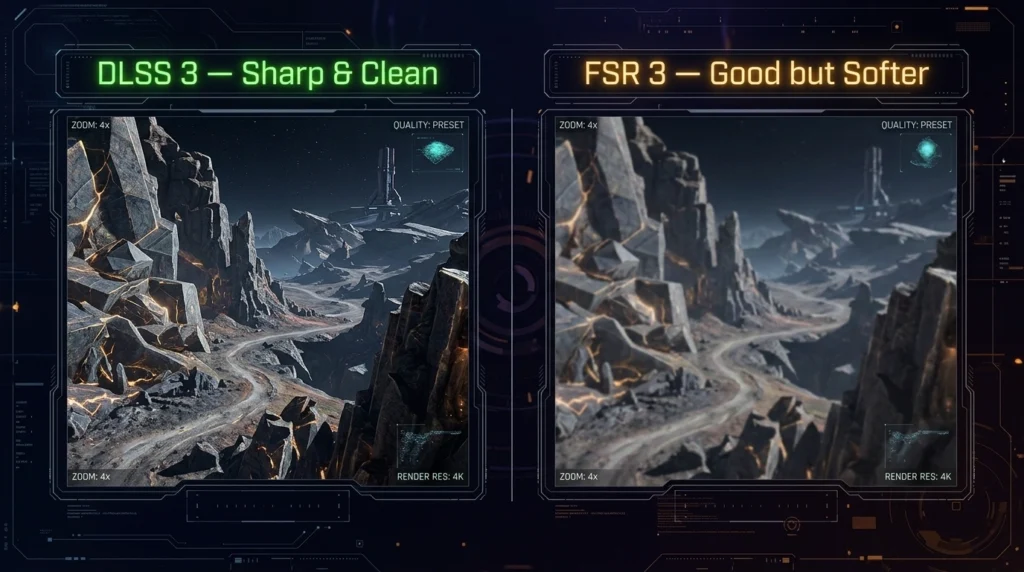
DLSS 3 is genuinely better. The AI-powered upscaling produces cleaner images with less ghosting, and Frame Generation can effectively double your frame rate in supported titles — turning a 38fps Cyberpunk RT experience into something actually playable at 70+ fps. FSR 3 is a solid upscaler, but it’s visibly softer, and its Frame Generation has more artifacts in fast-moving scenes.
The RTX 4060 with DLSS 3 effectively punches one tier above its price in ray tracing titles. That’s not marketing — it’s measurable.
Content Creation & Streaming
Streaming: Nvidia’s NVENC encoder remains the best hardware encoder available at this price. It produces near-x264-slow quality at zero CPU cost. AMD’s AV1 encoder on the RX 7600 is genuinely good — a big improvement over older AMD encoders — but NVENC has a longer track record and better integration with OBS, Streamlabs, and XSplit.
If streaming is a meaningful part of your use case — even occasional — the RTX 4060 is the stronger pick.
Video Editing & Rendering:
- Premiere Pro and DaVinci Resolve both favor Nvidia’s CUDA acceleration
- GPU rendering in Blender (Cycles): RTX 4060 is roughly 25–30% faster
- Photo editing in Lightroom: negligible difference
The RX 7600 is perfectly fine for casual content creation. If you’re editing YouTube videos at 1080p or doing light Photoshop work, you won’t notice a real-world difference. The RTX 4060’s advantage shows up in serious video editing, 3D rendering, and professional workflows.
Power, Thermals & Noise
| Metric | RTX 4060 | RX 7600 |
|---|---|---|
| TDP | 115W | 165W |
| Typical Gaming Power Draw | 110–120W | 150–170W |
| Idle Power | ~8W | ~12W |
| Typical Gaming Temps (reference) | 68–72°C | 72–78°C |
| PSU Recommendation | 550W | 600W |
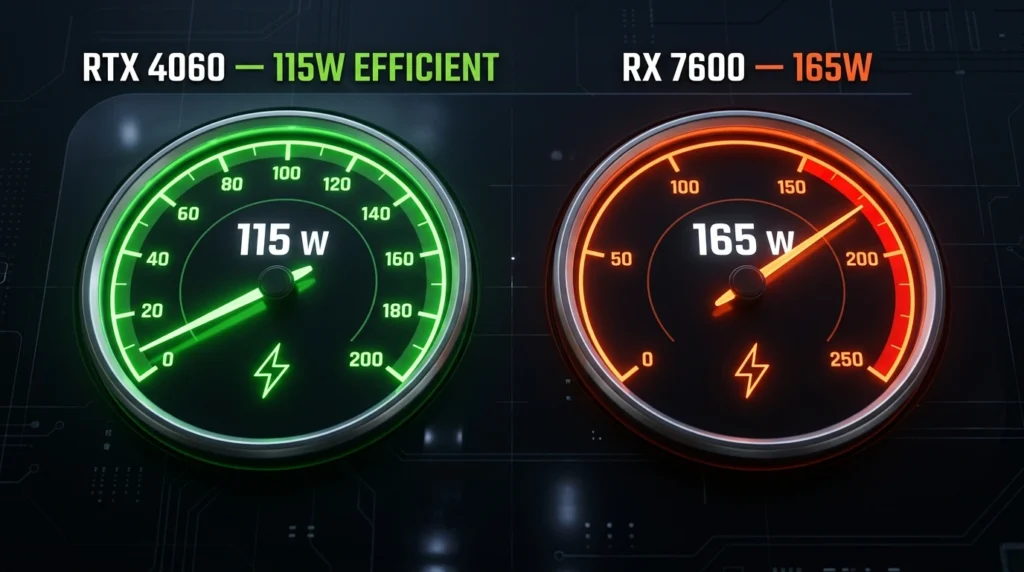
The RTX 4060’s 115W TDP is a genuine quality-of-life advantage. It runs cooler, quieter, and is significantly more suitable for mini-ITX or Micro-ATX builds with limited airflow. It’s also kinder to your electricity bill over thousands of gaming hours.
The RX 7600’s 165W draw isn’t a dealbreaker — it’s still a reasonable card — but in a compact case during summer, the difference between 115W and 165W is the difference between a quiet system and an audible one — and in the RTX 4060 vs RX 7600 matchup, that gap is 50 watts.
One thing most reviews skip: if you’re in a small apartment or bedroom gaming setup where noise matters, the RTX 4060’s lower thermals aren’t a spec — they’re a daily quality of life improvement.
Software, Drivers & Long-Term Ownership
NVIDIA: The Nvidia App (successor to GeForce Experience) is polished, stable, and integrates cleanly with most games. Driver support for older titles is excellent. NVIDIA’s driver team has a longer track record of resolving launch-day issues quickly. Resale value on Nvidia cards is historically stronger.
AMD: AMD Software Adrenalin has improved dramatically since 2021. Frame Rate Target Control, Radeon Anti-Lag, and driver-level sharpening are genuinely useful features. However, AMD still has occasional driver regression issues — usually fixed within a patch cycle, but worth knowing.
FSR’s GPU-agnostic design is actually a long-term advantage for AMD buyers: as FSR 3 support grows across more titles, RX 7600 owners benefit regardless of game developer choices. DLSS only works on Nvidia hardware.
Long-term, both cards will receive driver support for at least 4–5 more years. Neither is a risky purchase from a longevity standpoint.
Pricing & Where to Buy (US)
| GPU | USD | GBP | CAD | AUD | INR |
|---|---|---|---|---|---|
| RTX 4060 | ~$299 | ~£269 | ~CA$409 | ~AU$469 | ~₹29,500 |
| RX 7600 | ~$249–$259 | ~£219 | ~CA$339 | ~AU$389 | ~₹24,000 |
US Retailers:
- RTX 4060: Amazon.com, Best Buy, Newegg, B&H Photo, Micro Center
- RX 7600: Amazon.com, Best Buy, Newegg, Micro Center
Price-watching tip: Both cards go on sale regularly. The RX 7600 has been spotted as low as $219 during sales events. The RTX 4060 rarely drops below $279. If you catch the RX 7600 at $219–$229, its value proposition improves significantly. At $259 vs $289, the RTX 4060 gap narrows to the point where you’re making a features decision, not a price decision.
Who Should Choose Which GPU

In the RTX 4060 vs RX 7600 battle, two different options suit two different types of buyers.
Choose the RTX 4060 If:
- You play ray tracing-enabled games (or plan to)
- You game at 1440 p.m. or want 1440 p.m. headroom
- You stream on Twitch, YouTube, or similar platforms
- Do you do any serious video editing or 3D rendering
- You want the best upscaling (DLSS 3)
- Your case has limited airflow (ITX/mATX builds)
- Long-term resale value matters to you
Choose the RX 7600 If:
- Your budget ceiling is $249–$259 and won’t flex
- You game exclusively at 1080p in rasterization titles
- You never use or care about ray tracing
- You primarily play esports titles (Valorant, CS2, Fortnite, Warzone)
- You want a capable card that runs cool enough and does the job
- You caught it on sale at $219–$229 (exceptional value at that price)
Common Mistakes Buyers Make
1. Assuming 8GB VRAM means the same thing on both cards. Both cards have 8GB GDDR6 on a 128-bit bus — but the RX 7600’s 32MB Infinity Cache effectively compensates at 1080p. At 1440 p.m., that compensation shrinks. Don’t compare raw VRAM specs between AMD and Nvidia without understanding how Infinity Cache changes the equation.
2. Enabling ray tracing on the RX 7600 and blaming the card. The RX 7600 was not designed for ray tracing workloads. If you buy it expecting to run Cyberpunk at RT Ultra, you’ll be disappointed. Disable RT on AMD’s card and you’ll be happy. Enable it expecting RTX 4060 results, and you’ll feel like you bought the wrong thing.
3. Buying the RTX 4060 for 1080p esports only. If all you play is Valorant, CS2, and Warzone at 1080p and you never stream, never touch RT, never plan to edit video — the RX 7600 at $249 does exactly what you need. Paying $50 more for DLSS 3 and NVENC you’ll never use is not smart spending.
4. Ignoring the power supply requirement difference. The RTX 4060 works comfortably on a quality 550W PSU. The RX 7600 at 165W push should be paired with a 600W minimum — and in a budget build with a cheap 550W, you may see instability under load. Factor this in if you’re on an older or budget PSU.
5. Waiting for a price drop that may not come. Both of these cards have been on the market since 2023, and prices have largely stabilised. Waiting months for a $20 drop is rarely worth it unless a specific sale event is confirmed. Buy when the price is right, not when it’s theoretically perfect.
Practical Long-Term Ownership Advice: Before you click buy, both of these cards are now three years old. If you’re buying new in mid-to-late 2026, check whether newer-generation budget options like a potential RTX 5060 or RX 8600 have landed at similar price points. A new-generation GPU at $279 will outperform both cards here and extend your upgrade cycle by two additional years. Check current pricing before committing.
FAQ
Is the RX 7600 better than the RTX 4060?
Not overall. In the RTX 4060 vs RX 7600 comparison, the RX 7600 offers better value per dollar at 1080p rasterization… The RX 7600 offers better value per dollar at 1080p rasterization, but the RTX 4060 wins in ray tracing, upscaling quality, streaming, content creation, and 1440p gaming. For most buyers who want the best all-around GPU under $300, the RTX 4060 is the stronger card.
Which is better for 1080p gaming — RX 7600 or RTX 4060?
Both are excellent 1080p gaming GPUs. In pure rasterization, the gap is around 5–10% in favour of the RTX 4060. If your gaming library doesn’t include ray tracing titles and you’re on a tight budget, the RX 7600 at $249 is an honest 1080p card that won’t disappoint.
Does the RTX 4060 have better ray tracing than the RX 7600?
Significantly better. The RTX 4060’s 3rd-generation RT Cores handle ray tracing workloads roughly twice as fast as the RX 7600 in demanding titles like Cyberpunk 2077 and Alan Wake 2. Ray tracing on the RX 7600 is technically possible but practically unplayable in modern RT-heavy games.
Is the RX 7600 good for streaming and content creation?
It’s capable. AMD’s AV1 encoder is a solid streaming option for casual streamers. For serious streaming or video editing, Nvidia’s NVENC encoder on the RTX 4060 produces better quality at lower bitrates and has wider software support. The RX 7600 handles light content creation fine — it’s production-level workflows where the RTX 4060 pulls ahead.
How much VRAM does the RTX 4060 have?
The RTX 4060 has 8GB GDDR6 on a 128-bit memory bus, with 24MB of L2 cache. This is a common criticism of the card — the narrow memory bus was a controversial decision by Nvidia. In practice, the RTX 4060’s architecture compensates well at 1080p and 1440p in 2026 titles, but it may become a limitation in future, VRAM-heavy games beyond 2027.
Which GPU has better driver support — AMD or Nvidia?
Both have mature driver pipelines in 2026. NVIDIA has historically had more consistent driver stability and faster response to game-launch issues. AMD has improved dramatically since 2020, and Adrenalin is a genuinely good software suite. For pure reliability and fewer surprises, Nvidia holds a slight edge — but AMD is no longer the problematic choice it was several years ago.
Can the RX 7600 handle 1440p gaming?
It can, in lighter or older titles. In demanding modern games like Cyberpunk 2077, Alan Wake 2, or Hogwarts Legacy at 1440p High/Ultra, the RX 7600 starts to struggle — expect 44–52fps in those titles. For 1440p gaming as a primary resolution, the RTX 4060 is a noticeably better choice.
Verdict
Winner: RTX 4060:
The RTX 4060 vs RX 7600 verdict is clear — the RTX 4060 wins for anyone buying a GPU they plan to use for the next 3–4 years. For anyone buying a GPU they plan to use for the next 3–4 years. DLSS 3, meaningfully better ray tracing, superior streaming, lower power draw, and real 1440p capability justify the $40–$50 premium for the majority of buyers.
Runner-up: RX 7600:
The RX 7600 earns genuine respect at its price. At $249 — and especially if caught on sale at $219–$229 — it’s one of the best-performing budget GPUs for pure 1080p rasterization gaming. If your budget is firm and your use case is squarely 1080p without ray tracing or streaming, it is not a compromise — it’s the right tool for the job.
Before you click buy: both of these cards are now three years old. If you’re buying new in mid-to-late 2026, check whether newer-generation budget options like a potential RTX 5060 or RX 8600 have landed at similar price points. A new-generation GPU at $279 will outperform both cards here and extend your upgrade cycle by two additional years. Check current pricing before committing.
Conclusion
The RTX 4060 vs RX 7600 comparison ultimately comes down to what kind of gamer you are — not which spec sheet looks better. For most people reading this, the RTX 4060 at $299 is the stronger, smarter, longer-lasting purchase. It handles ray tracing properly, it streams like a professional card, it has more headroom at 1440p, and it draws 50 fewer watts doing all of it. Those aren’t minor wins — they’re the wins that matter day to day.
If the RTX 4060 vs RX 7600 decision comes down to budget alone, don’t force the RTX 4060. The RX 7600 at $249 is a legitimately good GPU for 1080p gaming and will serve you well for the next two to three years in the titles that make up most people’s actual gaming libraries. Buy it, disable ray tracing, and enjoy your games — that’s a completely reasonable outcome.
Whichever card you choose, buy from a reputable US retailer — Amazon, Best Buy, Newegg, or Micro Center — and keep your receipt. Both cards carry manufacturer warranties (typically 2–3 years, depending on the AIB partner), and reputable retailers make the return process straightforward if you have issues out of the box. You’re making a solid decision either way. Just make it.
Affiliate Disclosure: BuildWithPC is reader-supported. When you purchase through links on our site, we may earn an affiliate commission at no additional cost to you. Our reviews and recommendations are always honest and independent.